Instagram Reel Size Limit 2026: Complete Specs, Formats & Upload Guide
Instagram reel size limit 2026: full specs on duration, resolution, bitrate, and file size. Fix upload errors and export perfect reels today.
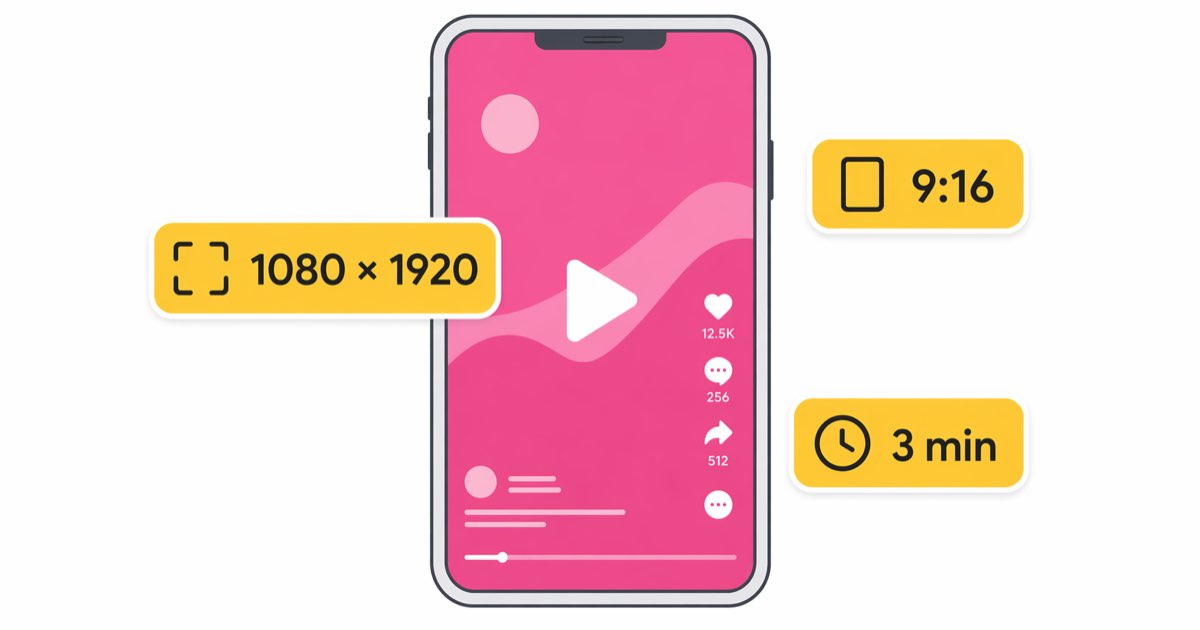
The instagram reel size limit 2026 caps individual reels at 3 minutes, 4 GB file size, 1080x1920 resolution, and a 9:16 aspect ratio. Export with H.264 video, AAC audio, and MP4 container to avoid rejection. This guide covers every current spec, format rule, and the fixes for the most common upload errors creators hit today.
Current Reel Size, Duration & Aspect Ratio Specs
Instagram tightened and unified Reel specs across the Meta family in late 2025, so the same export now works for Reels, Facebook Reels, and the Reels tab inside Threads. Here are the active numbers for 2026.
| Spec | Value |
|---|---|
| Maximum duration | 3 minutes (180 seconds) [verify] |
| Minimum duration | 3 seconds |
| Aspect ratio | 9:16 (vertical) |
| Recommended resolution | 1080 x 1920 px |
| Minimum resolution | 720 x 1280 px |
| Frame rate | 30 fps (24–60 fps accepted) |
| Maximum file size | 4 GB [verify] |
| Video codec | H.264 (HEVC/H.265 accepted) |
| Audio codec | AAC-LC, stereo |
| Audio bitrate | 128 kbps minimum |
| Video bitrate | 3.5–5 Mbps (SDR), up to 10 Mbps (HDR) |
| Cover image | 1080 x 1920 px, JPG/PNG |
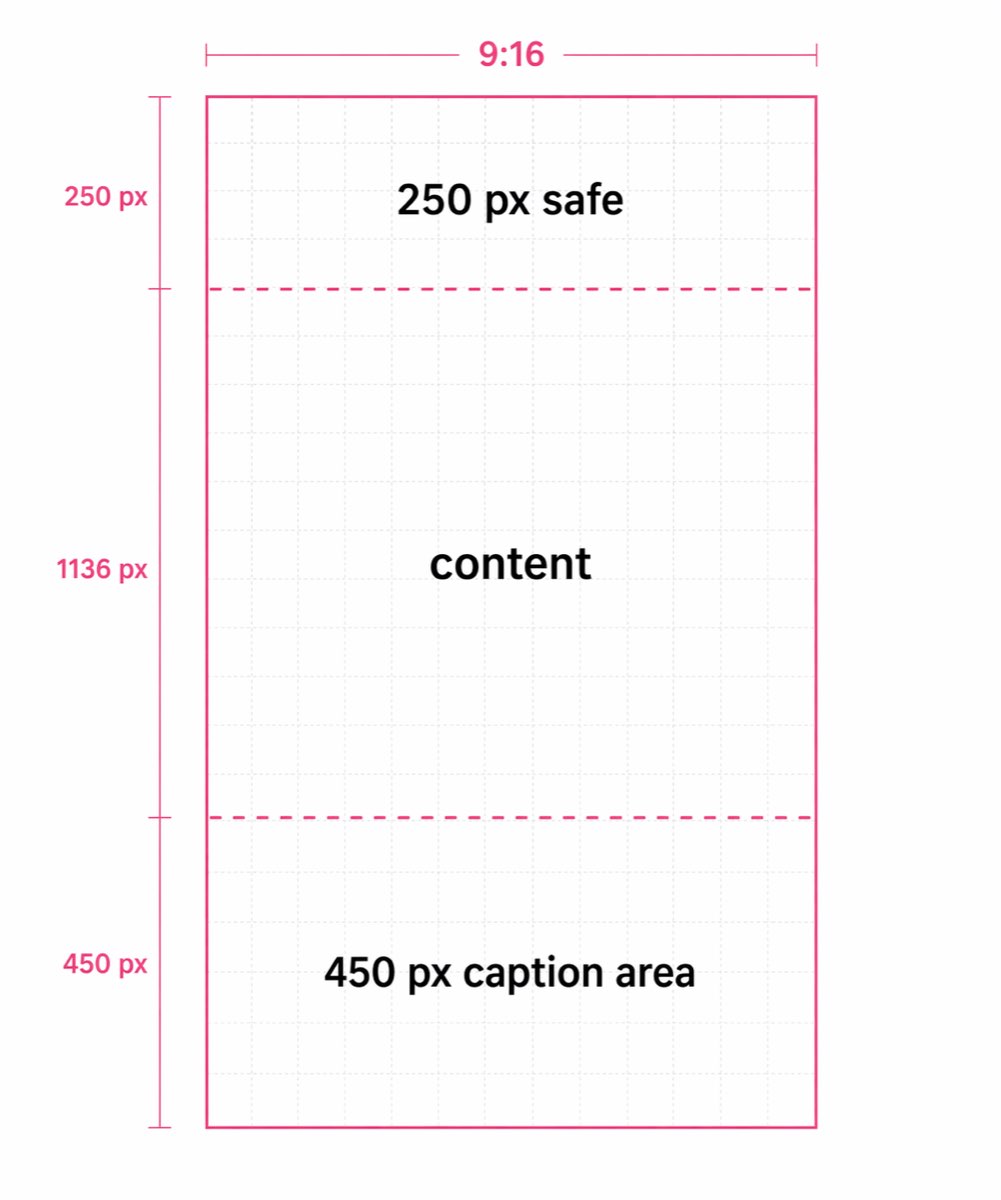
| Safe zone | 250 px top, 450 px bottom |
Reels longer than 60 seconds still get full feed distribution in 2026, but the Reels tab thumbnail crop is 1:1, so keep your subject centered if you want the grid to look clean.
Accepted Formats: H.264, AAC, and MP4 Rules
Instagram's encoder re-transcodes every upload, but a clean source file cuts compression artifacts dramatically. Stick to these rules:
- Container: MP4 or MOV. MP4 with the
moov atomat the front uploads fastest. - Video codec: H.264 High Profile, Level 4.2, closed GOP, 2-second keyframe interval.
- Pixel format: YUV 4:2:0, 8-bit for SDR, 10-bit for HDR10.
- Audio: AAC-LC at 44.1 kHz or 48 kHz, stereo, 128–256 kbps.
- Color space: Rec. 709 for SDR, Rec. 2020 PQ for HDR.
- Progressive scan only — interlaced footage gets shimmer on mobile.
If you shoot in ProRes, DNxHR, or anything raw, transcode before upload. Uploading a 30 GB ProRes master will either fail outright or get crushed by Instagram's server-side encoder.
What to Do If Your Reel Exceeds the Limit
Hitting the 4 GB cap usually means the source is over-bit-rated, not actually too long. Three fixes work for 95% of cases.
1. Re-encode at a sane bitrate. A 3-minute 1080p reel at 10 Mbps lands around 225 MB. Anything above 20 Mbps is overkill because Instagram will re-compress it anyway. [TOOL: HandBrake] — free, cross-platform, preset "Social 1080p30" gets you to spec in one click.
2. Trim before export. Cutting 10 seconds of dead air often saves more bytes than re-encoding. Use [TOOL: CapCut] or [TOOL: DaVinci Resolve] to trim on the timeline rather than post-export.
3. Downscale HDR to SDR if you don't need the look. HDR files run 2–3x larger than SDR equivalents. For talking-head and B-roll reels, the HDR gain is invisible on most feeds.
For quick mobile fixes, the native Instagram editor will auto-trim to 3 minutes but won't compress — it just rejects oversized files. Handle compression before you open the app.
Common Upload Errors (Black Bars, Blur, Audio Drops)
Letterbox or black bars on the sides
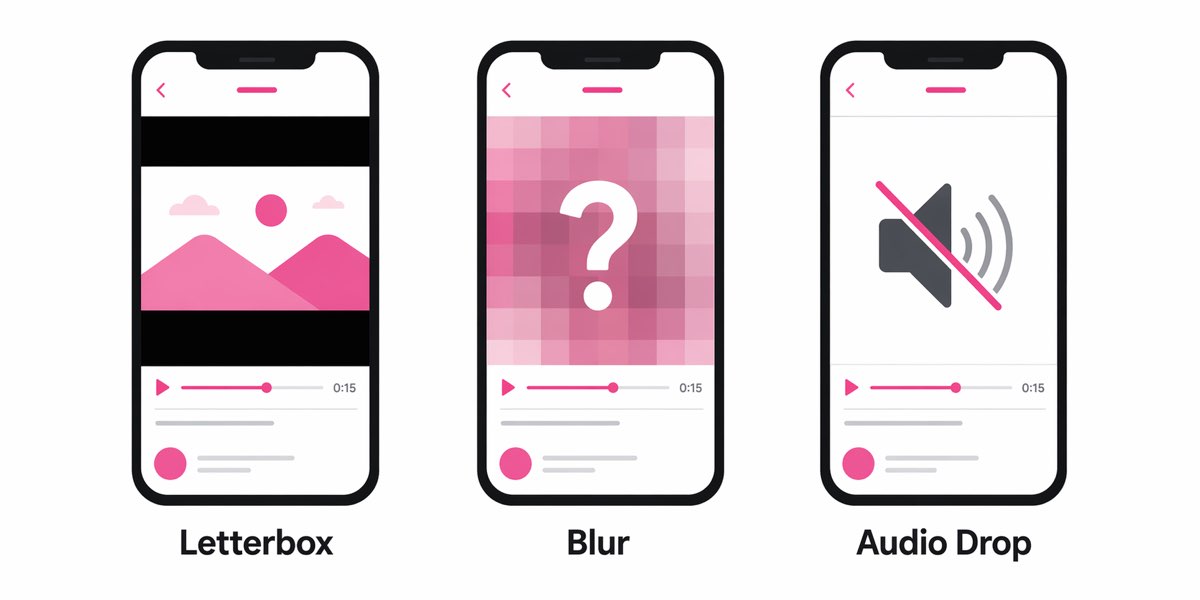
Your aspect ratio is off. Instagram centers non-9:16 video and fills the rest black. Re-export at exactly 1080x1920. Don't rely on the "fit" toggle — it downscales even vertical footage.
Blurry reel after upload
Three culprits: (1) resolution below 720p, (2) bitrate below 3 Mbps, (3) you uploaded over cellular and Instagram fell back to a low-quality path. Turn on "Upload at highest quality" in Settings > Media Quality.
Audio missing or out of sync
Usually an unsupported audio codec (AC3, Opus in MP4) or a variable frame rate source. Convert to constant frame rate and AAC stereo. If the audio drops only on iPhone playback, check for dual-mono AAC — force stereo on export.
"Video couldn't be uploaded" error
File size over 4 GB, duration over 3 minutes, or a corrupted moov atom. Run the file through a remux: ffmpeg -i input.mp4 -c copy -movflags +faststart output.mp4.
Cover image stretches
Upload a 1080x1920 JPG explicitly. Letting Instagram pick a frame often grabs a motion-blurred midpoint.
FAQ
Q: Can Instagram Reels be longer than 3 minutes in 2026? A: No. The hard cap is still 3 minutes for standalone reels. Longer-form creators should split into a series or post to the main feed as a standard video.
Q: Does Instagram accept 4K reels? A: You can upload up to 4K (2160x3840), but Instagram downscales to 1080x1920 for playback. Uploading 4K only helps if you're heavily cropping or zooming.
Q: Is there a minimum bitrate for Reels? A: Instagram doesn't publish a minimum, but files under 3 Mbps visibly degrade. Aim for 5 Mbps at 1080p30.
Q: Why does my reel look worse than the original? A: Server-side re-encoding. You can't fully avoid it, but uploading at 1080x1920, 5–10 Mbps, H.264 High Profile minimizes visible loss.
Q: What's the safe zone for text and captions? A: Keep critical elements at least 250 px from the top and 450 px from the bottom to avoid overlap with the username, caption, and action buttons.
Final Take
The instagram reel size limit 2026 is strict but predictable: 3 minutes, 4 GB, 1080x1920, H.264/AAC in MP4. Nail those five numbers, keep your bitrate between 5 and 10 Mbps, and respect the safe zones. Do that, and 90% of upload errors disappear before you ever tap "Share."