视频循环——在线免费重复播放
把视频重复任意次数。做社交平台的无缝循环片段、演示背景或氛围画面——全部在浏览器里完成。
把视频拖到这里,或点击选择文件
文件上限约 2 GB(取决于内存)
使用方法
Upload your video
Drag and drop any video file (MP4, WebM, MOV, AVI, MKV) or click "Choose File" to browse. Works with files up to ~2 GB (memory permitting).
Set loop count
Choose how many times you want the video to repeat — the slider goes from 2× to 10×.
Loop the video
Click "Loop" — processing happens in your browser using FFmpeg WebAssembly. No server upload required.
Download
Download your looped video instantly. No quality loss, no watermarks added.
What the tool looks like
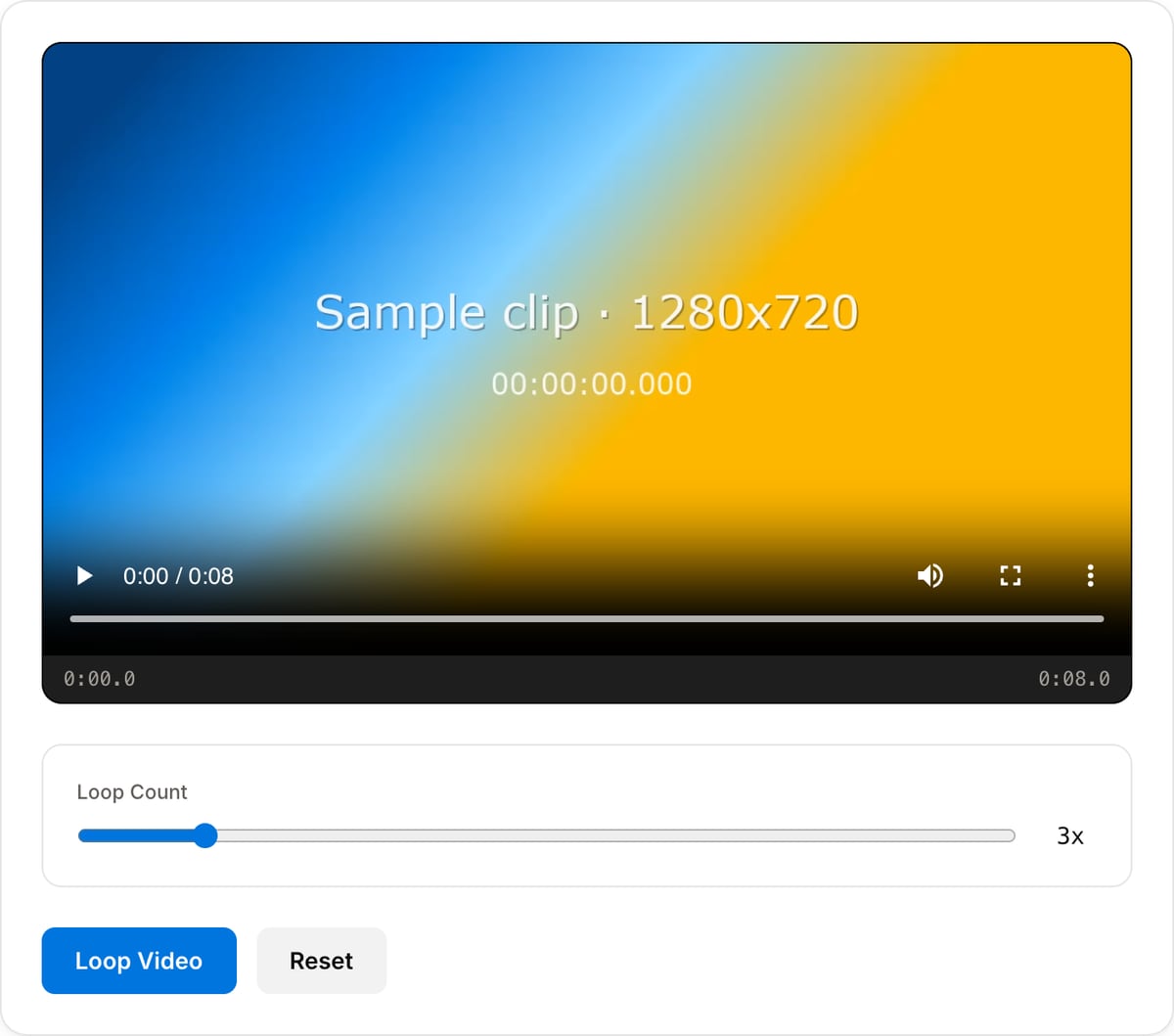
Popular task presets
Best for / not for
Best for
- Repeating a short clip multiple times for social posts, displays, backgrounds, memes, or product demos.
- Making a short motion asset long enough for music, ads, or platform minimum durations.
- Simple loop count exports where the same clip should repeat exactly.
Not for
- Creating a perfect seamless loop when the source start and end do not match.
- Complex loop transitions, crossfades, or motion-graphics loops.
- Long playlist-style concatenation. Use Video Merger for different clips.
Best use cases for looping video
- Repeat a short product spin, UI animation, reaction, meme, or background clip into a longer MP4.
- Extend a trimmed moment so it feels intentional on TikTok, Reels, Shorts, Discord, or event screens.
- Create a quick boomerang workflow by reversing a copy and combining it with the original.
Supported formats & limits
| Input containers | MP4, MOV, WebM, MKV, AVI, FLV, WMV, M4V |
|---|---|
| Input codecs | H.264, H.265, VP8, VP9, MPEG-4, MJPEG. Not AV1 — this WebAssembly build has no software AV1 decoder. |
| Output container | MP4 (default) — interoperable with iOS, Android, YouTube, Instagram, X |
| Output codec | H.264 video + AAC audio |
| Max file size | Uploader limit: 2048 MiB (about 2 GB). Processing needs additional memory; smaller files may fail on low-memory devices. |
| Max duration | Depends on file size, the operation and available memory. Long files can fail or take a long time. |
| Cost | Free for any use. No signup. No watermark. |
Video Looper vs. the usual alternatives
| Feature | This tool | VEED (free) | Kapwing (free) | CapCut Online |
|---|---|---|---|---|
| Processing model | Runs locally in your browser | Upload-based project editor | Upload-based project editor | Upload-based online editor |
| File limits | Tool-specific file limits apply; available memory can require smaller files | Free: up to 1 GB per uploaded file | Free: up to 250 MB per uploaded file; exports up to 4 minutes | Limits depend on the feature, account and selected assets |
| Watermark on output | No watermark added | Watermark on free or signed-out exports | Watermark on Free-plan exports | Standard edits can be watermark-free; template branding and Pro assets need checking |
| Signup / account | No account for tools | Workspace/account flow | Workspace/account flow | CapCut account flow |
| Connection | Initial page and processing-engine downloads require internet; offline use is not guaranteed | Online project editor | Online project editor | Online project editor |
| Best for | Private one-step file operations | Full editor, templates, AI tools | Collaboration, templates, AI tools | Social templates and timeline editing |
Comparison covers the web editors and the linked help pages. Plans, export settings and asset restrictions can change; check the source before starting a project.
Checked . Sources: VEED upload limits · VEED watermarks · Kapwing Free plan · CapCut watermarks · CapCut Pro assets
Why this looper is different
- Loop count is the main control, so you can make a 3-second clip into a predictable 9, 12, or 15-second export.
- Works well after trimming because clean loop points matter more than any export preset.
- Runs locally and exports without a watermark or account gate.
常见问题
Is looping lossless?
Yes. The looper concatenates copies of your video without re-encoding, so there is no quality loss. The output keeps the same codec, resolution, and bitrate.
How many times can I loop a video?
The slider supports 2× to 10×. The practical ceiling is set by your device memory and the original file size.
What video formats are supported?
MP4, WebM, MOV, AVI, MKV, and most other common video formats. The output matches your input format.
What is the maximum file size?
No hard cap beyond browser memory (~2 GB). Files above roughly 500 MB may be slow on low-end devices.
How do I make a seamless loop?
Trim the clip so the first and last frames match closely, then loop it. If motion jumps, adjust the trim points first.
Can I make a boomerang loop?
Use Video Reverse to create the backward half, then merge the forward and reverse clips.
Does looping re-encode the video?
The output is encoded as a new file so the repeated sequence plays as one continuous clip.