在线去掉视频里的静音段,免费
自动找出并剪掉视频里的静音部分。砍掉冷场让内容更紧凑——UP 主、播客主和讲课的人都用得上。
把视频拖到这里,或点击选择文件
文件上限约 2 GB(取决于内存)
使用方法
Upload your video
Drag and drop any video file (MP4, WebM, MOV, AVI) or click to browse. The file stays local on your device.
Adjust detection settings
Set the silence threshold (dB level below which audio counts as silence) and minimum duration. Defaults work for most content.
Remove silence and download
Click "Remove Silence" to detect and cut silent parts. Remaining clips are joined seamlessly. Download the tightened video.
What the tool looks like
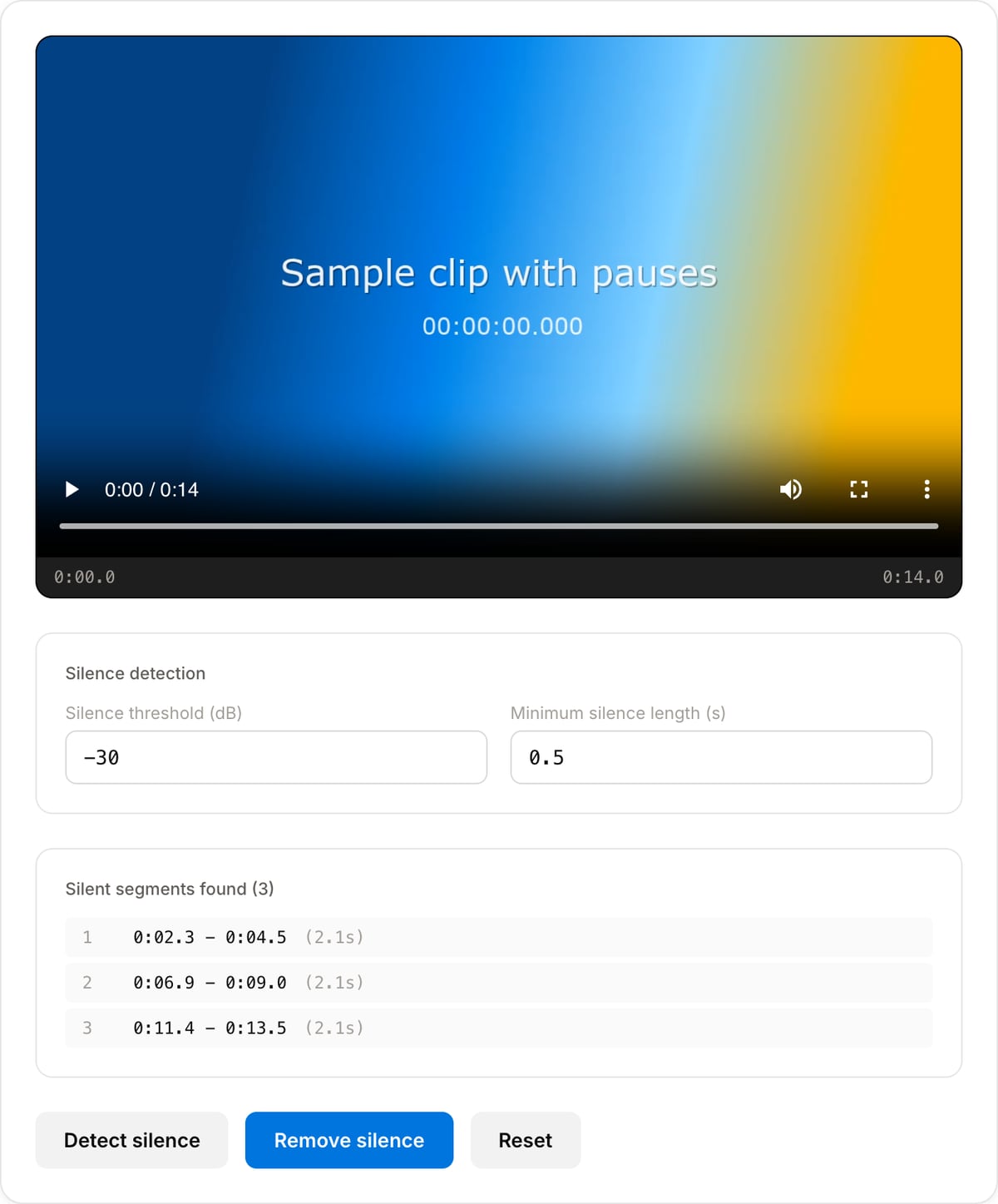
Popular task presets
Best for / not for
Best for
- Removing dead air from meetings, lectures, podcasts, interviews, webinars, and voice notes.
- Shortening speech-heavy audio without manually scrubbing the waveform.
- Preparing cleaner audio before transcription, publishing, or sharing.
Not for
- Music editing where quiet passages are intentional.
- Removing filler words while keeping natural pauses; transcript editing is better for that.
- Perfect conversational pacing without review. Automatic cuts can feel too tight if thresholds are aggressive.
Best use cases for silence removal
- Shorten Zoom, Meet, Teams, webinar, lecture, and training recordings by cutting long pauses.
- Tighten podcast or interview audio before sending it to transcription or publishing.
- Remove dead air from voice notes, narration, screen recordings, and course audio.
Supported formats & limits
| Input containers | MP4, MOV, WebM, MKV, AVI, FLV, WMV, M4V |
|---|---|
| Input codecs | H.264, H.265, VP8, VP9, MPEG-4, MJPEG. Not AV1 — this WebAssembly build has no software AV1 decoder. |
| Output container | MP4 (default) — interoperable with iOS, Android, YouTube, Instagram, X |
| Output codec | H.264 video + AAC audio |
| Max file size | Uploader limit: 2048 MiB (about 2 GB). Processing needs additional memory; smaller files may fail on low-memory devices. |
| Max duration | Depends on file size, the operation and available memory. Long files can fail or take a long time. |
| Cost | Free for any use. No signup. No watermark. |
Silence Remover vs. the usual alternatives
| Feature | This tool | VEED (free) | Kapwing (free) | CapCut Online |
|---|---|---|---|---|
| Processing model | Runs locally in your browser | Upload-based project editor | Upload-based project editor | Upload-based online editor |
| File limits | Tool-specific file limits apply; available memory can require smaller files | Free: up to 1 GB per uploaded file | Free: up to 250 MB per uploaded file; exports up to 4 minutes | Limits depend on the feature, account and selected assets |
| Watermark on output | No watermark added | Watermark on free or signed-out exports | Watermark on Free-plan exports | Standard edits can be watermark-free; template branding and Pro assets need checking |
| Signup / account | No account for tools | Workspace/account flow | Workspace/account flow | CapCut account flow |
| Connection | Initial page and processing-engine downloads require internet; offline use is not guaranteed | Online project editor | Online project editor | Online project editor |
| Best for | Private one-step file operations | Full editor, templates, AI tools | Collaboration, templates, AI tools | Social templates and timeline editing |
Comparison covers the web editors and the linked help pages. Plans, export settings and asset restrictions can change; check the source before starting a project.
Checked . Sources: VEED upload limits · VEED watermarks · Kapwing Free plan · CapCut watermarks · CapCut Pro assets
Why this silence remover is different
- Threshold and minimum-silence controls are visible, so you can tune natural conversation versus aggressive cleanup.
- Shows the expected cut result before export, helping avoid over-tight edits.
- Local processing is useful for meetings, interviews, and classes that should not be uploaded.
Tutorials covering this tool
常见问题
How does silence detection work?
It analyzes the audio waveform for segments below a dB threshold for a minimum duration. Those segments are cut and remaining clips are concatenated using FFmpeg silencedetect filter.
How do I set the right threshold?
-30 dB catches only true silence (studio recordings). -35 to -40 dB catches quiet ambient noise too (outdoor/vlog). Start with the default and adjust if too much or too little is removed.
What about intentional pauses?
A minimum silence duration setting (typically 0.5-1.0s) preserves brief natural speech pauses. Very short pauses are kept. Adjust the minimum duration to match your content style.
Better for podcasts or vlogs?
Both — with different settings. Podcasts benefit from aggressive removal (dead air adds nothing). Vlogs need gentler settings since visual context may justify pauses.
What threshold should I start with?
Start around -35 dB for typical spoken recordings, then adjust based on room noise and microphone level.
Will it remove filler words?
No. It detects quiet sections, not words. Use Jump Cut Maker for video pacing or a transcript editor for filler-word removal.
Can silence removal make speech feel unnatural?
Yes if cuts are too aggressive. Increase the minimum silence duration or keep a little padding around pauses.