为 TikTok、Reels、Shorts 和 YouTube 调整视频尺寸
把横屏、方形或竖屏素材重新构图成 9:16、1:1、4:5 或 16:9。可选裁切或加黑边,本地导出。
把视频拖到这里,或点击选择文件
文件上限约 2 GB(取决于内存)
What the tool looks like
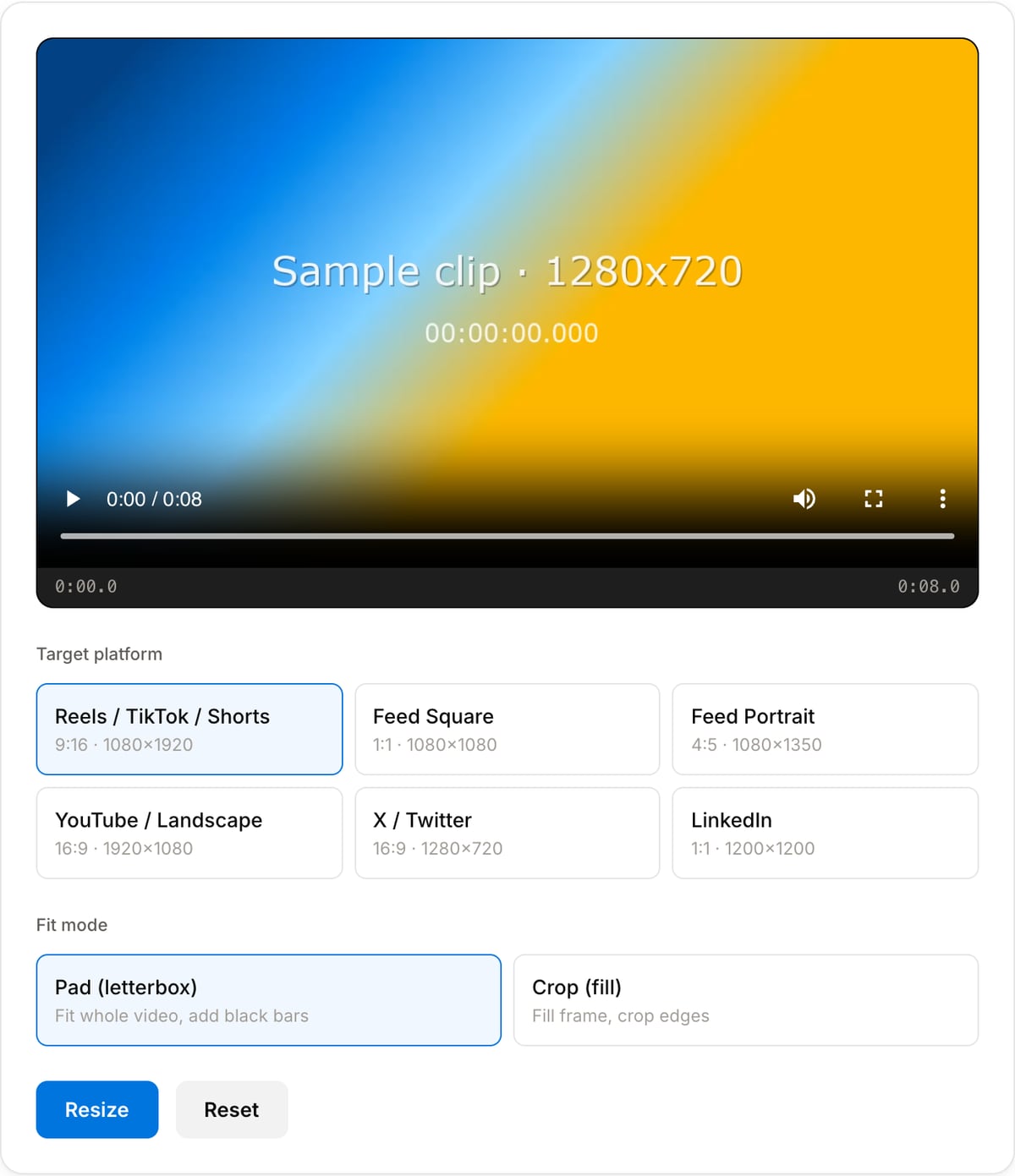
Popular task presets
Best for / not for
Best for
- Changing aspect ratio for TikTok, Reels, Shorts, Instagram feed, LinkedIn, YouTube, and ads.
- Choosing between crop and pad workflows when a clip needs to fit a platform frame.
- Quick social repurposing without uploading drafts to an online editor.
Not for
- Advanced auto-reframing that tracks a moving subject across an entire clip.
- Restoring quality after a low-resolution source has already been compressed.
- Designing full multi-layer social templates with text, stickers, and stock assets.
Best use cases for social video resizing
- Turn a horizontal YouTube or webinar clip into 9:16 for TikTok, Reels, Shorts, Snap, or vertical ads.
- Create square 1:1 or 4:5 crops for Instagram feed, LinkedIn, Facebook, product pages, or marketplace listings.
- Pad a vertical video into 16:9 for presentations, websites, or YouTube without cutting off the subject.
Fit modes and platform targets
| Crop fit | Fills the target frame and cuts off edges. Best when the subject is centered and you want a native platform look. |
|---|---|
| Pad fit | Keeps the full frame and adds background padding. Best for slides, tutorials, product demos, and captions. |
| 9:16 | Best for TikTok, Instagram Reels, YouTube Shorts, Snapchat Spotlight, and vertical ads. |
| 1:1 / 4:5 | Best for Instagram feed, LinkedIn, Facebook, and ecommerce placements. |
Social Media Resizer vs. the usual alternatives
| Feature | This tool | VEED (free) | Kapwing (free) | CapCut Online |
|---|---|---|---|---|
| Processing model | Runs locally in your browser | Upload-based project editor | Upload-based project editor | Upload-based online editor |
| File limits | Tool-specific file limits apply; available memory can require smaller files | Free: up to 1 GB per uploaded file | Free: up to 250 MB per uploaded file; exports up to 4 minutes | Limits depend on the feature, account and selected assets |
| Watermark on output | No watermark added | Watermark on free or signed-out exports | Watermark on Free-plan exports | Standard edits can be watermark-free; template branding and Pro assets need checking |
| Signup / account | No account for tools | Workspace/account flow | Workspace/account flow | CapCut account flow |
| Connection | Initial page and processing-engine downloads require internet; offline use is not guaranteed | Online project editor | Online project editor | Online project editor |
| Best for | Private one-step file operations | Full editor, templates, AI tools | Collaboration, templates, AI tools | Social templates and timeline editing |
Comparison covers the web editors and the linked help pages. Plans, export settings and asset restrictions can change; check the source before starting a project.
Checked . Sources: VEED upload limits · VEED watermarks · Kapwing Free plan · CapCut watermarks · CapCut Pro assets
Why this video resizer is different
- It is framed around platform aspect ratios instead of raw pixel math, so the choice matches where the clip will be posted.
- Crop and pad modes solve different problems; the tool keeps both visible instead of hiding the decision behind an auto-fit preset.
- Local processing keeps drafts, client clips, ads, and unreleased launches off upload-based editors.
Tutorials covering this tool
常见问题
What is the best size for Instagram Reels / TikTok / YouTube Shorts?
1080×1920 (9:16 portrait). All three platforms use the same aspect ratio. This tool's "Reels / TikTok / Shorts" preset outputs exactly that.
Should I pad or crop?
Pad keeps the whole video visible but adds black bars on the sides or top/bottom. Crop fills the frame but cuts off parts of the original. For cinematic or branded footage, pad. For action/face-focused content, crop.
Will the resize reduce quality?
The tool re-encodes at CRF 23 (visually-lossless to most viewers). If the target resolution is larger than the source, upscaling cannot add detail — result will look soft. Start from the highest-quality original you have.
Why are my Instagram uploads still cropped after resizing?
Instagram has recently changed aspect-ratio handling. For Reels use 9:16. For feed posts use 4:5 (portrait) or 1:1 (square) — 16:9 landscape gets cropped to a smaller area in the feed.
Should I crop or pad a video for 9:16?
Crop when the subject can fill the vertical frame. Pad when slides, captions, screens, or full composition must remain visible.
What size should I use for Reels, TikTok, and Shorts?
Use 1080x1920 at 9:16. The same export works well across TikTok, Instagram Reels, and YouTube Shorts.
Will resizing make the video blurry?
Downscaling usually looks fine. Upscaling a small source cannot create real detail, so keep the source master if quality matters.