在线视频变速,免费
一键做出慢动作或快进效果。0.25 倍到 4 倍速预设任选——音调会自动校正,听起来不别扭。
把视频拖到这里,或点击选择文件
文件上限约 2 GB(取决于内存)
使用方法
Upload your video
Drop an MP4, WebM, or MOV file. Processing is local — your video stays on your device.
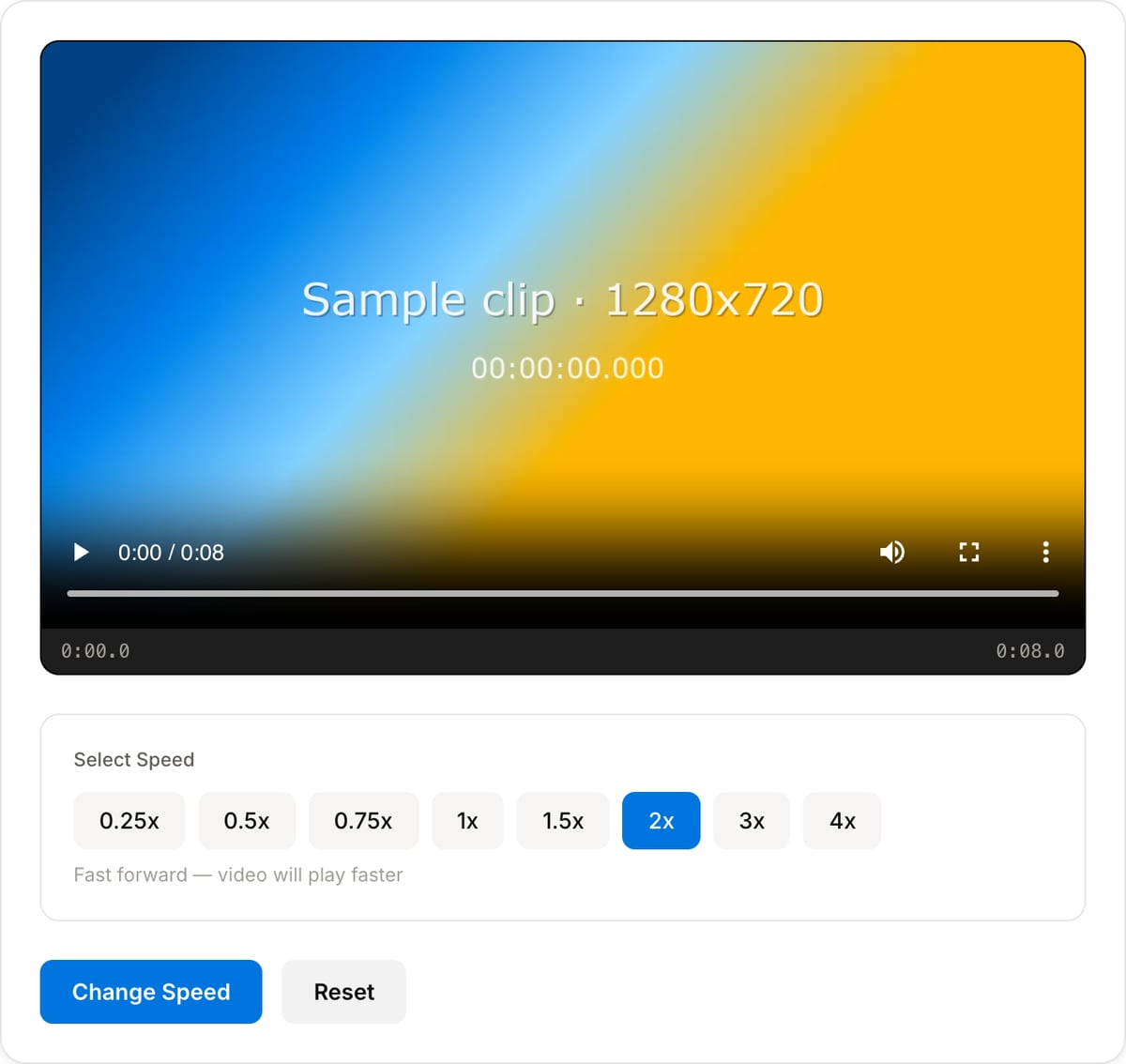
Select speed
Pick a preset: 0.25x/0.5x for slow motion, 1.5x/2x for fast forward, or 3x/4x for timelapse effect.
Process and download
Click "Change Speed" — audio pitch adjusts automatically. Download the result instantly.
What the tool looks like
Speed Reference Guide
Popular task presets
Best for / not for
Best for
- Speeding up tutorials, screen recordings, timelapses, demos, lectures, and long process clips.
- Slowing down short moments for review, emphasis, sports analysis, or product detail.
- Simple playback-speed changes without a full editing timeline.
Not for
- Professional optical-flow slow motion or frame interpolation.
- Music production where pitch, tempo, and beat alignment need DAW-level control.
- Clips where dialogue must stay perfectly natural at extreme speed changes.
Best use cases for changing video speed
- Make a long screen recording, cooking process, drawing timelapse, or setup tutorial easier to watch.
- Slow down a key moment in sports, product testing, repair footage, or a classroom demonstration.
- Create a quick social cut by combining a trimmed clip with a 1.25x, 1.5x, or 2x speed change.
Supported formats & limits
| Input containers | MP4, MOV, WebM, MKV, AVI, FLV, WMV, M4V |
|---|---|
| Input codecs | H.264, H.265, VP8, VP9, MPEG-4, MJPEG. Not AV1 — this WebAssembly build has no software AV1 decoder. |
| Output container | MP4 (default) — interoperable with iOS, Android, YouTube, Instagram, X |
| Output codec | H.264 video + AAC audio |
| Max file size | Uploader limit: 2048 MiB (about 2 GB). Processing needs additional memory; smaller files may fail on low-memory devices. |
| Max duration | Depends on file size, the operation and available memory. Long files can fail or take a long time. |
| Cost | Free for any use. No signup. No watermark. |
Video Speed Changer vs. the usual alternatives
| Feature | This tool | VEED (free) | Kapwing (free) | CapCut Online |
|---|---|---|---|---|
| Processing model | Runs locally in your browser | Upload-based project editor | Upload-based project editor | Upload-based online editor |
| File limits | Tool-specific file limits apply; available memory can require smaller files | Free: up to 1 GB per uploaded file | Free: up to 250 MB per uploaded file; exports up to 4 minutes | Limits depend on the feature, account and selected assets |
| Watermark on output | No watermark added | Watermark on free or signed-out exports | Watermark on Free-plan exports | Standard edits can be watermark-free; template branding and Pro assets need checking |
| Signup / account | No account for tools | Workspace/account flow | Workspace/account flow | CapCut account flow |
| Connection | Initial page and processing-engine downloads require internet; offline use is not guaranteed | Online project editor | Online project editor | Online project editor |
| Best for | Private one-step file operations | Full editor, templates, AI tools | Collaboration, templates, AI tools | Social templates and timeline editing |
Comparison covers the web editors and the linked help pages. Plans, export settings and asset restrictions can change; check the source before starting a project.
Checked . Sources: VEED upload limits · VEED watermarks · Kapwing Free plan · CapCut watermarks · CapCut Pro assets
Why this speed changer is different
- Focused speed presets make common changes faster than opening a full timeline editor.
- Audio handling is explicit, so you know when the sound will be stretched or muted.
- Local processing keeps lessons, client demos, and internal recordings off upload-based editors.
常见问题
Can I speed up video without chipmunk audio?
Yes. The tool uses FFmpeg's atempo filter which adjusts audio speed while preserving natural pitch. No robotic or high-pitched audio.
What is the best speed for a timelapse?
4x works great for short timelapses. For longer footage (like a sunset), you might want to trim first, then apply 4x speed.
Does slow motion work on any video?
Yes, but results are best with high frame rate source footage (60fps). Slowing down 30fps footage to 0.25x may look choppy since there aren't enough frames.
Is the output file larger or smaller?
Speed-up (2x+) = smaller file (fewer frames, shorter duration). Slow-down (0.5x) = larger file (more frames, longer duration).
Can I speed up video without changing pitch?
Mild speed changes can keep speech usable, but extreme changes may still sound unnatural. Mute or replace audio when speed is only visual.
What speed works for tutorials?
Start with 1.25x or 1.5x for talking tutorials and 2x or faster for silent process footage.
Will speed changes affect file size?
Yes. Shorter duration usually reduces size, but the final size also depends on resolution, bitrate, and codec.