在线压缩 PNG / JPG / WebP——适配 GPT Image、DALL-E、Midjourney
把 AI 生成的 PNG 转成 JPEG 或 WebP,体积能小 5–10 倍。在浏览器里运行,不上传、无水印、免注册。
Drop a PNG/JPG/WebP (or your GPT Image 2 export)
Up to 50 MB
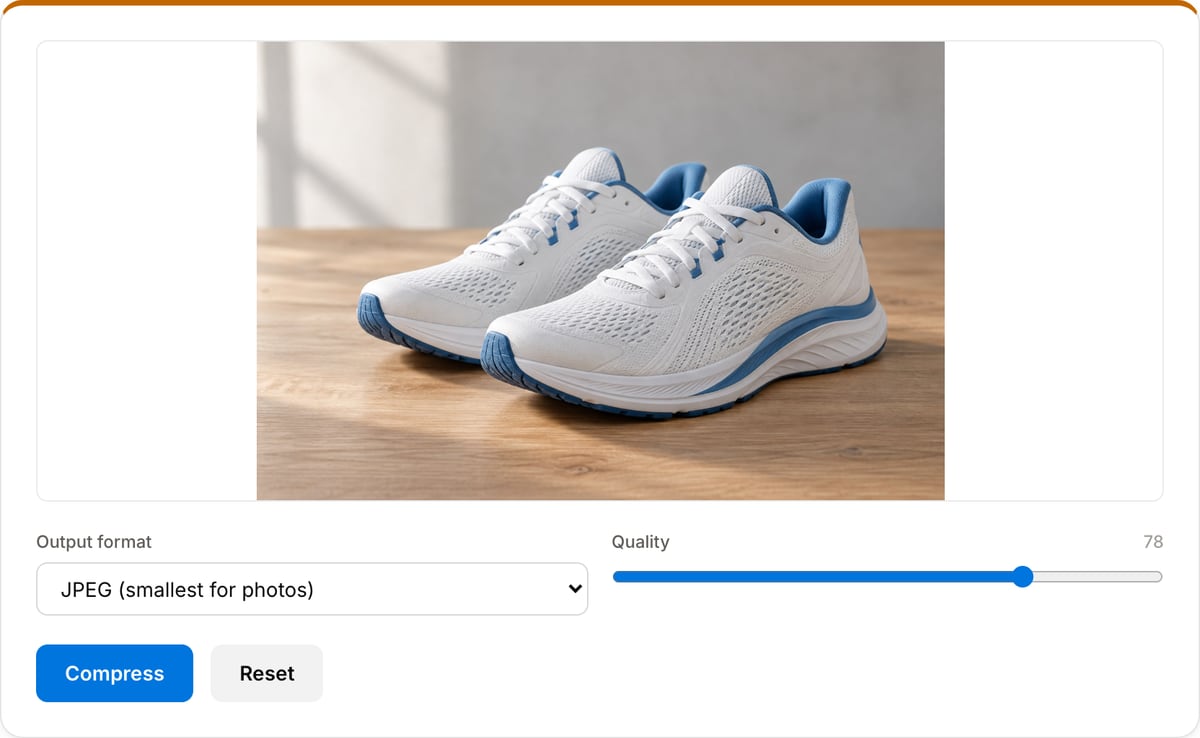
What the tool looks like
Popular task presets
Best for / not for
Best for
- Shrinking PNG/JPEG/WebP images for websites, docs, email, chat, CMS uploads, and social posts.
- AI-generated renders, screenshots, product images, blog graphics, and thumbnails.
- Previewing quality and file-size tradeoffs before downloading.
Not for
- Vector optimization for SVG files.
- Professional print prepress where ICC profile handling and DPI metadata are required.
- Recovering sharpness after an image has already been over-compressed.
When to compress AI-generated or exported images
- Your GPT Image 2 / DALL-E / Midjourney PNG export is 3-8 MB — way too large to attach in Slack/Gmail/Notion. JPEG at quality 78 shrinks it 5-10×.
- Prepping images for a website or blog where page weight matters — WebP at 80 is ~25% smaller than JPEG at same quality.
- Bulk posting to Instagram / X / TikTok — their re-compression destroys sharpness if the upload is already over-compressed, so you want to send them a clean but already-trimmed file.
Supported formats & limits
| Input formats | PNG, JPG/JPEG, WebP, AVIF, GIF, BMP, HEIC (Safari), TIFF — anything your browser can decode |
|---|---|
| Output formats | PNG (lossless), JPEG (quality 10-100), WebP (quality 10-100), AVIF on Chrome/Edge 122+ and Safari 16.4+ |
| AI-generator native sizes | 1024×1024 (GPT Image / DALL-E square), 1024×1792 (portrait), 1792×1024 (landscape), 2048×2048 (Midjourney upscale) |
| Max file size | Up to 50 MB per image |
| Privacy | Zero uploads — Canvas API runs fully on-device. Open DevTools Network tab to verify. |
| Cost | Free for any use. No signup, no watermark. |
Image Compressor vs. the usual alternatives
| Feature | This tool | VEED (free) | Kapwing (free) | CapCut Online |
|---|---|---|---|---|
| Processing model | Runs locally in your browser | Upload-based project editor | Upload-based project editor | Upload-based online editor |
| File limits | Tool-specific file limits apply; available memory can require smaller files | Free: up to 1 GB per uploaded file | Free: up to 250 MB per uploaded file; exports up to 4 minutes | Limits depend on the feature, account and selected assets |
| Watermark on output | No watermark added | Watermark on free or signed-out exports | Watermark on Free-plan exports | Standard edits can be watermark-free; template branding and Pro assets need checking |
| Signup / account | No account for tools | Workspace/account flow | Workspace/account flow | CapCut account flow |
| Connection | Initial page and processing-engine downloads require internet; offline use is not guaranteed | Online project editor | Online project editor | Online project editor |
| Best for | Private one-step file operations | Full editor, templates, AI tools | Collaboration, templates, AI tools | Social templates and timeline editing |
Comparison covers the web editors and the linked help pages. Plans, export settings and asset restrictions can change; check the source before starting a project.
Checked . Sources: VEED upload limits · VEED watermarks · Kapwing Free plan · CapCut watermarks · CapCut Pro assets
Why compress here
- Quality slider with live preview — no blind "medium / high / low" presets.
- Side-by-side before/after file size so you see the savings before downloading.
- Runs entirely in-browser — AI renders under NDA or client work stay on your machine.
常见问题
Can it compress GPT Image 2, DALL-E, and Midjourney PNG exports?
Yes — AI-generated images ship as huge lossless PNGs (often 3-8 MB for a 1024×1024 square). Converting to JPEG at quality 78 or WebP at 80 typically shrinks them 5-10× with no visible quality loss on photo-style renders. For transparent background PNGs, keep PNG or use WebP (which supports alpha).
What’s the difference between JPEG, WebP, and PNG?
JPEG: smallest for photos; no transparency. WebP: ~25% smaller than JPEG at same quality and supports transparency — modern browsers all support it. PNG: lossless but largest; only pick it when you need perfect fidelity or transparency fallback for old browsers.
Does my image upload anywhere?
No. Compression runs in your browser tab using the Canvas API. Open DevTools → Network tab while compressing — zero uploads. Safe for NDA, unreleased AI art, or anything you don't want on someone else's server.
Is the output as good as a desktop tool like ImageOptim?
For lossy formats (JPEG/WebP), the canvas encoder is the same as the browser's native encoder and produces near-identical quality to Photoshop / ImageOptim at the same target. For lossless PNG, desktop tools with mozjpeg/zopflipng do slightly better — 5-15% smaller — but at 10× the runtime.
Any hard size limit?
Images over 50 MB are rejected (extreme outliers). For a 4K PNG from an AI generator (~5-12 MB), no problem. A 8K or higher export may run out of browser memory on low-RAM machines.
Should I choose JPEG or WebP?
Use JPEG for maximum compatibility and WebP when the image is for modern websites or apps where smaller files matter.
Why did my PNG become much smaller as JPEG?
PNG is lossless and can be large for photographic images. JPEG/WebP use lossy compression that is usually better for photos and AI renders.
Does compression remove metadata?
Canvas-based export often drops metadata, but use Image Metadata Cleaner when privacy cleanup is the main goal.