在线合并视频,免费拼接多个片段
把多个视频片段拼成一条完整的文件。按顺序添加、需要时调整次序,然后合并——全在浏览器里完成。
把视频拖到这里,或点击选择文件
文件上限约 2 GB(取决于内存)
使用方法
Upload your video clips
Add multiple video files by drag-and-drop or browsing. Supports MP4, WebM, MOV, AVI, and more.
Arrange the order
Reorder clips in the sequence you want. The final video will play them back-to-back in this order.
Merge and download
Click "Merge Videos" to concatenate all clips into one file. Processing happens locally — download when done.
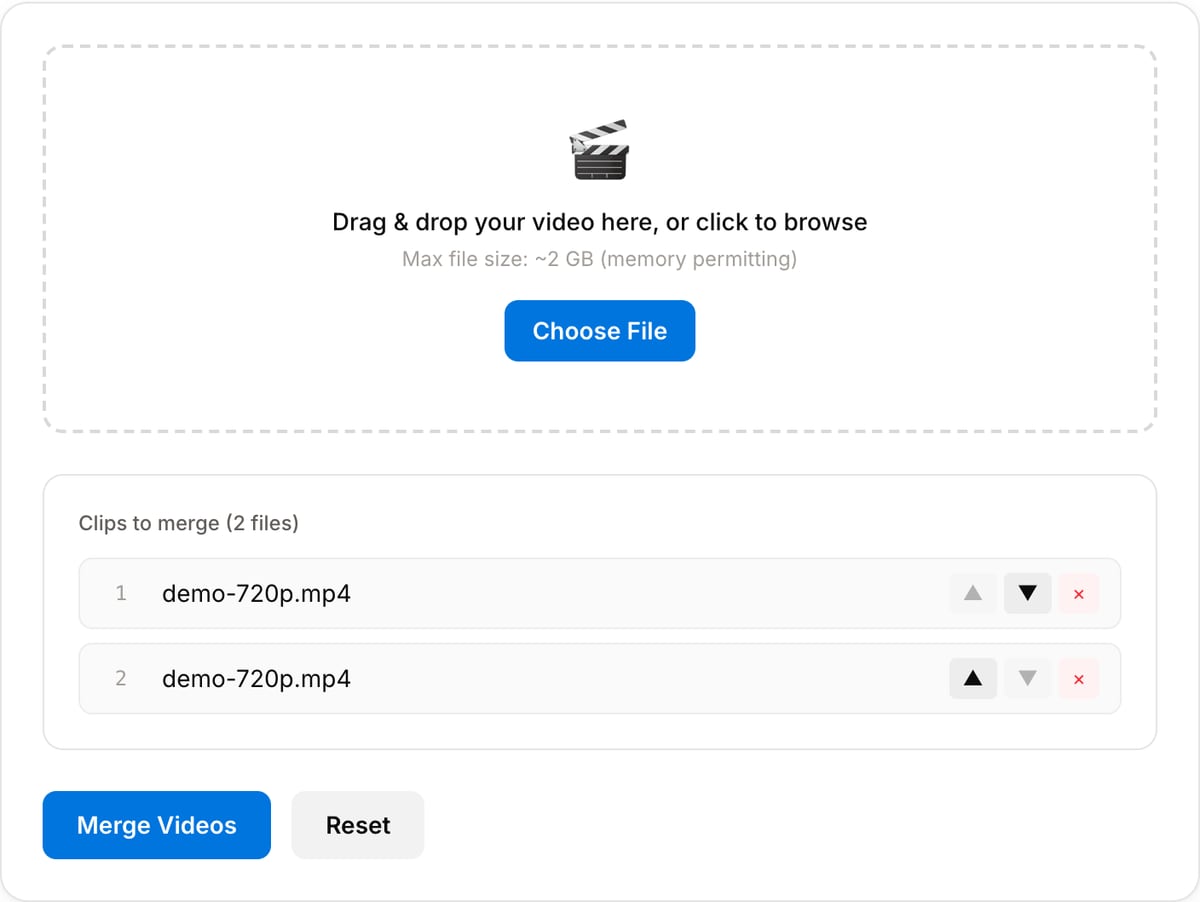
What the tool looks like
Popular task presets
Best for / not for
Best for
- Joining a small set of clips into one continuous MP4 without opening a timeline editor.
- Combining phone recordings, exported parts, intro/outro clips, demos, or lesson segments.
- Mixed-source clips that need a reliable re-encode so the output plays correctly.
Not for
- Multi-track edits with transitions, picture-in-picture, keyframes, or detailed audio mixing.
- Merging hundreds of files in a batch; desktop FFmpeg is better for that.
- Fixing bad cuts inside the individual clips. Trim those clips before merging.
When to merge videos
- Join multiple short phone recordings that fit the uploader and available browser memory.
- Concatenate a series of short clips into one continuous video for social media.
- Combine intro, body, and outro segments into a single finished file.
Supported formats & limits
| Input containers | MP4, MOV, WebM, MKV, AVI, FLV, WMV, M4V |
|---|---|
| Input codecs | H.264, H.265, VP8, VP9, MPEG-4, MJPEG. Not AV1 — this WebAssembly build has no software AV1 decoder. |
| Output container | MP4 (default) — interoperable with iOS, Android, YouTube, Instagram, X |
| Output codec | H.264 video + AAC audio |
| Max file size | Uploader limit: 2048 MiB (about 2 GB). Processing needs additional memory; smaller files may fail on low-memory devices. |
| Max duration | Depends on file size, the operation and available memory. Long files can fail or take a long time. |
| Cost | Free for any use. No signup. No watermark. |
Video Merger vs. the usual alternatives
| Feature | This tool | VEED (free) | Kapwing (free) | CapCut Online |
|---|---|---|---|---|
| Processing model | Runs locally in your browser | Upload-based project editor | Upload-based project editor | Upload-based online editor |
| File limits | Tool-specific file limits apply; available memory can require smaller files | Free: up to 1 GB per uploaded file | Free: up to 250 MB per uploaded file; exports up to 4 minutes | Limits depend on the feature, account and selected assets |
| Watermark on output | No watermark added | Watermark on free or signed-out exports | Watermark on Free-plan exports | Standard edits can be watermark-free; template branding and Pro assets need checking |
| Signup / account | No account for tools | Workspace/account flow | Workspace/account flow | CapCut account flow |
| Connection | Initial page and processing-engine downloads require internet; offline use is not guaranteed | Online project editor | Online project editor | Online project editor |
| Best for | Private one-step file operations | Full editor, templates, AI tools | Collaboration, templates, AI tools | Social templates and timeline editing |
Comparison covers the web editors and the linked help pages. Plans, export settings and asset restrictions can change; check the source before starting a project.
Checked . Sources: VEED upload limits · VEED watermarks · Kapwing Free plan · CapCut watermarks · CapCut Pro assets
Why merge in-browser
- Automatically re-encodes mixed codecs and frame rates so the joined output actually plays correctly.
- Reorder clips before merging with the on-screen list.
- No upload quota and no watermark on the output.
Tutorials covering this tool
常见问题
How do I merge multiple videos into one?
Upload your clips, arrange them in order, and click Merge. The tool concatenates them using FFmpeg WebAssembly — entirely in your browser, no server upload.
Do all videos need the same format?
No — the tool re-encodes every merge so mixed codecs and frame rates combine cleanly. If resolutions differ, the output uses the first clip's dimensions — pre-resize for uniform framing.
Is there a limit on file count?
No hard limit on files. Keep total combined size reasonable for your device's memory — under 500 MB total usually works smoothly in-browser.
Will merging lose video quality?
The merger always re-encodes with libx264 at CRF 23 (visually lossless). Stream-copy merging is unreliable across mixed codecs and timebases, so we re-encode unconditionally for a seamless output.
Can I merge videos with different resolutions?
Yes. The merger re-encodes mixed clips into one consistent output, which is safer than a raw concat.
Should I trim clips before merging?
Yes. Trim each clip first so the merged export does not include dead air, camera movement, or setup moments.
Does merging add a watermark?
No. The browser merger does not add a watermark and does not require an account.