在线预览视频字幕效果,免费
上传视频和 SRT/VTT 字幕文件,实时预览字幕效果。发布前先确认时间轴、位置和可读性。
把视频拖到这里,或点击选择文件
文件上限约 2 GB(取决于内存)
使用方法
Upload your video
Drag and drop any video file (MP4, WebM, MOV, AVI) or click to browse. The video loads locally in your browser.
Add your subtitle file
Upload an SRT or VTT subtitle file. The subtitles are parsed and overlaid on the video player in real-time.
Preview and verify
Play the video to check subtitle timing, positioning, and readability. Fix any issues in your subtitle editor and re-preview.
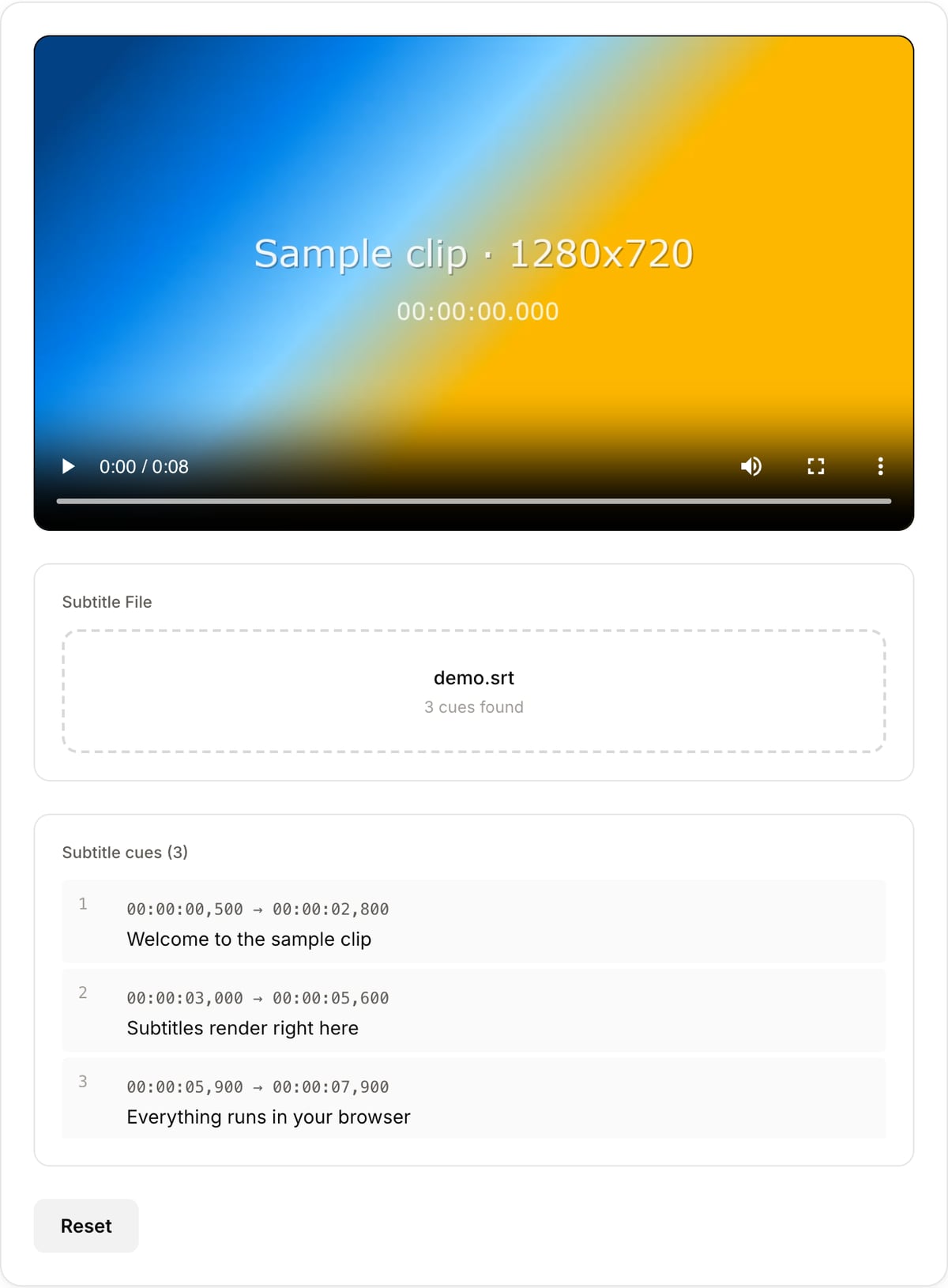
What the tool looks like
Popular task presets
Best for / not for
Best for
- Checking subtitle timing, line breaks, readability, and safe-area placement before publishing.
- Previewing SRT or VTT captions against course videos, social clips, webinars, and translations.
- Catching timing drift before burning subtitles into the final MP4.
Not for
- Transcribing speech into captions automatically.
- Editing every subtitle line with waveform and spellcheck.
- Permanent hardsub export. Use Subtitle Burner for that.
Best use cases for subtitle preview
- Load a video and subtitle file to confirm captions appear at the right time before uploading to a platform.
- Check whether translated captions are too long for mobile screens or cover important visuals.
- Verify SRT/VTT conversion results before burning subtitles into a video.
Supported formats & limits
| Input containers | MP4, MOV, WebM, MKV, AVI, FLV, WMV, M4V |
|---|---|
| Input codecs | H.264, H.265, VP8, VP9, MPEG-4, MJPEG. Not AV1 — this WebAssembly build has no software AV1 decoder. |
| Output container | MP4 (default) — interoperable with iOS, Android, YouTube, Instagram, X |
| Output codec | H.264 video + AAC audio |
| Max file size | Uploader limit: 2048 MiB (about 2 GB). Processing needs additional memory; smaller files may fail on low-memory devices. |
| Max duration | Depends on file size, the operation and available memory. Long files can fail or take a long time. |
| Cost | Free for any use. No signup. No watermark. |
Why this subtitle previewer is different
- It focuses on timing QA before irreversible hardsub export.
- Local preview protects unpublished scripts, courses, legal videos, and translated captions.
- It connects directly to offset correction, conversion, and burn-in workflows.
Tutorials covering this tool
常见问题
SRT vs VTT — what is the difference?
SRT is the most widely supported — simple text with timestamps. VTT is the web standard with styling support. SRT uses commas in timestamps (00:01:23,456); VTT uses periods (00:01:23.456). Both are plain text.
How do I check subtitle timing?
Play the video with subtitles overlaid. Watch for: appearing too early/late, staying too long/short, overlapping with scene changes. This tool shows them in real-time for easy verification.
Can I edit subtitles here?
This tool is for previewing, not editing. Use a subtitle editor or the SRT Offset Tool for timing adjustments. Preview here after editing to verify changes.
What character encoding is supported?
UTF-8 — covers virtually all languages including CJK, Arabic, Hindi, and European languages. If characters appear garbled, re-save your file as UTF-8 in a text editor.
Should I preview before burning subtitles?
Yes. Burned subtitles cannot be turned off or corrected without re-exporting the video.
Can this fix subtitle timing?
Use SRT Offset when all captions are consistently early or late. Preview again after shifting.
Does previewing upload my video or captions?
No. The video and subtitle file are loaded locally in your browser.