在线给视频加淡入淡出,免费
给片段加上从黑场淡入、淡出到黑场的效果。声音跟着画面一起淡,淡出会自动落在最后一帧上。
把视频拖到这里,或点击选择文件
MP4, MOV, WebM, AVI
使用方法
Upload your clip
MP4, MOV, WebM or AVI. Duration is detected automatically so the fade-out lands exactly on the last frame.
Pick fade in, fade out, or both
Set the length from 0.5 to 5 seconds. 1s works for most social clips; 2–3s feels cinematic.
Apply and download
Picture and sound fade together. Processing is local — no upload, no watermark, no signup.
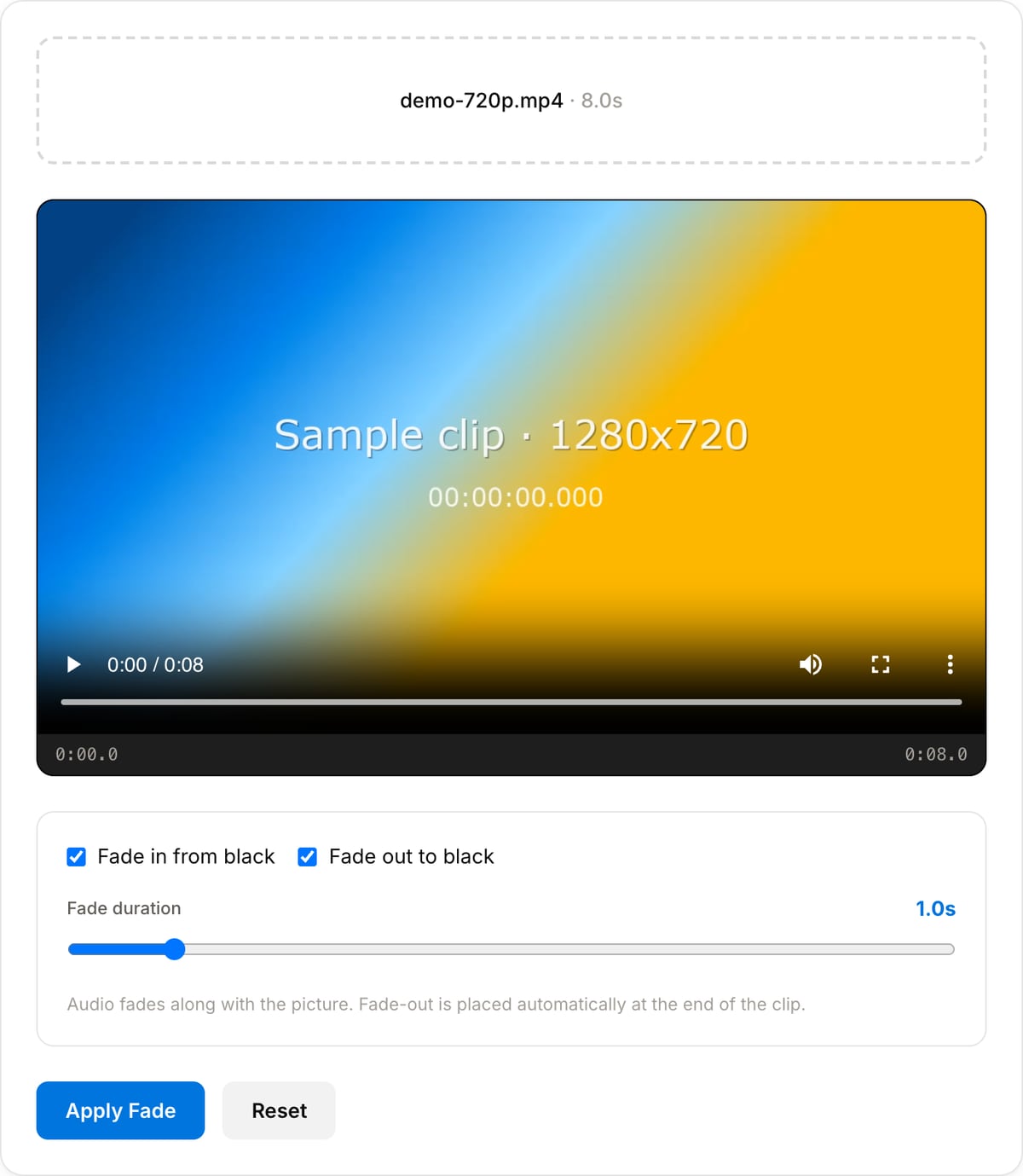
What the tool looks like
Popular task presets
Best for / not for
Best for
- Opening and closing a finished clip so it does not start and end on a hard cut.
- Softening a cold open on footage that begins mid-motion.
- Fading a clip to black before a logo card or an end screen.
Not for
- Cross-fading between two clips — that is a transition, not a fade to black.
- Fading to a colour other than black, or fading only the picture while the sound continues.
- Fades partway through a clip rather than at its ends.
When to fade a video
- Finishing a social clip so it does not cut to black abruptly when the loop restarts.
- Topping and tailing an interview or a talking-head take that starts and ends mid-sentence.
- Easing into a clip that begins on a loud frame — the audio fades with the picture, so the first second is not a shock.
- Preparing a segment to sit between other footage in a longer edit.
Supported formats & limits
| Input containers | MP4, MOV, WebM, MKV, AVI, FLV, WMV, M4V |
|---|---|
| Input codecs | H.264, H.265, VP8, VP9, MPEG-4, MJPEG. Not AV1 — this WebAssembly build has no software AV1 decoder. |
| Output container | MP4 (default) — interoperable with iOS, Android, YouTube, Instagram, X |
| Output codec | H.264 video + AAC audio |
| Max file size | Uploader limit: 2048 MiB (about 2 GB). Processing needs additional memory; smaller files may fail on low-memory devices. |
| Max duration | Depends on file size, the operation and available memory. Long files can fail or take a long time. |
| Cost | Free for any use. No signup. No watermark. |
Video Fade Tool vs. the usual alternatives
| Feature | This tool | VEED (free) | Kapwing (free) | CapCut Online |
|---|---|---|---|---|
| Processing model | Runs locally in your browser | Upload-based project editor | Upload-based project editor | Upload-based online editor |
| File limits | Tool-specific file limits apply; available memory can require smaller files | Free: up to 1 GB per uploaded file | Free: up to 250 MB per uploaded file; exports up to 4 minutes | Limits depend on the feature, account and selected assets |
| Watermark on output | No watermark added | Watermark on free or signed-out exports | Watermark on Free-plan exports | Standard edits can be watermark-free; template branding and Pro assets need checking |
| Signup / account | No account for tools | Workspace/account flow | Workspace/account flow | CapCut account flow |
| Connection | Initial page and processing-engine downloads require internet; offline use is not guaranteed | Online project editor | Online project editor | Online project editor |
| Best for | Private one-step file operations | Full editor, templates, AI tools | Collaboration, templates, AI tools | Social templates and timeline editing |
Comparison covers the web editors and the linked help pages. Plans, export settings and asset restrictions can change; check the source before starting a project.
Checked . Sources: VEED upload limits · VEED watermarks · Kapwing Free plan · CapCut watermarks · CapCut Pro assets
Why use this fade tool
- The fade-out is placed against the real duration of the clip, so it lands on the last frame instead of finishing early or being cut off.
- Audio fades with the picture. A picture that fades while the sound stops dead is the usual giveaway of a rushed edit.
- One control: how long the fade lasts. A second is right for most clips, two for something slower.
- No upload and no watermark, so a finished clip can be topped and tailed without going through a cloud editor.
常见问题
Does audio fade too?
Yes — audio fades with the picture, which is what makes endings feel finished. Silent clips are handled automatically.
Where does the fade-out start?
The tool reads the clip duration and places the fade so it completes exactly on the last frame — no manual timing needed.
How long should a fade be?
1 second for social clips, 0.5s for snappy cuts, 2–3s for cinematic endings.
Is quality affected?
The video is re-encoded (pixel changes require it), processed entirely in your browser. Typical clips finish in seconds.
Can I fade to white instead of black?
Not here — the fade goes to black. A fade to white usually needs a colour layer, which belongs in a timeline editor.
Does it re-encode the whole video?
Yes. A fade changes pixels in every faded frame, so the video stream has to be re-encoded. The audio is faded along with it.