在线给视频加背景音乐,免费
给任意视频加上背景音乐。可以压在原声下面混音,也可以直接替换;音量可调,短音乐会自动循环铺满。
把视频拖到这里,或点击选择文件
Click to choose a music file
使用方法
Upload video and music
Any common video (MP4, MOV, WebM, AVI) plus a music file (MP3, WAV, AAC, M4A). Files never leave your browser.
Mix or replace
Mix layers the music under the original sound — ideal for vlogs and tutorials. Replace swaps the track — ideal for montages. Set music volume and looping.
Download the result
The picture is stream-copied, so there is no quality loss and processing takes seconds, not minutes.
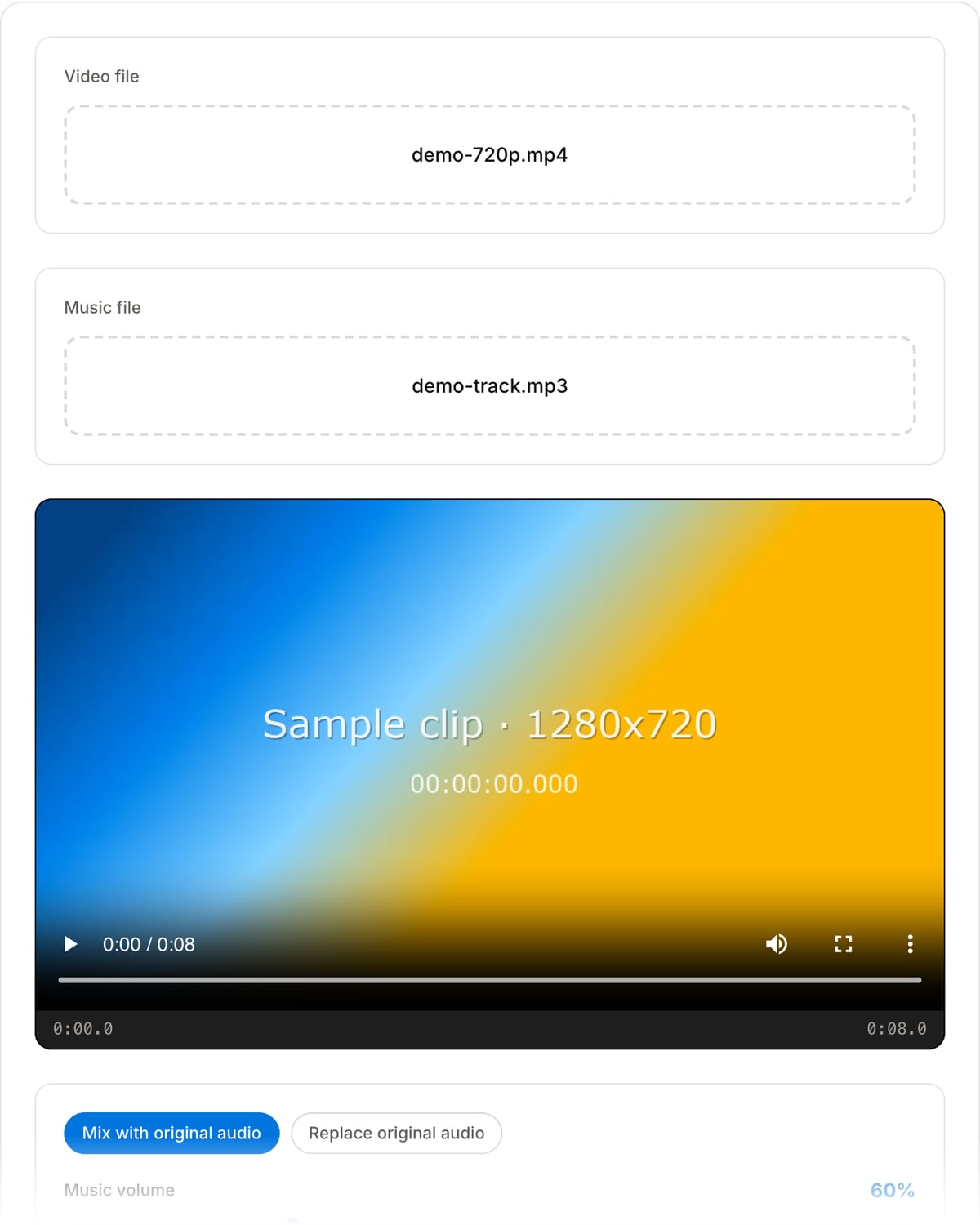
What the tool looks like
Popular task presets
Best for / not for
Best for
- Putting a music bed under narration or dialogue that already exists in the clip.
- Scoring a silent clip — b-roll, a timelapse, a product shot.
- Looping a short track under a longer video without editing the track itself.
Not for
- Music that should change or duck at specific moments — the level is fixed for the whole clip.
- Multiple tracks layered over each other, or sound effects placed at set times.
- Automatic ducking under speech, which needs a sidechain compressor.
When to add music to a video
- Putting a bed under a voiceover, where the music has to sit far enough below the speech to stay out of the way.
- Scoring silent footage — a timelapse, a drone shot, a product loop that was shot without usable sound.
- Covering unusable location audio by replacing it outright rather than trying to clean it up.
- Looping a thirty-second track under a three-minute video without opening an audio editor.
Supported formats & limits
| Input containers | MP4, MOV, WebM, MKV, AVI, FLV, WMV, M4V |
|---|---|
| Input codecs | H.264, H.265, VP8, VP9, MPEG-4, MJPEG. Not AV1 — this WebAssembly build has no software AV1 decoder. |
| Output container | MP4 (default) — interoperable with iOS, Android, YouTube, Instagram, X |
| Output codec | H.264 video + AAC audio |
| Max file size | Uploader limit: 2048 MiB (about 2 GB). Processing needs additional memory; smaller files may fail on low-memory devices. |
| Max duration | Depends on file size, the operation and available memory. Long files can fail or take a long time. |
| Cost | Free for any use. No signup. No watermark. |
Add Music to Video vs. the usual alternatives
| Feature | This tool | VEED (free) | Kapwing (free) | CapCut Online |
|---|---|---|---|---|
| Processing model | Runs locally in your browser | Upload-based project editor | Upload-based project editor | Upload-based online editor |
| File limits | Tool-specific file limits apply; available memory can require smaller files | Free: up to 1 GB per uploaded file | Free: up to 250 MB per uploaded file; exports up to 4 minutes | Limits depend on the feature, account and selected assets |
| Watermark on output | No watermark added | Watermark on free or signed-out exports | Watermark on Free-plan exports | Standard edits can be watermark-free; template branding and Pro assets need checking |
| Signup / account | No account for tools | Workspace/account flow | Workspace/account flow | CapCut account flow |
| Connection | Initial page and processing-engine downloads require internet; offline use is not guaranteed | Online project editor | Online project editor | Online project editor |
| Best for | Private one-step file operations | Full editor, templates, AI tools | Collaboration, templates, AI tools | Social templates and timeline editing |
Comparison covers the web editors and the linked help pages. Plans, export settings and asset restrictions can change; check the source before starting a project.
Checked . Sources: VEED upload limits · VEED watermarks · Kapwing Free plan · CapCut watermarks · CapCut Pro assets
Why use this tool to add music
- Mix or replace, as a choice rather than an assumption — mixing keeps the original sound under the music, replacing drops it.
- The music volume is a slider, and 50-60% is usually the level at which a bed supports speech instead of fighting it.
- Short tracks loop automatically to cover the whole video, so a thirty-second loop under a long clip needs no preparation.
- The video stream is copied untouched, so adding music costs no picture quality and finishes far faster than a full re-encode.
常见问题
Can I keep the original audio?
Yes — default "Mix" mode blends music with the original track; the slider sets how loud the music sits underneath. "Replace" swaps the audio entirely.
Music shorter than the video?
Leave "Loop music" on and the track repeats until the video ends. Longer music is trimmed automatically.
Which formats work?
Video: MP4, MOV, WebM, AVI. Music: MP3, WAV, AAC, M4A, OGG, FLAC. Video quality is untouched (stream copy).
Are my files uploaded?
No. Everything runs on FFmpeg WebAssembly in your browser — private material never leaves your device.
How loud should background music be under speech?
Start around 50-60% and listen on phone speakers, not headphones. Music that sounds balanced in headphones is usually too loud everywhere else.
What if the track is shorter than the video?
Leave looping on and it repeats until the video ends. The loop point is a hard join, so a track that was made to loop will sound cleaner than one that was not.
Does the music duck automatically when someone speaks?
No. The level is fixed for the whole clip. Ducking needs a sidechain compressor, which belongs in an audio editor.
Will this re-encode my video?
No. Only the audio is encoded; the video stream is copied, so the picture is bit-for-bit what you started with.