在线视频滤镜——亮度、对比度、饱和度,免费
调整亮度、对比度、饱和度和 Gamma,带实时预览。本地导出与 FFmpeg 等效的结果。
把视频拖到这里,或点击选择文件
文件上限约 2 GB(取决于内存)
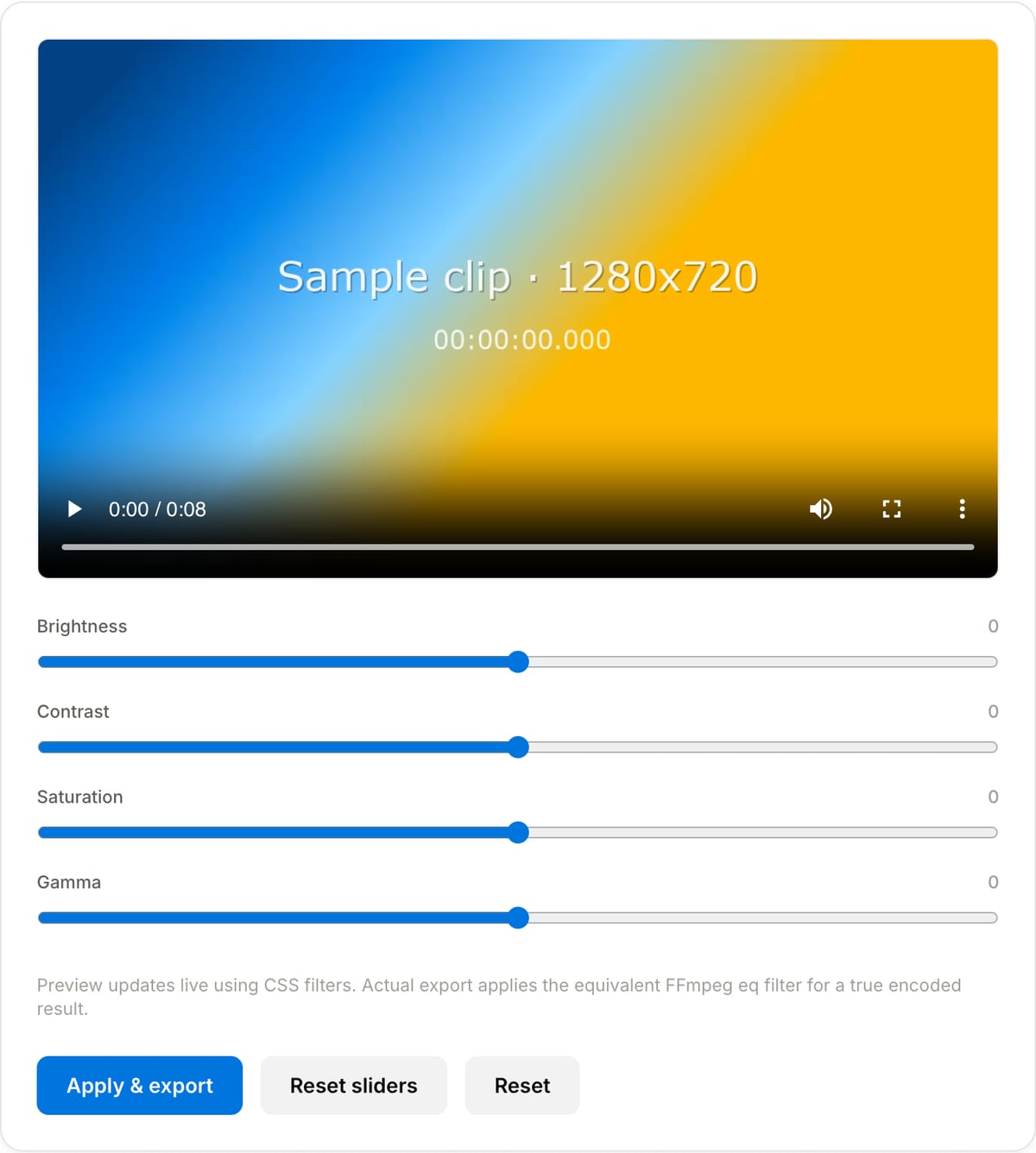
What the tool looks like
Popular task presets
Best for / not for
Best for
- Basic visual corrections for screen recordings, phone clips, product demos, tutorials, and social videos.
- Small brightness, contrast, saturation, and gamma adjustments before sharing.
- A quick polish pass when opening a full color-grading app is unnecessary.
Not for
- Professional color grading with scopes, LUT management, masks, or shot matching.
- Fixing severely underexposed, clipped, or noisy footage.
- Beauty filters, AI enhancement, object masks, or skin retouching.
Best use cases for video filters
- Brighten a dark phone clip, add contrast to a flat screen recording, or reduce oversaturated footage.
- Make product demos, course clips, and internal videos look clearer before publishing.
- Create a consistent basic look before extracting a thumbnail or compressing a review copy.
Supported formats & limits
| Input containers | MP4, MOV, WebM, MKV, AVI, FLV, WMV, M4V |
|---|---|
| Input codecs | H.264, H.265, VP8, VP9, MPEG-4, MJPEG. Not AV1 — this WebAssembly build has no software AV1 decoder. |
| Output container | MP4 (default) — interoperable with iOS, Android, YouTube, Instagram, X |
| Output codec | H.264 video + AAC audio |
| Max file size | Uploader limit: 2048 MiB (about 2 GB). Processing needs additional memory; smaller files may fail on low-memory devices. |
| Max duration | Depends on file size, the operation and available memory. Long files can fail or take a long time. |
| Cost | Free for any use. No signup. No watermark. |
Video Filter Tool vs. the usual alternatives
| Feature | This tool | VEED (free) | Kapwing (free) | CapCut Online |
|---|---|---|---|---|
| Processing model | Runs locally in your browser | Upload-based project editor | Upload-based project editor | Upload-based online editor |
| File limits | Tool-specific file limits apply; available memory can require smaller files | Free: up to 1 GB per uploaded file | Free: up to 250 MB per uploaded file; exports up to 4 minutes | Limits depend on the feature, account and selected assets |
| Watermark on output | No watermark added | Watermark on free or signed-out exports | Watermark on Free-plan exports | Standard edits can be watermark-free; template branding and Pro assets need checking |
| Signup / account | No account for tools | Workspace/account flow | Workspace/account flow | CapCut account flow |
| Connection | Initial page and processing-engine downloads require internet; offline use is not guaranteed | Online project editor | Online project editor | Online project editor |
| Best for | Private one-step file operations | Full editor, templates, AI tools | Collaboration, templates, AI tools | Social templates and timeline editing |
Comparison covers the web editors and the linked help pages. Plans, export settings and asset restrictions can change; check the source before starting a project.
Checked . Sources: VEED upload limits · VEED watermarks · Kapwing Free plan · CapCut watermarks · CapCut Pro assets
Why this filter tool is different
- The controls map to practical FFmpeg-style adjustments instead of decorative social filter names.
- Live preview helps avoid overcorrecting before the longer export step.
- Files stay local, which is useful for client footage, unreleased demos, and internal recordings.
Tutorials covering this tool
常见问题
Is the preview accurate?
The live preview uses CSS filters — very close to the final result but not pixel-identical. The exported file applies the FFmpeg eq filter which is what players actually render. For critical grading work, export and compare.
Which filters are available?
Brightness, Contrast, Saturation, and Gamma — the four knobs that cover 90% of casual colour fixes. For LUTs, split-toning, or curve-based grading use a dedicated NLE.
Does it re-encode the video?
Yes — filters require re-encoding. Output is MP4 H.264 at CRF 23 (visually lossless). Audio is stream-copied and untouched.
Can this apply LUTs?
No. This page is for basic brightness, contrast, saturation, and gamma changes, not LUT-based grading.
Will filters reduce quality?
The video is re-encoded after filters are applied, so keep a source master and use a quality preset that preserves detail.
Should I filter before making a thumbnail?
Yes if the source is too dark or flat. Correct the video first, then generate the thumbnail frame.