在线生成视频封面图,免费
从视频里生成封面图。自动挑选最佳画面,或自己拖到任意时间点选——导出高质量 PNG。
把视频拖到这里,或点击选择文件
文件上限约 2 GB(取决于内存)
使用方法
Upload your video
Drag and drop any video file (MP4, WebM, MOV, AVI) or click to browse. The video loads locally in your browser.
Select your frames
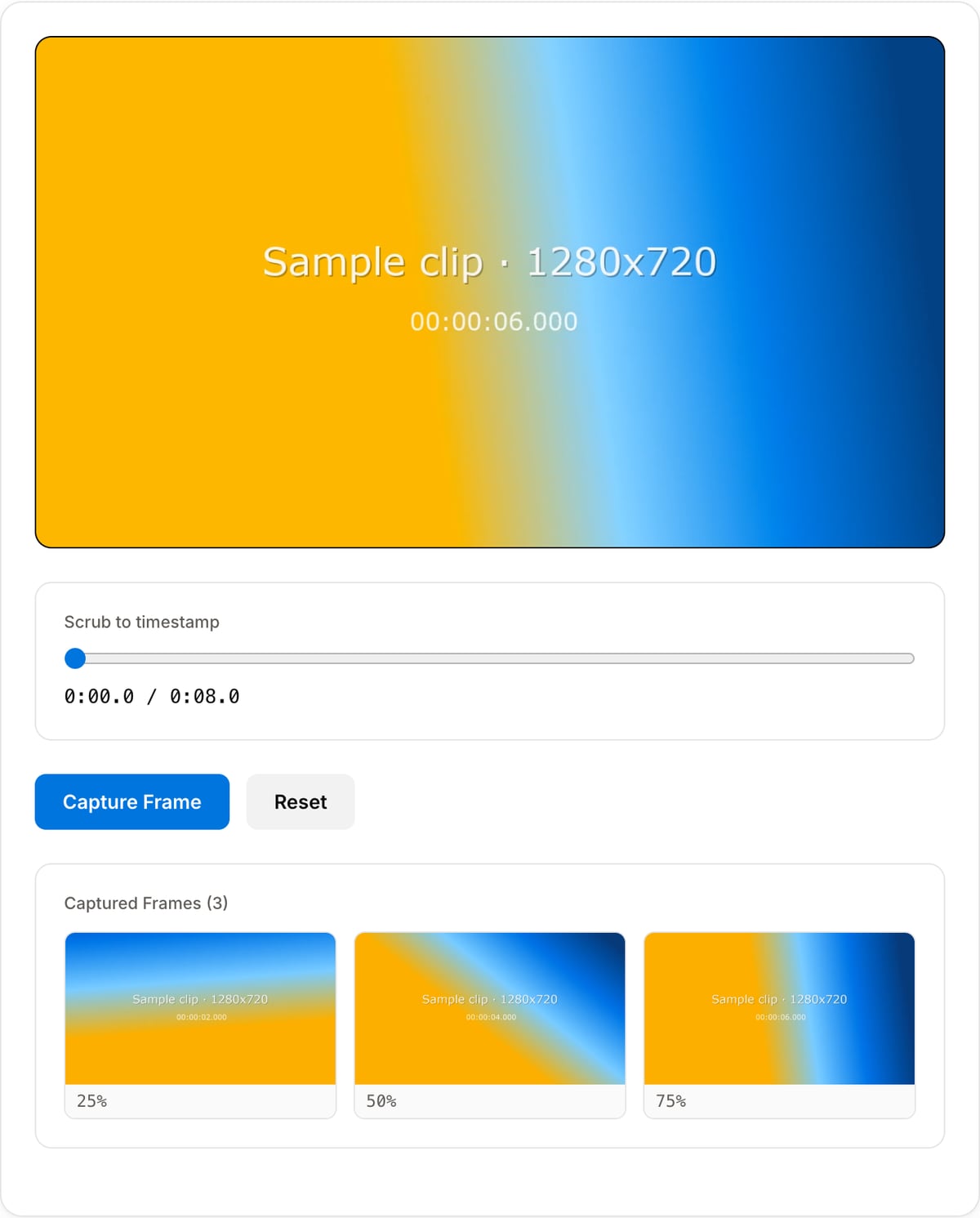
Use auto-selection for smart picks at key moments, or manually scrub to any timestamp and capture the exact frame you want.
Download as PNG
Download your selected thumbnails as high-quality PNG images at the full resolution of your source video.
What the tool looks like
Popular task presets
Best for / not for
Best for
- Creating a thumbnail base image from a video without opening an editor.
- Finding a strong moment from tutorials, product demos, courses, webinars, and social videos.
- Local thumbnail extraction from unreleased or client footage.
Not for
- Full thumbnail design with text effects, cutout subjects, stickers, or brand templates.
- Batch thumbnail generation for large video libraries.
- Replacing human thumbnail selection for high-stakes YouTube packaging.
Best use cases for video thumbnails
- Choose a clear thumbnail frame from a tutorial, demo, interview, course, webinar, or social clip.
- Create a base image for YouTube, course platforms, help docs, landing pages, or product changelogs.
- Pull a privacy-safe local thumbnail from footage that should not be uploaded to a cloud editor.
Supported formats & limits
| Input containers | MP4, MOV, WebM, MKV, AVI, FLV, WMV, M4V |
|---|---|
| Input codecs | H.264, H.265, VP8, VP9, MPEG-4, MJPEG. Not AV1 — this WebAssembly build has no software AV1 decoder. |
| Output container | MP4 (default) — interoperable with iOS, Android, YouTube, Instagram, X |
| Output codec | H.264 video + AAC audio |
| Max file size | Uploader limit: 2048 MiB (about 2 GB). Processing needs additional memory; smaller files may fail on low-memory devices. |
| Max duration | Depends on file size, the operation and available memory. Long files can fail or take a long time. |
| Cost | Free for any use. No signup. No watermark. |
Thumbnail Generator vs. the usual alternatives
| Feature | This tool | VEED (free) | Kapwing (free) | CapCut Online |
|---|---|---|---|---|
| Processing model | Runs locally in your browser | Upload-based project editor | Upload-based project editor | Upload-based online editor |
| File limits | Tool-specific file limits apply; available memory can require smaller files | Free: up to 1 GB per uploaded file | Free: up to 250 MB per uploaded file; exports up to 4 minutes | Limits depend on the feature, account and selected assets |
| Watermark on output | No watermark added | Watermark on free or signed-out exports | Watermark on Free-plan exports | Standard edits can be watermark-free; template branding and Pro assets need checking |
| Signup / account | No account for tools | Workspace/account flow | Workspace/account flow | CapCut account flow |
| Connection | Initial page and processing-engine downloads require internet; offline use is not guaranteed | Online project editor | Online project editor | Online project editor |
| Best for | Private one-step file operations | Full editor, templates, AI tools | Collaboration, templates, AI tools | Social templates and timeline editing |
Comparison covers the web editors and the linked help pages. Plans, export settings and asset restrictions can change; check the source before starting a project.
Checked . Sources: VEED upload limits · VEED watermarks · Kapwing Free plan · CapCut watermarks · CapCut Pro assets
Why this thumbnail generator is different
- Focused on selecting a strong frame quickly, then exporting a practical thumbnail image.
- Works with the crop and frame extraction tools when the source needs reframing or exact still capture.
- No account, no upload, and no watermark on the thumbnail output.
常见问题
What is the best thumbnail size for YouTube?
YouTube recommends 1280x720 (16:9) with minimum 640px width, under 2 MB. This tool outputs full-resolution frames — use 1080p+ source video for best results.
Auto vs manual frame selection?
Auto mode extracts well-distributed frames with good exposure and sharpness. Manual mode lets you scrub to any timestamp. Best approach: grab auto frames, then manually pick the winner.
What resolution are the thumbnails?
Full source resolution — 1080p video gives 1920x1080 thumbnails, 4K gives 3840x2160. Output is PNG for maximum quality; convert to JPG later if needed.
How many frames can I extract?
As many as you need. Auto mode generates a set across the video duration. Manual mode captures one at a time from any point. All download as individual PNG files.
What makes a good video thumbnail frame?
Choose a frame with a clear subject, high contrast, readable action, and enough empty space for text if you will add it later.
Can I add text to the thumbnail here?
This page focuses on extracting the base frame. Use an image editor for detailed thumbnail text and layout.
Is a thumbnail different from a frame extract?
A frame extract is any exact still. A thumbnail is a publishing asset chosen for clarity and click-through context.