音频拼接——在线合并 MP3、WAV、AAC,免费
把多条音轨合并成一个文件。格式混着也没问题,可输出 MP3/WAV/AAC。不上传。
Drop audio files or click to add
MP3, WAV, AAC, OGG, FLAC — select multiple
Reading track lengths…
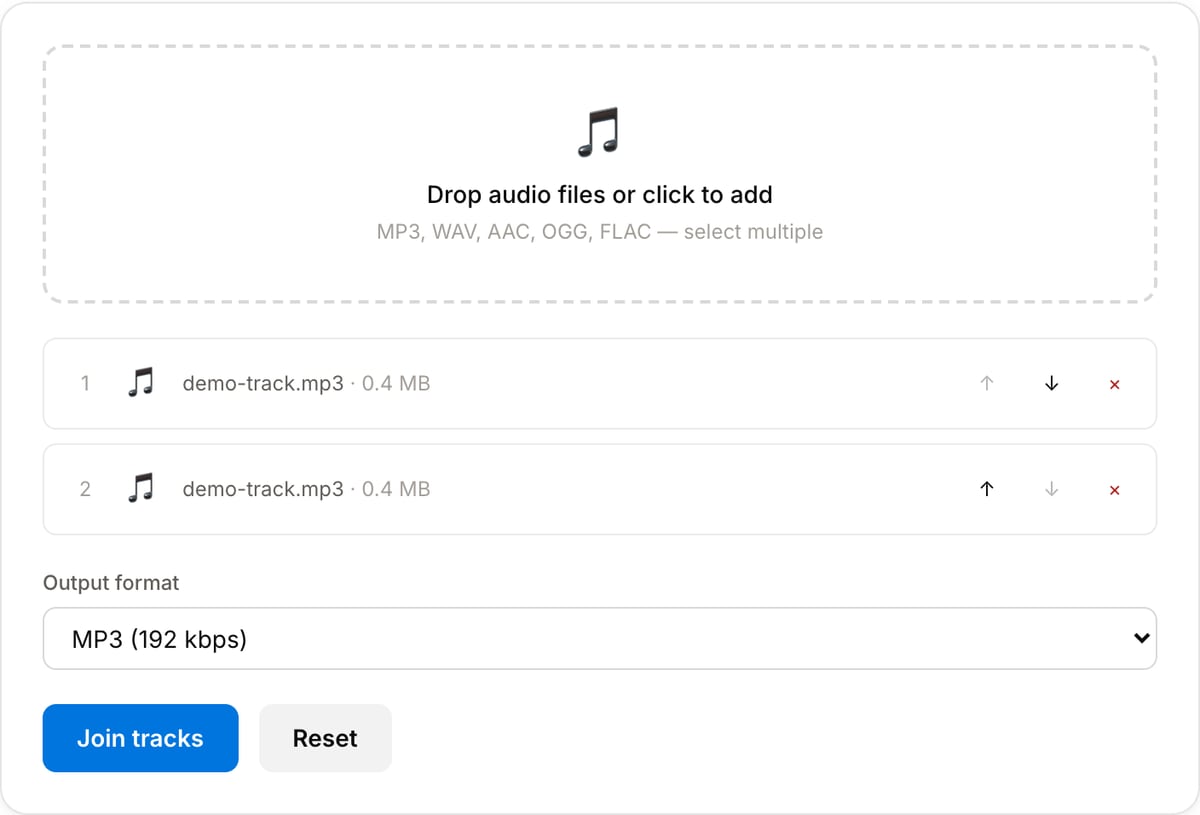
What the tool looks like
Popular task presets
Best for / not for
Best for
- Joining a small number of audio clips into one continuous file.
- Podcast segments, narration takes, voice notes, music beds, sound effects, and extracted audio pieces.
- Simple concatenation where clips should play one after another.
Not for
- Multi-track mixing, crossfades, beat matching, ducking, or precise music arrangement.
- Fixing mismatched loudness automatically. Normalize clips before joining.
- Batch joining hundreds of files.
Best use cases for joining audio
- Combine intro, main episode, sponsor read, and outro into one podcast or training audio file.
- Join multiple voice notes, narration takes, or lesson clips after trimming them individually.
- Create one continuous soundtrack from several short music or ambience clips.
Supported formats & limits
| Input formats | MP3, WAV, AAC/M4A, OGG, FLAC, Opus, WebM — any codec FFmpeg understands |
|---|---|
| Output formats | MP3 (192/320 kbps), AAC (192/256 kbps), WAV (lossless), OGG Vorbis, FLAC (lossless) |
| Max file size | Uploader limit: 2048 MiB (about 2 GB). Processing needs additional memory; smaller files may fail on low-memory devices. |
| Max duration | Depends on file size, the operation and available memory. Long files can fail or take a long time. |
| Cost | Free for any use. No signup. No watermark on output. |
Audio Joiner vs. the usual alternatives
| Feature | This tool | VEED (free) | Kapwing (free) | CapCut Online |
|---|---|---|---|---|
| Processing model | Runs locally in your browser | Upload-based project editor | Upload-based project editor | Upload-based online editor |
| File limits | Tool-specific file limits apply; available memory can require smaller files | Free: up to 1 GB per uploaded file | Free: up to 250 MB per uploaded file; exports up to 4 minutes | Limits depend on the feature, account and selected assets |
| Watermark on output | No watermark added | Watermark on free or signed-out exports | Watermark on Free-plan exports | Standard edits can be watermark-free; template branding and Pro assets need checking |
| Signup / account | No account for tools | Workspace/account flow | Workspace/account flow | CapCut account flow |
| Connection | Initial page and processing-engine downloads require internet; offline use is not guaranteed | Online project editor | Online project editor | Online project editor |
| Best for | Private one-step file operations | Full editor, templates, AI tools | Collaboration, templates, AI tools | Social templates and timeline editing |
Comparison covers the web editors and the linked help pages. Plans, export settings and asset restrictions can change; check the source before starting a project.
Checked . Sources: VEED upload limits · VEED watermarks · Kapwing Free plan · CapCut watermarks · CapCut Pro assets
Why this joiner is different
- The workflow stays simple: add clips, reorder, choose output, export.
- Works with normalization and conversion tools so the merged result is consistent and easy to share.
- Local processing avoids uploading raw voice notes, interviews, or unreleased audio.
Tutorials covering this tool
常见问题
Can I join audio files of different formats?
Yes. The tool uses FFmpeg’s concat filter which decodes each input and re-encodes a single output — so MP3 + WAV + AAC in any order works. Pick the output format that makes sense (MP3 for sharing, WAV for editing, AAC for Apple).
Is there a crossfade between tracks?
Not in this tool. The tracks are joined end-to-end. For crossfade, use a DAW like Audacity or Reaper — we may add crossfade as a separate option later.
How many files can I join?
Browser memory is the only cap. 20-30 typical music tracks are fine; hundreds of short voice memos may slow things down but still work.
Should I normalize before joining?
Yes if the clips have different loudness. Normalize first so the merged file does not jump in volume.
Can I add crossfades?
This page is for straightforward joining. Use a DAW or timeline editor for crossfades and mix automation.
Can I join different formats?
Yes. Mixed inputs can be decoded and exported to one chosen output format.