音频转换器——MP3、WAV、AAC、OGG、FLAC,免费在线
在 MP3、WAV、AAC、OGG 和 FLAC 之间互转,带质量预设。不上传。
Drop audio file here
文件上限约 2 GB(取决于内存)
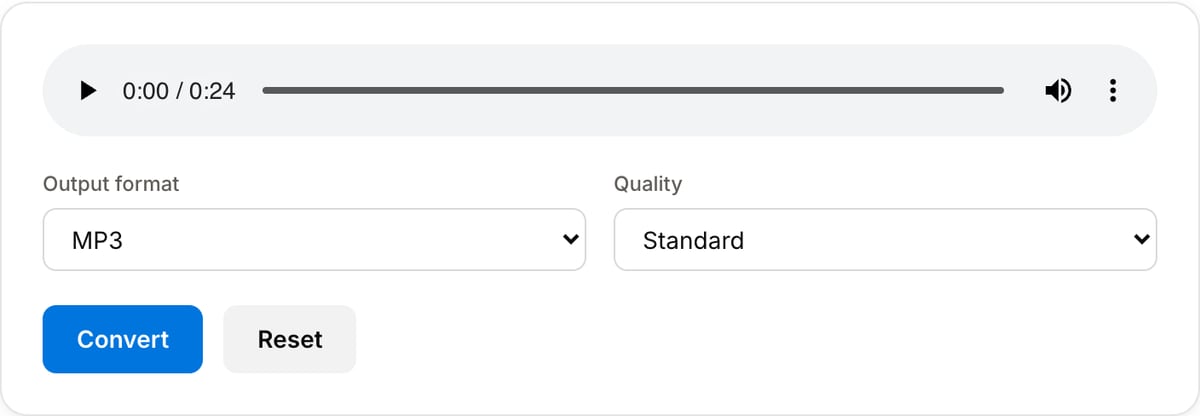
What the tool looks like
Popular task presets
Best for / not for
Best for
- Converting between MP3, WAV, AAC/M4A, OGG, FLAC, Opus, and other common audio formats.
- Creating smaller sharing files, lossless editing copies, or platform-compatible uploads.
- Private audio that should not be sent to a cloud converter.
Not for
- Audio cleanup, noise reduction, mastering, or stem separation.
- DRM-protected audio files.
- Batch converting large music libraries.
Best use cases for audio conversion
- Convert WAV or FLAC recordings to MP3/AAC for email, transcription, podcast drafts, or mobile playback.
- Create a WAV or FLAC copy when the next step is editing, cleanup, mixing, or archiving.
- Change audio format for podcast hosts, LMS uploads, DAWs, CMS systems, and older playback devices.
Supported formats & limits
| Input formats | MP3, WAV, AAC/M4A, OGG, FLAC, Opus, WebM — any codec FFmpeg understands |
|---|---|
| Output formats | MP3 (192/320 kbps), AAC (192/256 kbps), WAV (lossless), OGG Vorbis, FLAC (lossless) |
| Max file size | Uploader limit: 2048 MiB (about 2 GB). Processing needs additional memory; smaller files may fail on low-memory devices. |
| Max duration | Depends on file size, the operation and available memory. Long files can fail or take a long time. |
| Cost | Free for any use. No signup. No watermark on output. |
Audio Converter vs. the usual alternatives
| Feature | This tool | VEED (free) | Kapwing (free) | CapCut Online |
|---|---|---|---|---|
| Processing model | Runs locally in your browser | Upload-based project editor | Upload-based project editor | Upload-based online editor |
| File limits | Tool-specific file limits apply; available memory can require smaller files | Free: up to 1 GB per uploaded file | Free: up to 250 MB per uploaded file; exports up to 4 minutes | Limits depend on the feature, account and selected assets |
| Watermark on output | No watermark added | Watermark on free or signed-out exports | Watermark on Free-plan exports | Standard edits can be watermark-free; template branding and Pro assets need checking |
| Signup / account | No account for tools | Workspace/account flow | Workspace/account flow | CapCut account flow |
| Connection | Initial page and processing-engine downloads require internet; offline use is not guaranteed | Online project editor | Online project editor | Online project editor |
| Best for | Private one-step file operations | Full editor, templates, AI tools | Collaboration, templates, AI tools | Social templates and timeline editing |
Comparison covers the web editors and the linked help pages. Plans, export settings and asset restrictions can change; check the source before starting a project.
Checked . Sources: VEED upload limits · VEED watermarks · Kapwing Free plan · CapCut watermarks · CapCut Pro assets
Why this audio converter is different
- The format choices are practical instead of exposing a codec list meant for command-line users.
- It runs locally, which matters for interviews, legal recordings, unreleased music, and client files.
- Pairs with trimming, joining, normalization, and video-to-audio extraction workflows.
常见问题
Which direction can I convert?
Any-to-any between MP3, WAV, AAC/M4A, OGG, and FLAC. The tool decodes the input and encodes the chosen output — no direct relationship to the source codec is required.
Which format should I pick?
MP3 for universal playback. AAC/M4A for Apple devices. WAV for editing (lossless, huge). FLAC for archival (lossless, smaller than WAV). OGG for open-source pipelines.
Does converting to FLAC restore quality lost from MP3?
No. Once audio has been lossy-compressed (MP3, AAC, OGG), quality cannot be recovered. FLAC will just store the lossy-compressed waveform losslessly — same listening experience, larger file.
Should I use MP3 or WAV?
Use MP3 for sharing and transcription. Use WAV if you will edit, clean, mix, or archive the audio.
Will conversion reduce quality?
Lossy formats like MP3 and AAC can reduce quality slightly. WAV and FLAC preserve more detail but create larger files.
Can I convert audio from a video here?
Use Video to MP3 or Extract Audio for video sources, then use Audio Converter if you need another format.