在线给视频加文字,免费——标题、说明、文字水印
在画面上叠加带样式的文字。字号、颜色、位置和背景底色都能调。在浏览器里运行——不上传。
把视频拖到这里,或点击选择文件
文件上限约 2 GB(取决于内存)
What the tool looks like
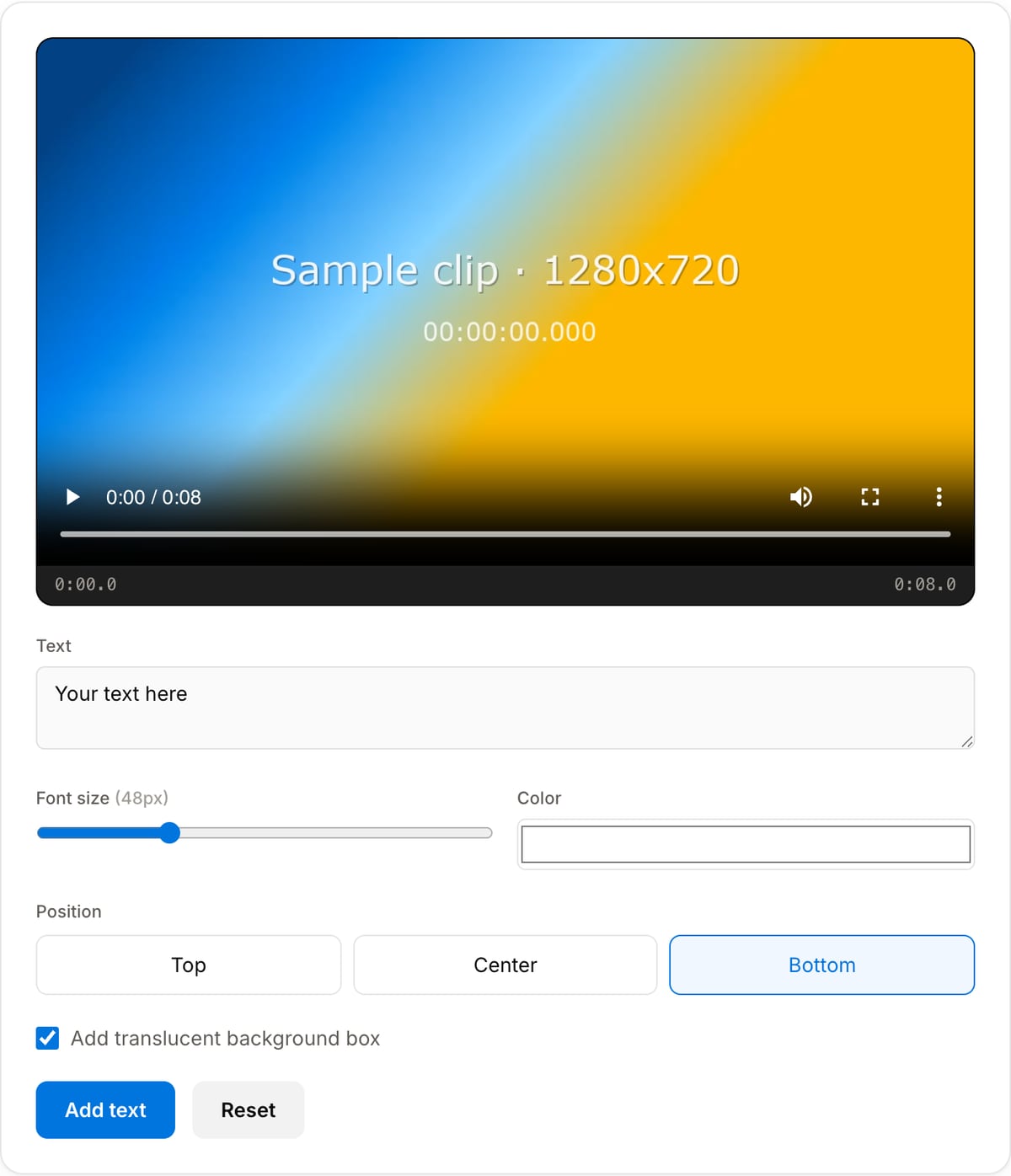
Popular task presets
Best for / not for
Best for
- Static text overlays such as titles, labels, disclaimers, timestamps, handles, and short calls to action.
- Product demos, course clips, tutorials, social posts, and internal review videos.
- Simple positioned text where a full motion-graphics editor would be overkill.
Not for
- Timed subtitle tracks with many lines. Use Subtitle Burner for caption workflows.
- Animated typography, lower-thirds templates, motion tracking, or keyframed text.
- Replacing a full design tool for complex thumbnail or ad layouts.
Best use cases for text overlays
- Add a title, step label, warning, product name, chapter marker, or social handle directly onto the video.
- Mark a draft with review text before sending it to a client or teammate.
- Create quick instructional overlays for screen recordings, demos, and course clips.
Supported formats & limits
| Input containers | MP4, MOV, WebM, MKV, AVI, FLV, WMV, M4V |
|---|---|
| Input codecs | H.264, H.265, VP8, VP9, MPEG-4, MJPEG. Not AV1 — this WebAssembly build has no software AV1 decoder. |
| Output container | MP4 (default) — interoperable with iOS, Android, YouTube, Instagram, X |
| Output codec | H.264 video + AAC audio |
| Max file size | Uploader limit: 2048 MiB (about 2 GB). Processing needs additional memory; smaller files may fail on low-memory devices. |
| Max duration | Depends on file size, the operation and available memory. Long files can fail or take a long time. |
| Cost | Free for any use. No signup. No watermark. |
Text Overlay Tool vs. the usual alternatives
| Feature | This tool | VEED (free) | Kapwing (free) | CapCut Online |
|---|---|---|---|---|
| Processing model | Runs locally in your browser | Upload-based project editor | Upload-based project editor | Upload-based online editor |
| File limits | Tool-specific file limits apply; available memory can require smaller files | Free: up to 1 GB per uploaded file | Free: up to 250 MB per uploaded file; exports up to 4 minutes | Limits depend on the feature, account and selected assets |
| Watermark on output | No watermark added | Watermark on free or signed-out exports | Watermark on Free-plan exports | Standard edits can be watermark-free; template branding and Pro assets need checking |
| Signup / account | No account for tools | Workspace/account flow | Workspace/account flow | CapCut account flow |
| Connection | Initial page and processing-engine downloads require internet; offline use is not guaranteed | Online project editor | Online project editor | Online project editor |
| Best for | Private one-step file operations | Full editor, templates, AI tools | Collaboration, templates, AI tools | Social templates and timeline editing |
Comparison covers the web editors and the linked help pages. Plans, export settings and asset restrictions can change; check the source before starting a project.
Checked . Sources: VEED upload limits · VEED watermarks · Kapwing Free plan · CapCut watermarks · CapCut Pro assets
Why this text overlay tool is different
- It is tuned for quick static overlays: type the text, choose placement and style, export.
- The overlay is rendered into the final video, so the text remains visible after upload.
- Local processing keeps internal demos, draft lessons, and client footage off upload-based editors.
Tutorials covering this tool
常见问题
Can I add text only to part of the video?
Not in this tool — the text shows for the full duration. For time-ranged captions author an SRT in any plain-text editor and burn it in with the Subtitle Burner tool.
Does it support emoji and non-Latin characters?
Partial — FFmpeg drawtext uses the embedded default font which covers Latin/Cyrillic/Greek. Chinese/Japanese/Korean/Arabic and emoji are unlikely to render. For those, use the Subtitle Burner with an ASS file specifying a font that supports your script.
Is it the same as a watermark?
Functionally similar (persistent overlay) but the Watermark tool is optimised for logos and corner placement. Use this tool for text-focused overlays (titles, call-to-action, disclaimers).
Will the quality change?
Video is re-encoded at CRF 23 (visually lossless). Audio is stream-copied — untouched.
Should I use text overlay or subtitles?
Use text overlay for static labels and calls to action. Use subtitles when the text needs timing across many lines.
Can I add a draft or preview label?
Yes. Use a centered or corner text overlay with lower opacity for draft review copies.
Will the text be editable later?
No. The text is burned into the pixels, so keep the original source if you may need changes.