音频倒放——在线免费反向播放
把音频倒过来播。做音乐制作、找彩蛋和 DJ 效果都用得上。不上传。
Drop audio file here
文件上限约 2 GB(取决于内存)
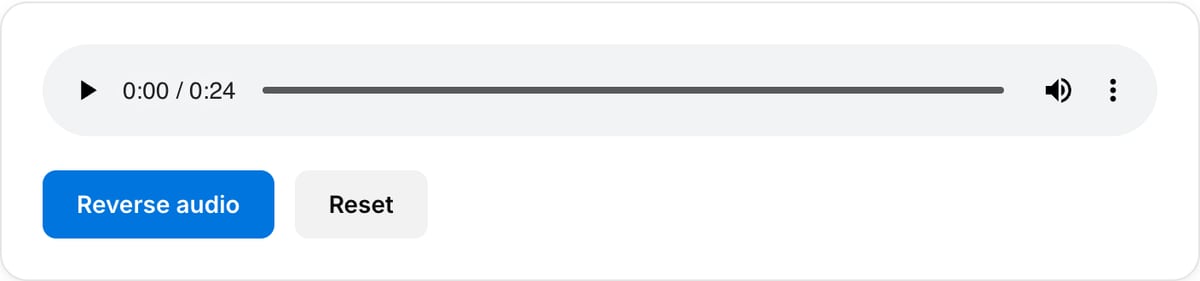
What the tool looks like
Popular task presets
Best for / not for
Best for
- Reversing samples, music snippets, ambience, effects, voice lines, and short audio clips.
- Sound design, producer effects, transitions, hidden-message checks, and creative experiments.
- Quick one-file reverse exports without opening a DAW.
Not for
- Complex audio arrangement, beat matching, crossfades, or multi-track production.
- Making reversed speech intelligible or translating hidden content automatically.
- Very long audio books or recordings on low-memory browsers.
Best use cases for reversing audio
- Create reverse cymbals, risers, whooshes, swells, and transition effects from existing audio.
- Reverse a voice line or sample for creative edits, game sounds, or music production experiments.
- Check a short clip backwards without installing a DAW or uploading the file.
Supported formats & limits
| Input formats | MP3, WAV, AAC/M4A, OGG, FLAC, Opus, WebM — any codec FFmpeg understands |
|---|---|
| Output formats | MP3 (192/320 kbps), AAC (192/256 kbps), WAV (lossless), OGG Vorbis, FLAC (lossless) |
| Max file size | Uploader limit: 2048 MiB (about 2 GB). Processing needs additional memory; smaller files may fail on low-memory devices. |
| Max duration | Depends on file size, the operation and available memory. Long files can fail or take a long time. |
| Cost | Free for any use. No signup. No watermark on output. |
Audio Reverser vs. the usual alternatives
| Feature | This tool | VEED (free) | Kapwing (free) | CapCut Online |
|---|---|---|---|---|
| Processing model | Runs locally in your browser | Upload-based project editor | Upload-based project editor | Upload-based online editor |
| File limits | Tool-specific file limits apply; available memory can require smaller files | Free: up to 1 GB per uploaded file | Free: up to 250 MB per uploaded file; exports up to 4 minutes | Limits depend on the feature, account and selected assets |
| Watermark on output | No watermark added | Watermark on free or signed-out exports | Watermark on Free-plan exports | Standard edits can be watermark-free; template branding and Pro assets need checking |
| Signup / account | No account for tools | Workspace/account flow | Workspace/account flow | CapCut account flow |
| Connection | Initial page and processing-engine downloads require internet; offline use is not guaranteed | Online project editor | Online project editor | Online project editor |
| Best for | Private one-step file operations | Full editor, templates, AI tools | Collaboration, templates, AI tools | Social templates and timeline editing |
Comparison covers the web editors and the linked help pages. Plans, export settings and asset restrictions can change; check the source before starting a project.
Checked . Sources: VEED upload limits · VEED watermarks · Kapwing Free plan · CapCut watermarks · CapCut Pro assets
Why this audio reverser is different
- It does exactly one creative utility job and gets out of the way.
- The reversed file can go straight into pitch shifting, conversion, or a video audio replacement workflow.
- Local processing keeps unreleased samples, client audio, and voice clips private.
常见问题
What is audio reverse useful for?
Reverse cymbal swells for build-ups, hide Easter eggs in songs, check for backmasking claims, or create DJ/production effects.
Does reversing change quality?
No perceptible change beyond one re-encode pass. FFmpeg’s areverse operates on samples so the waveform is bit-identical when played backward.
Will reversing audio preserve quality?
The audio is decoded, reversed, and exported. Use WAV or FLAC if you plan to process it further.
Can I reverse only part of a file?
Trim the section first with Audio Cutter, then reverse that shorter clip.
Can I reverse video audio?
Extract the audio from the video first, reverse it here, then use Audio Replacer if you need it back in the video.