Fade In / Fade Out Video Online Free
Add a smooth fade in from black and fade out to black to any clip. Audio fades along with the picture; the fade-out lands on the last frame automatically.
Drag & drop your video here, or click to browse
MP4, MOV, WebM, AVI
How to Use — Fade In / Fade Out Video Online Free
Upload your clip
MP4, MOV, WebM or AVI. Duration is detected automatically so the fade-out lands exactly on the last frame.
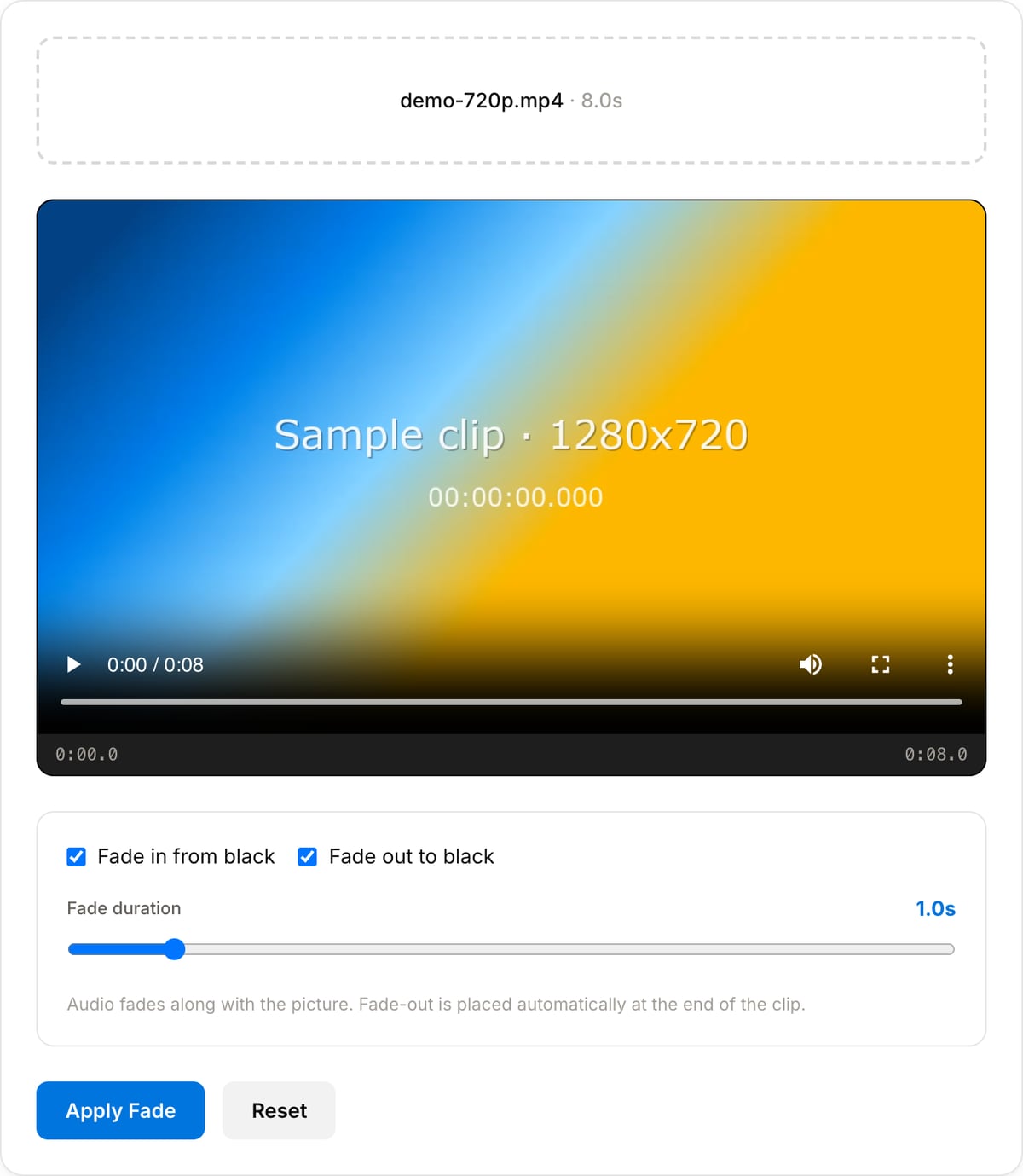
Pick fade in, fade out, or both
Set the length from 0.5 to 5 seconds. 1s works for most social clips; 2–3s feels cinematic.
Apply and download
Picture and sound fade together. Processing is local — no upload, no watermark, no signup.
What the tool looks like
Popular task presets
Best for / not for
Best for
- Opening and closing a finished clip so it does not start and end on a hard cut.
- Softening a cold open on footage that begins mid-motion.
- Fading a clip to black before a logo card or an end screen.
Not for
- Cross-fading between two clips — that is a transition, not a fade to black.
- Fading to a colour other than black, or fading only the picture while the sound continues.
- Fades partway through a clip rather than at its ends.
When to fade a video
- Finishing a social clip so it does not cut to black abruptly when the loop restarts.
- Topping and tailing an interview or a talking-head take that starts and ends mid-sentence.
- Easing into a clip that begins on a loud frame — the audio fades with the picture, so the first second is not a shock.
- Preparing a segment to sit between other footage in a longer edit.
Supported formats & limits
| Input containers | MP4, MOV, WebM, MKV, AVI, FLV, WMV, M4V |
|---|---|
| Input codecs | H.264, H.265, VP8, VP9, MPEG-4, MJPEG. Not AV1 — this WebAssembly build has no software AV1 decoder. |
| Output container | MP4 (default) — interoperable with iOS, Android, YouTube, Instagram, X |
| Output codec | H.264 video + AAC audio |
| Max file size | Up to ~2 GB (limited by browser memory) |
| Max duration | No hard limit — depends on file size |
| Cost | Free for any use. No signup. No watermark. |
Video Fade Tool vs. the usual alternatives
| Feature | This tool | VEED (free) | Kapwing (free) | CapCut Online |
|---|---|---|---|---|
| Processing model | Runs locally in your browser | Upload-based project editor | Upload-based project editor | Upload-based online editor |
| File limits | No upload cap; practical limit is browser memory | Plan-specific upload limits | Plan-specific upload and export limits | Feature- and account-specific limits |
| Watermark on output | No watermark added | Free exports include a VEED watermark | Free exports include a Kapwing watermark | Standard edits can be watermark-free; templates/assets may add branding |
| Signup / account | No account for tools | Workspace/account flow | Workspace/account flow | CapCut account flow |
| Works offline | Yes after cache, subject to browser support | No | No | No |
| Best for | Private one-step file operations | Full editor, templates, AI tools | Collaboration, templates, AI tools | Social templates and timeline editing |
Vendor plan limits were checked on April 29, 2026 and can change by region, account state, and export option. Verify critical limits on the vendor pricing/help page before relying on them.
Why use this fade tool
- The fade-out is placed against the real duration of the clip, so it lands on the last frame instead of finishing early or being cut off.
- Audio fades with the picture. A picture that fades while the sound stops dead is the usual giveaway of a rushed edit.
- One control: how long the fade lasts. A second is right for most clips, two for something slower.
- No upload and no watermark, so a finished clip can be topped and tailed without going through a cloud editor.
Task-focused FAQ
How long should a fade be?
One second suits most social clips. Two feels deliberate and slow, which works for a closing shot. Under half a second reads as a glitch rather than a fade.
Can I fade to white instead of black?
Not here — the fade goes to black. A fade to white usually needs a colour layer, which belongs in a timeline editor.
Does it re-encode the whole video?
Yes. A fade changes pixels in every faded frame, so the video stream has to be re-encoded. The audio is faded along with it.
Frequently Asked Questions
Does audio fade too?
Yes — audio fades with the picture, which is what makes endings feel finished. Silent clips are handled automatically.
Where does the fade-out start?
The tool reads the clip duration and places the fade so it completes exactly on the last frame — no manual timing needed.
How long should a fade be?
1 second for social clips, 0.5s for snappy cuts, 2–3s for cinematic endings.
Is quality affected?
The video is re-encoded (pixel changes require it), processed entirely in your browser. Typical clips finish in seconds.