MP3 Cutter & Audio Trimmer Online — Free, No Upload
Trim MP3, WAV, AAC, OGG, FLAC in your browser. Lossless stream-copy. No upload.
Drop your audio file here
Max file size: ~2 GB (memory permitting)
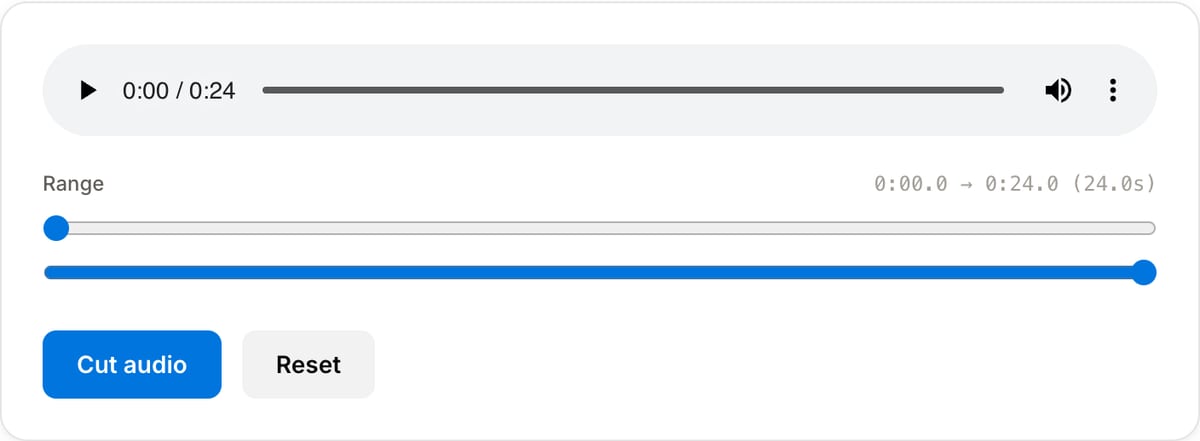
What the tool looks like
Popular task presets
Best for / not for
Best for
- Cutting a single audio range from podcasts, voice notes, interviews, lectures, songs, and extracted video audio.
- Removing intros, outros, false starts, and off-topic sections before sharing.
- Quick browser trimming without uploading sensitive recordings.
Not for
- Multi-track podcast editing with fades, music beds, and effects.
- Removing silent pauses automatically. Use Silence Remover for that.
- Mastering or repairing noisy/clipped audio.
Best use cases for audio cutting
- Trim an MP3, WAV, AAC, OGG, or FLAC file down to the exact section you need.
- Cut a lecture, meeting, interview, or voice memo before transcription or sharing.
- Create a short ringtone, sample, narration clip, or podcast excerpt from a longer recording.
Supported formats & limits
| Input formats | MP3, WAV, AAC/M4A, OGG, FLAC, Opus, WebM — any codec FFmpeg understands |
|---|---|
| Output formats | MP3 (192/320 kbps), AAC (192/256 kbps), WAV (lossless), OGG Vorbis, FLAC (lossless) |
| Max file size | Up to ~2 GB (limited by browser memory) |
| Max duration | No hard limit — multi-hour files work fine |
| Cost | Free for any use. No signup. No watermark on output. |
MP3 Cutter vs. the usual alternatives
| Feature | This tool | VEED (free) | Kapwing (free) | CapCut Online |
|---|---|---|---|---|
| Processing model | Runs locally in your browser | Upload-based project editor | Upload-based project editor | Upload-based online editor |
| File limits | No upload cap; practical limit is browser memory | Plan-specific upload limits | Plan-specific upload and export limits | Feature- and account-specific limits |
| Watermark on output | No watermark added | Free exports include a VEED watermark | Free exports include a Kapwing watermark | Standard edits can be watermark-free; templates/assets may add branding |
| Signup / account | No account for tools | Workspace/account flow | Workspace/account flow | CapCut account flow |
| Works offline | Yes after cache, subject to browser support | No | No | No |
| Best for | Private one-step file operations | Full editor, templates, AI tools | Collaboration, templates, AI tools | Social templates and timeline editing |
Vendor plan limits were checked on April 29, 2026 and can change by region, account state, and export option. Verify critical limits on the vendor pricing/help page before relying on them.
Why this audio cutter is different
- Focused on a clean in/out trim rather than a full DAW interface.
- Works well after audio extraction, before silence removal, or before normalization.
- Local processing keeps interviews, calls, classes, and voice notes on your device.
Task-focused FAQ
Should I cut before normalizing?
Yes. Trim the final section first, then normalize the audio that will actually be used.
Can I cut MP3 without quality loss?
Fast lossless cuts are possible around frame boundaries; exact edits may require re-encoding.
Can I remove several sections at once?
This page is best for one clean range. Use a timeline editor for complex multi-section edits.
Tutorials covering this tool
Made for one job
Frequently Asked Questions
Is the cut lossless?
Yes — stream-copy (-c copy) means no re-encoding. The output is bit-identical to the original within the chosen range. Start/end may snap to the nearest keyframe or frame boundary depending on codec.
Which formats are supported?
MP3, WAV, AAC/M4A, OGG, FLAC, Opus, and most other common audio formats. The output format matches the input — converting between formats is handled by the Audio Converter tool.
Does my audio upload anywhere?
No. The file stays in your browser tab — open DevTools → Network tab while cutting to verify zero requests leave your machine.