Video to GIF Converter — FPS, Width & Range Control
Turn a precise video range into a GIF for Slack, docs, GitHub issues, or social posts. Control FPS, width, and duration before export.
Drag & drop your video here, or click to browse
Max file size: ~2 GB (memory permitting)
How to Use — Video to GIF Converter — FPS, Width & Range Control
Upload your video
Drop an MP4, WebM, or MOV file. The video loads in your browser — nothing is uploaded to our servers.
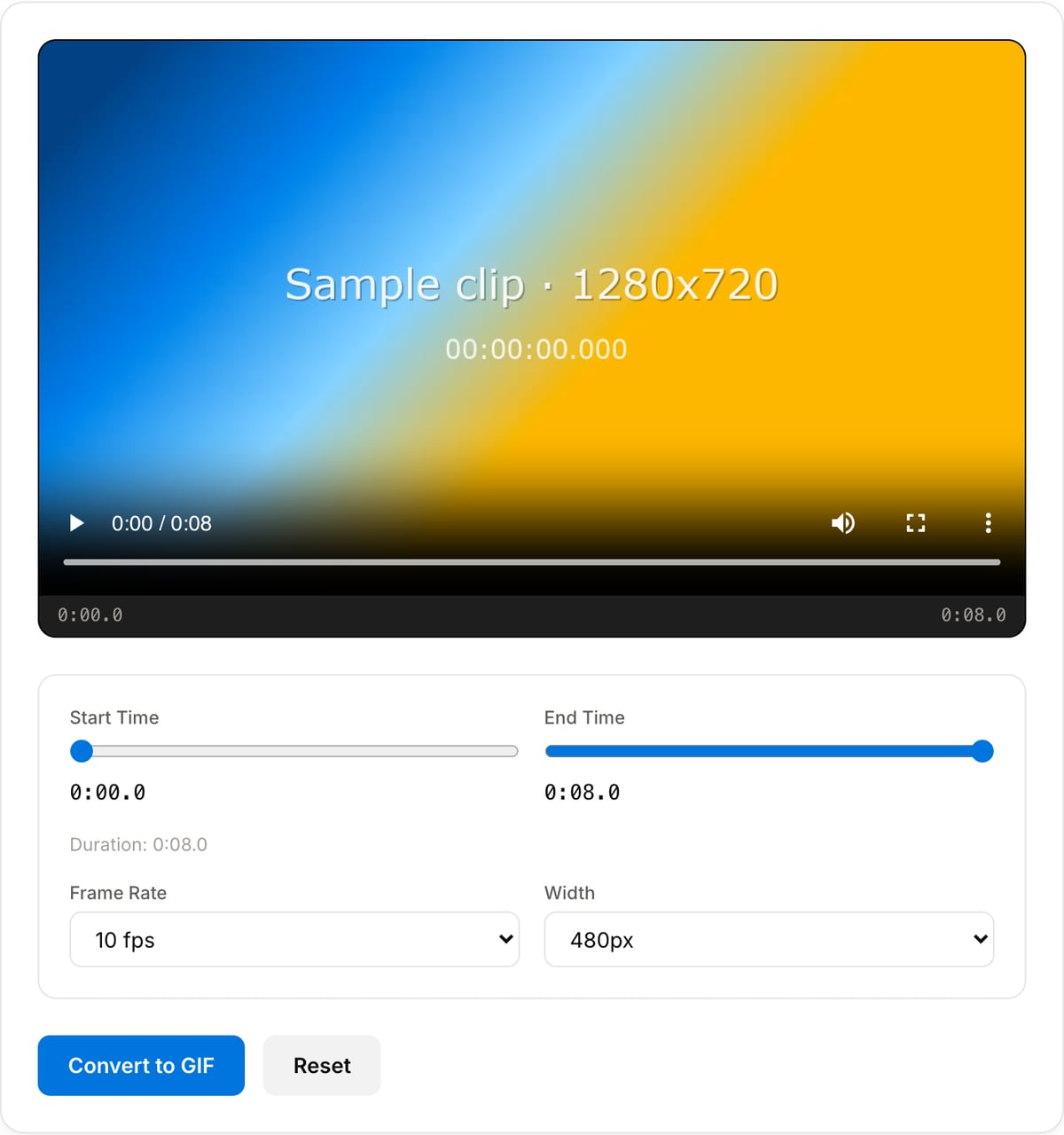
Select the clip range
Set start and end time to pick the exact moment. Keep it under 10 seconds for the best results.
Adjust GIF settings
Choose frame rate (10 FPS recommended) and output width (480px for most uses, 320px for smaller files).
Convert and download
Click "Convert to GIF" — preview the result and download your animated GIF instantly.
What the tool looks like
Popular task presets
Best for / not for
Best for
- Short silent loops, UI demos, bug reports, reactions, and documentation snippets.
- Clips where universal image-style embedding is more important than perfect color or tiny file size.
- Private product captures or unreleased demos that should stay on-device.
Not for
- Long or high-motion videos; MP4/WebM will be much smaller and cleaner.
- Footage with subtle gradients or rich color, because GIF is limited to 256 colors per frame.
- Audio, since GIF does not carry sound.
Best use cases for video to GIF
- Create a lightweight product demo for GitHub issues, README files, help docs, or changelogs where video embeds are awkward.
- Make a looping reaction, bug report, UI capture, or tutorial snippet for Slack, Discord, X, and forums.
- Share a silent preview in places where autoplay MP4 is blocked or where a single self-contained image file is easier.
GIF quality and size guide
| Recommended length | 2-8 seconds. Longer GIFs grow quickly because every frame is stored as image data. |
|---|---|
| Recommended FPS | 8-12 FPS for demos and reactions; 15 FPS only when motion smoothness matters. |
| Recommended width | 320-640 px. Larger widths often create files too big for chat, docs, or email. |
| Best source | Short clips with limited camera movement, simple UI, captions, or product screens. |
Video-to-GIF Converter vs. the usual alternatives
| Feature | This tool | VEED (free) | Kapwing (free) | CapCut Online |
|---|---|---|---|---|
| Processing model | Runs locally in your browser | Upload-based project editor | Upload-based project editor | Upload-based online editor |
| File limits | No upload cap; practical limit is browser memory | Plan-specific upload limits | Plan-specific upload and export limits | Feature- and account-specific limits |
| Watermark on output | No watermark added | Free exports include a VEED watermark | Free exports include a Kapwing watermark | Standard edits can be watermark-free; templates/assets may add branding |
| Signup / account | No account for tools | Workspace/account flow | Workspace/account flow | CapCut account flow |
| Works offline | Yes after cache, subject to browser support | No | No | No |
| Best for | Private one-step file operations | Full editor, templates, AI tools | Collaboration, templates, AI tools | Social templates and timeline editing |
Vendor plan limits were checked on April 29, 2026 and can change by region, account state, and export option. Verify critical limits on the vendor pricing/help page before relying on them.
Why this GIF converter is different
- Range, FPS, and width are first-class controls, because those three settings decide whether a GIF is usable or huge.
- Local conversion keeps unreleased product demos, private bug captures, and client work off third-party servers.
- No account flow, upload queue, or watermark added to the animation.
Task-focused FAQ
Why is my GIF file so large?
GIF stores animation as image frames. Lower the width, FPS, or duration first; those settings matter more than almost anything else.
What settings should I use for a UI demo GIF?
Start with 480 px width and 10-12 FPS. For text-heavy UI, avoid shrinking below 360 px.
Should I use GIF or MP4 for a website?
Use MP4/WebM for production websites when possible. GIF is best for places where video embeds are inconvenient.
Frequently Asked Questions
What is the best frame rate for a GIF?
10-15 FPS works best. Lower FPS (5) = smaller file. Higher FPS (20) = smoother but larger. 10 FPS is the sweet spot for most social media GIFs.
Why is my GIF file so large?
Reduce the width to 480px or lower, set FPS to 10, and keep clips under 5 seconds. GIF format is uncompressed animation, so shorter + smaller = dramatically smaller files.
Can I make a GIF from a YouTube video?
Not directly. First download the YouTube video, then upload it here. We don't support URLs — all processing is local for your privacy.
What video formats work?
MP4, WebM, MOV, AVI, MKV, and most other common formats. If your browser can play it, this tool can convert it.