Video Bitrate Calculator – Free Online
Find the ideal bitrate for your video based on resolution, frame rate, codec, and duration. See estimated file size before you export — avoid wasted disk space or quality issues.
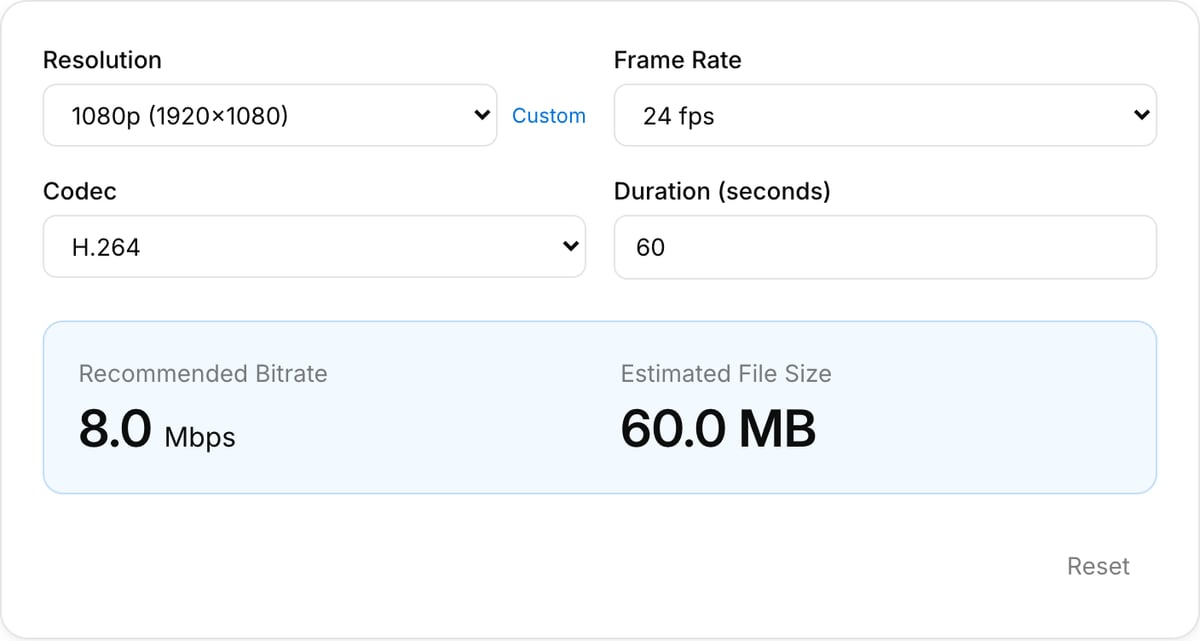
Recommended Bitrate
8.0 Mbps
Estimated File Size
60.0 MB
How to Use — Video Bitrate Calculator – Free Online
Select resolution
Choose your target video resolution — 720p, 1080p, 4K, or enter a custom resolution.
Choose codec
Select your video codec (H.264, H.265, ProRes, etc.) to get codec-specific bitrate recommendations.
Set duration
Enter the duration of your video to calculate the estimated file size for your project.
View results
See the recommended bitrate and estimated file size instantly. Adjust settings to compare different configurations.
What the tool looks like
Popular task presets
Best for / not for
Best for
- Estimating video bitrate, file size, and storage needs before export.
- Choosing a realistic bitrate for YouTube, social uploads, client review, LMS, or archive copies.
- Understanding why 4K, 60 fps, HDR, or long duration changes file size quickly.
Not for
- Guaranteeing final size after variable-bitrate encoding.
- Professional streaming ladders with multiple renditions and network constraints.
- Fixing visual quality after an over-compressed source file.
Best use cases for bitrate calculation
- Estimate whether a 10-minute 1080p export will fit an upload limit before you encode it.
- Compare 720p, 1080p, 4K, 30 fps, and 60 fps targets for quality versus file size.
- Plan client review copies, course exports, YouTube uploads, and local storage budgets.
Calculation caveats
| Estimate type | Bitrate math is predictable, but CRF/VBR encoders can produce larger or smaller files depending on content complexity. |
|---|---|
| High motion | Sports, gaming, grain, and handheld footage usually need more bitrate than slides or screen recordings. |
| Text/UI footage | Screen recordings often need enough bitrate to preserve sharp edges and small text. |
| Best next step | Use Export Settings for platform targets, then Compressor for the actual encode. |
Why this bitrate calculator is different
- It is written for editor decisions, not just raw Mbps arithmetic.
- The recommendations call out content type and destination so you do not blindly chase small files.
- It connects bitrate planning to compression and export workflows.
Task-focused FAQ
Why is my final file size different from the estimate?
Variable-bitrate and CRF encoders adapt to content. High-motion footage may be larger than simple screen recordings.
Should I use higher bitrate for 60 fps?
Yes. 60 fps has more frames to encode, so it usually needs a higher bitrate than 30 fps at the same resolution.
Is bitrate the same as quality?
Not exactly. Codec, resolution, source quality, motion, and encoder settings all affect perceived quality.
Frequently Asked Questions
What is video bitrate?
Video bitrate is the amount of data processed per second in a video file, measured in megabits per second (Mbps) or kilobits per second (kbps). Higher bitrate generally means better quality but larger file sizes.
How do I choose the right bitrate for YouTube?
YouTube recommends 8 Mbps for 1080p SDR uploads and 35-45 Mbps for 4K SDR. For HDR content, double those values. Using H.264 codec is safest for compatibility.
Does higher bitrate always mean better quality?
Not always. There is a point of diminishing returns where increasing bitrate no longer produces visible improvement. The optimal bitrate depends on resolution, frame rate, codec efficiency, and content complexity.
What bitrate should I use for 1080p and 4K video?
For H.264 at 1080p, 8-12 Mbps is a good range. For 4K H.264, 35-68 Mbps is typical. With H.265/HEVC, you can use roughly half those values for similar quality.