Video Export Settings Guide
Get the recommended export settings for YouTube, TikTok, Instagram, Twitter, and more. Compare resolution, bitrate, codec, and format side by side.
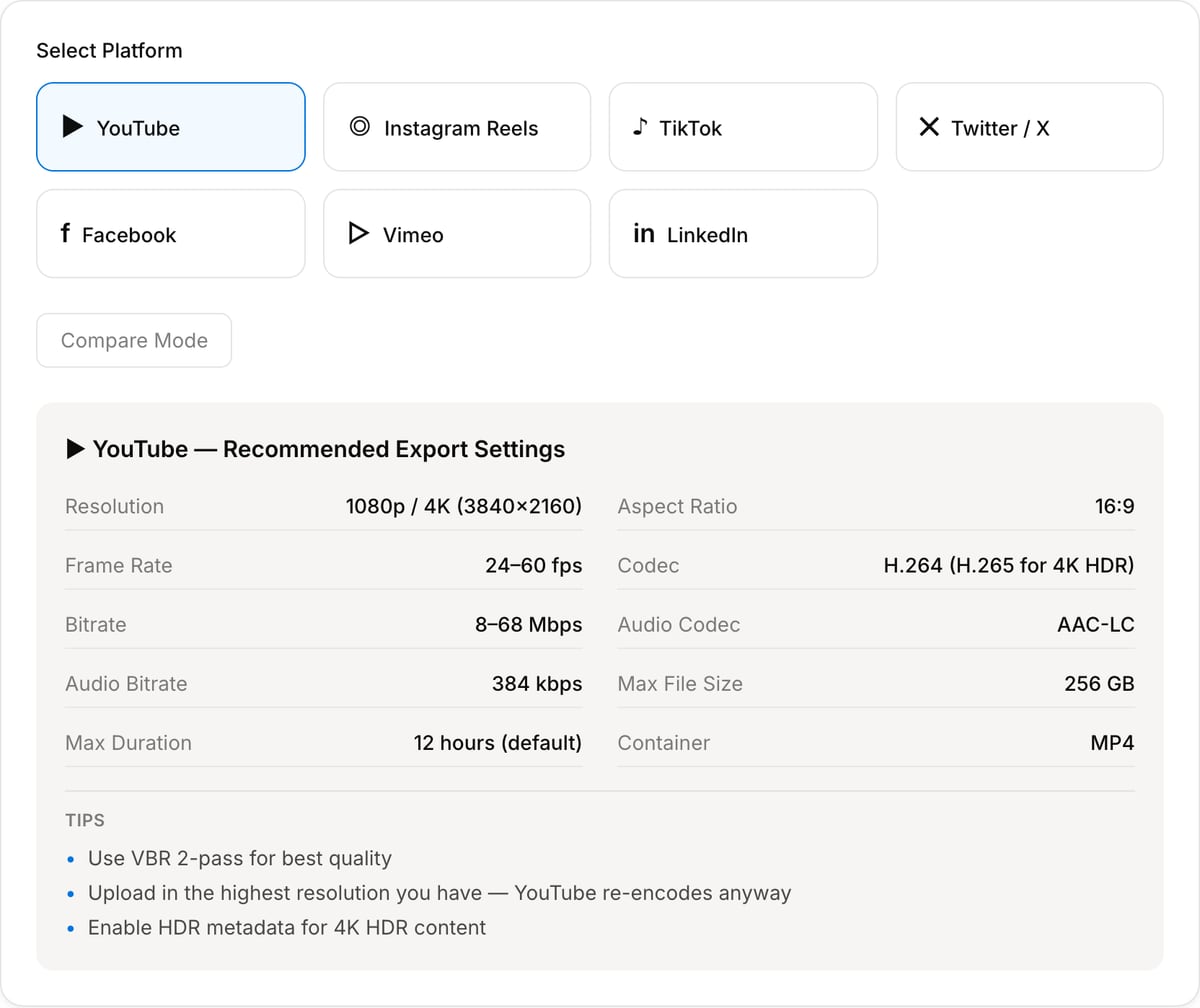
Select Platform
▶ YouTube — Recommended Export Settings
Tips
- •Use VBR 2-pass for best quality
- •Upload in the highest resolution you have — YouTube re-encodes anyway
- •Enable HDR metadata for 4K HDR content
How to Use — Video Export Settings Guide
Select target platform
Choose the platform you are exporting for — YouTube, TikTok, Instagram, Twitter, or others.
View recommended settings
See the recommended resolution, bitrate, codec, frame rate, and audio settings for your chosen platform.
Compare with other platforms
Use the side-by-side comparison view to see how settings differ between platforms and make informed decisions.
Apply in your editor
Apply the recommended settings in your video editing software's export dialog for optimal quality and compatibility.
What the tool looks like
Popular task presets
Best for / not for
Best for
- Choosing practical export settings for YouTube, TikTok, Reels, Shorts, Instagram, X, LinkedIn, websites, and client review.
- Comparing resolution, frame rate, codec, bitrate, container, and audio settings before rendering.
- Avoiding common mistakes such as exporting a huge master for a small social placement.
Not for
- Platform policy guarantees. Upload requirements can change and may vary by account or region.
- Professional delivery specs for broadcast, cinema, DCP, IMF, or network QC.
- Fixing source quality problems after editing is complete.
Best use cases for export settings
- Pick H.264 MP4 settings for a YouTube, Reels, Shorts, TikTok, LinkedIn, or website upload.
- Compare whether 720p, 1080p, 4K, 30 fps, or 60 fps makes sense for the destination.
- Choose a review-copy setting that balances visual quality, file size, and upload speed.
Export planning notes
| Common default | H.264 video + AAC audio in MP4 is the safest delivery choice for most platforms. |
|---|---|
| 4K exports | Use 4K when the source and destination benefit from it; otherwise 1080p is faster and smaller. |
| Frame rate | Match source/project FPS unless a platform or creative reason requires a change. |
| Verification | Check the destination platform docs for strict production or paid campaign delivery. |
Why this export settings helper is different
- It translates export settings into practical publishing decisions instead of listing codec specs alone.
- It pairs with bitrate and compression tools so the recommendation can become an actual file.
- It helps avoid oversized exports, wrong aspect ratios, and avoidable re-encodes.
Task-focused FAQ
What is the safest export format?
H.264 video with AAC audio in an MP4 container is the broadest safe default.
Should I export 4K for social?
Only when the source is 4K and the platform/audience benefits. 1080p is often enough and much faster to upload.
Should export FPS match the source?
Usually yes. Changing FPS can create motion artifacts or sync surprises unless there is a clear reason.
Frequently Asked Questions
What are the best export settings for YouTube?
Export at 1080p or 4K using H.264 codec, High profile, 8-12 Mbps bitrate for 1080p (35-45 Mbps for 4K), AAC audio at 320 kbps, and match your source frame rate (24, 30, or 60 fps).
What is the difference between TikTok and Instagram settings?
TikTok prefers 1080x1920 vertical at 30 fps. Instagram supports multiple formats: 1080x1920 for Reels/Stories, 1080x1080 for feed, and 1920x1080 for IGTV. Both re-encode uploads, so use higher quality source files.
Should I use H.264 or H.265 for export?
H.264 is the safest choice for maximum compatibility. H.265 produces smaller files at similar quality but has limited platform support. Use H.264 for social media and H.265 for archival.
What resolution should I use for social media?
Vertical content (TikTok, Reels): 1080x1920. Square posts (Instagram feed): 1080x1080. Horizontal (YouTube): 1920x1080 or 3840x2160. Always export at minimum 1080p.