Video Aspect Ratio Calculator
Calculate aspect ratios for any resolution and preview how your video will look on YouTube, Instagram, TikTok, and other platforms with visual crop guides.
Aspect Ratio
16:9
Crop Preview
How to Use — Video Aspect Ratio Calculator
Enter width and height
Type in the pixel width and height of your video or image. Common resolutions like 1920x1080 or 3840x2160 work great.
See calculated ratio
The tool instantly calculates and displays the simplified aspect ratio (e.g., 16:9, 4:3, 21:9) for your dimensions.
Preview platform crops
See a visual preview of how your content will appear on YouTube, TikTok, Instagram, and other platforms. Identify cropping issues before you export.
What the tool looks like
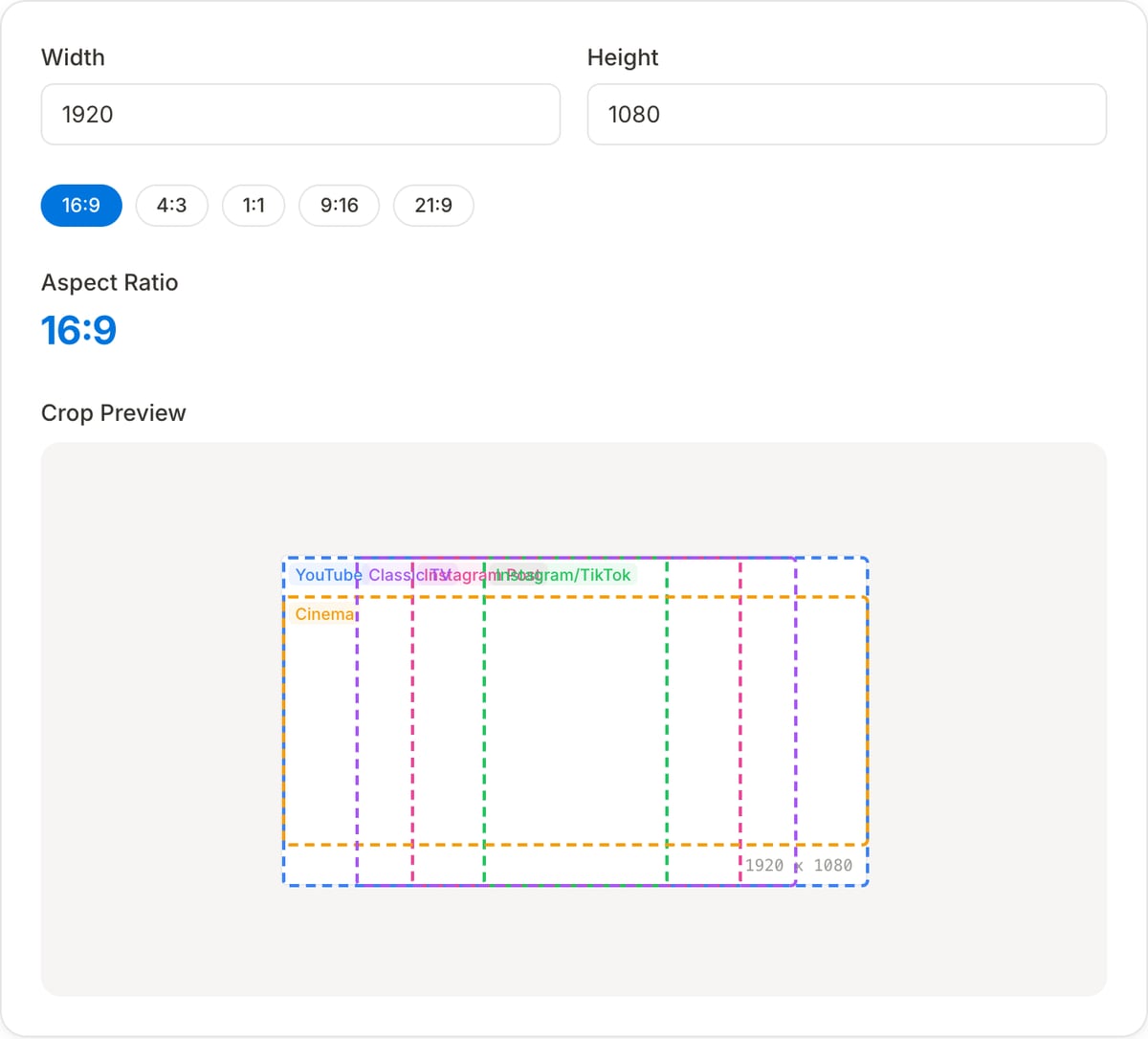
Popular task presets
Best for / not for
Best for
- Finding aspect ratio from width/height and calculating matching dimensions.
- Planning crops for YouTube, TikTok, Reels, Shorts, Instagram feed, thumbnails, and ads.
- Checking whether a source can fit a target frame without cutting off important content.
Not for
- Automatically tracking a subject during video reframing.
- Choosing the best creative composition by itself.
- Fixing distortion from stretched footage.
Best use cases for aspect ratio planning
- Convert between 16:9, 9:16, 1:1, 4:5, 21:9, and custom ratios before editing.
- Calculate crop guides for vertical social clips, YouTube thumbnails, product images, and ad placements.
- Check whether a resolution is truly standard or slightly off-ratio before export.
Ratio guidance
| 16:9 | YouTube, landscape video, presentations, website embeds, and traditional players. |
|---|---|
| 9:16 | TikTok, Reels, Shorts, Stories, Snapchat, and vertical ads. |
| 1:1 / 4:5 | Instagram feed, Facebook, LinkedIn, ecommerce, and square/portrait placements. |
| Next step | Use Video Resizer or Image Cropper once the ratio is decided. |
Why this aspect ratio calculator is different
- It frames ratios around publishing targets instead of treating them as abstract math.
- It helps decide between crop, contain, and resize workflows before touching the source file.
- It supports both video and image planning from the same ratio logic.
Task-focused FAQ
What ratio should I use for Reels, TikTok, and Shorts?
Use 9:16, commonly exported as 1080x1920.
What ratio should I use for YouTube thumbnails?
Use 16:9, commonly 1280x720.
Does changing aspect ratio crop the video?
It depends. Crop fills the frame by cutting edges; pad/contain keeps the full image with extra space.
Frequently Asked Questions
What is aspect ratio in video?
Aspect ratio is the proportional relationship between a video's width and height, expressed as two numbers like 16:9 (widescreen) or 9:16 (vertical). It determines the shape of the video frame.
What is the best aspect ratio for YouTube, TikTok, and Instagram?
YouTube uses 16:9 for standard videos and 9:16 for Shorts. TikTok and Instagram Reels use 9:16. Instagram feed posts work best at 1:1 (square) or 4:5 (portrait).
How do I calculate aspect ratio from width and height?
Divide both the width and height by their greatest common divisor (GCD). For example, 1920x1080: GCD is 120, so 1920/120 = 16 and 1080/120 = 9, giving 16:9. This calculator does it instantly.
What happens when the aspect ratio doesn't match the platform?
The platform will either add black bars (letterboxing/pillarboxing) or crop parts of your video. It's best to export in the correct ratio from the start to avoid this.