Compress video to a target size
Choose 10 MB, 25 MB or your own size. Compress in your browser, then check the actual file size and picture quality.
Drag & drop your video here, or click to browse
Max file size: ~2 GB (memory permitting)
How to Use
Upload your video
Drag and drop any video file (MP4, WebM, MOV, AVI) or click to browse. Your file stays on your device — nothing is uploaded.
Choose a target file size
Choose 10 MB, 25 MB, 50 MB or enter a custom target. The tool budgets for duration, audio and container overhead. Quality and bitrate modes are also available.
Compress and check
Compress locally and read the actual byte count and target status. If the export is too large, the tool retries up to twice. Preview the result; trim or lower resolution if the target is still missed or the picture is too soft.
Compress video to 25 MB or 10 MB
For a 60-second video, 25 MB is about 3,333 kbps total; 10 MB is about 1,333 kbps. Audio and the MP4 container use part of that budget. At five minutes, the same 25 MB leaves only about 667 kbps before those allowances, so small text and fast motion may need a shorter clip or lower resolution.
What the tool looks like
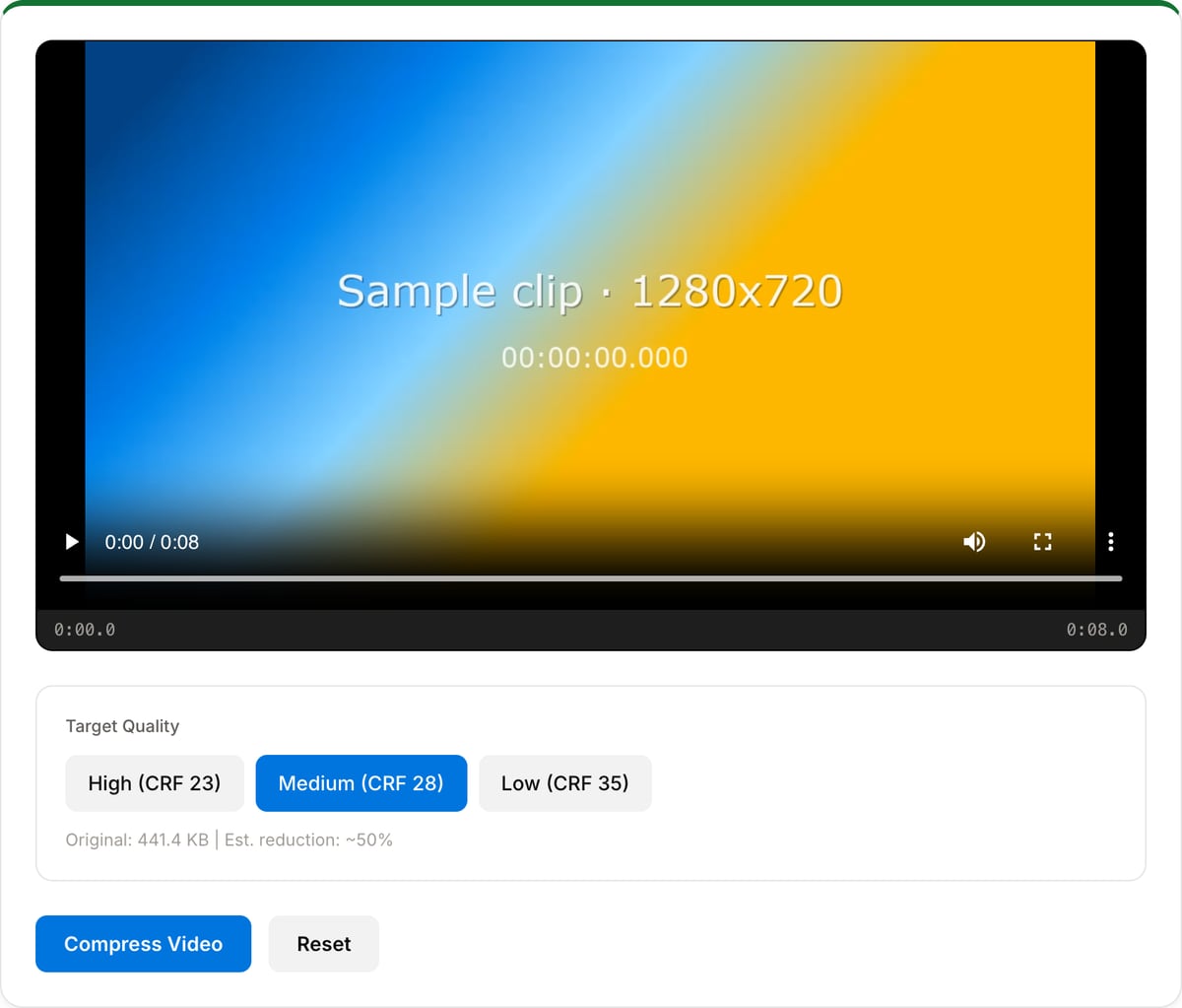
Popular task presets
Best for / not for
Best for
- Making videos smaller for email, messaging apps, Drive, Notion, LMS uploads, and client review.
- Creating a lightweight copy while keeping the original master unchanged.
- Private footage that should not be uploaded to a cloud compressor.
Not for
- Restoring quality after a clip has already been heavily compressed.
- Archival masters where every pixel matters and file size is not important.
- Precise bitrate-ladder packaging for streaming platforms.
Best use cases for video compression
- Reduce a large screen recording so it can fit in Gmail, Slack, WhatsApp, Discord, LMS portals, or client review tools.
- Make 4K or high-bitrate phone footage easier to upload to Drive, Notion, YouTube, or a CMS.
- Create a lighter review copy while keeping the original master untouched on your machine.
Compression settings explained
| Target file size | Choose 10, 25 or 50 MB, or enter a custom size. The tool budgets for audio and overhead, then checks the export and retries up to twice if needed. A target is not a quality guarantee. |
|---|---|
| High quality | Lower CRF, larger file. Use for review copies and footage with text or UI details; retain the original master. |
| Medium quality | Balanced CRF preset for sharing. Usually the best option for email, Drive, Notion, and social previews. |
| Low quality | Smaller file with visible artifacts. Use only when size matters more than detail. |
| Best input | MP4, MOV, WebM, AVI, or MKV. The uploader rejects files above 2048 MiB (about 2 GB); memory-intensive processing can fail on smaller files. |
Video Compressor vs. the usual alternatives
| Feature | This tool | VEED (free) | Kapwing (free) | CapCut Online |
|---|---|---|---|---|
| Processing model | Runs locally in your browser | Upload-based project editor | Upload-based project editor | Upload-based online editor |
| File limits | Tool-specific file limits apply; available memory can require smaller files | Free: up to 1 GB per uploaded file | Free: up to 250 MB per uploaded file; exports up to 4 minutes | Limits depend on the feature, account and selected assets |
| Watermark on output | No watermark added | Watermark on free or signed-out exports | Watermark on Free-plan exports | Standard edits can be watermark-free; template branding and Pro assets need checking |
| Signup / account | No account for tools | Workspace/account flow | Workspace/account flow | CapCut account flow |
| Connection | Initial page and processing-engine downloads require internet; offline use is not guaranteed | Online project editor | Online project editor | Online project editor |
| Best for | Private one-step file operations | Full editor, templates, AI tools | Collaboration, templates, AI tools | Social templates and timeline editing |
Comparison covers the web editors and the linked help pages. Plans, export settings and asset restrictions can change; check the source before starting a project.
Checked . Sources: VEED upload limits · VEED watermarks · Kapwing Free plan · CapCut watermarks · CapCut Pro assets
Why this compressor is different
- Offers a target file size, CRF quality presets, and manual bitrate control for different sharing needs.
- Checks the completed byte count and clearly marks an over-limit export; it does not cut off the ending to force a size.
- Local processing avoids uploading confidential source footage to a cloud compressor just to make it smaller.
Made for one job
Frequently Asked Questions
Can I compress a video to 25 MB or 10 MB?
Yes: choose By file size and a preset or custom MB value. The tool reserves room for audio and the container, then checks the actual export and can retry up to twice. If it still exceeds the target, it clearly marks the result. Trim or lower resolution when a long video cannot fit at acceptable quality.
How much can you compress a video?
There is no fixed reduction. It depends on the source codec, bitrate, resolution, motion and selected settings. Check the actual result; an already compressed source can get larger.
What is CRF?
Constant Rate Factor controls the quality and size tradeoff. This tool offers CRF 23, 28 and 35. Lower values generally preserve more detail and produce larger files; none of these presets guarantees lossless quality or a particular file size.
Quality vs. file size — what should I choose?
Keep your original master. Start with High for a sharing copy, inspect fine detail and motion, then try a lower-quality preset if the file is still too large. Use By file size when you have a specific size budget.
What CRF should I use for email?
CRF cannot guarantee an attachment size. Check the current limit for your email or messaging service and how you plan to send the file. Use By file size, shorten the clip or reduce its resolution, then verify the actual output size before sending.
Why did my compressed file get larger?
Very small or already-compressed files can grow if they are re-encoded with a higher-quality setting than the source.
Is local compression slower than cloud compression?
It can be slower on old machines, but the tradeoff is privacy: the original file never uploads.