Crop Video Online Free — Remove Unwanted Areas
Crop your video frame to remove unwanted areas. Set exact pixel dimensions for the crop region — processed in your browser with no upload.
Drag & drop your video here, or click to browse
Max file size: ~2 GB (memory permitting)
How to Use — Crop Video Online Free — Remove Unwanted Areas
Upload your video
Drag and drop any video file (MP4, WebM, MOV, AVI) or click to browse. The video loads locally — nothing is uploaded to any server.
Set the crop area
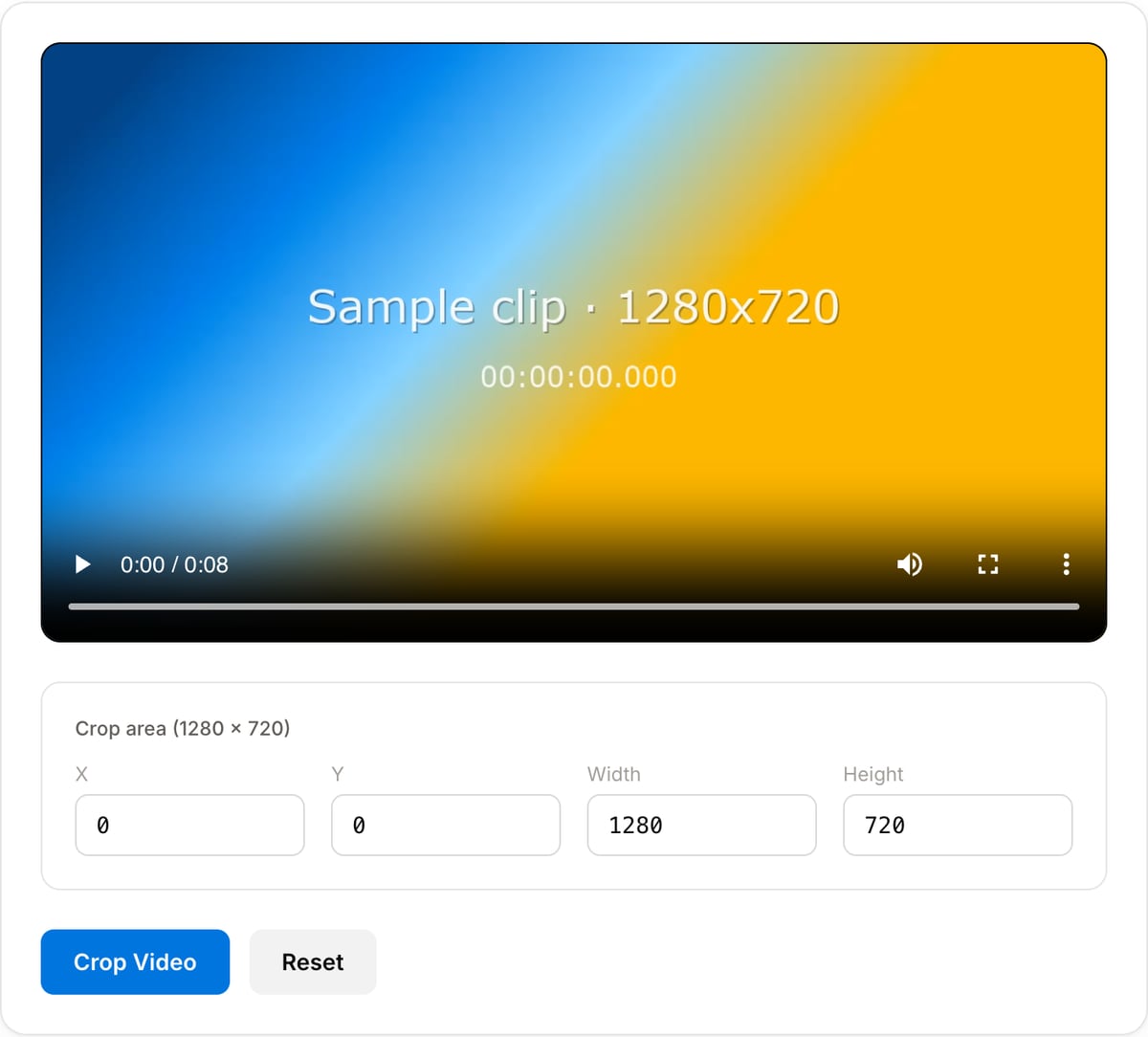
Enter exact pixel values for width, height, and position offsets. The visual preview shows you exactly what the cropped result will look like.
Crop and download
Click "Crop Video" to process. FFmpeg WebAssembly re-encodes only the selected region. Download your cropped video instantly.
What the tool looks like
Popular task presets
Best for / not for
Best for
- Manual reframing when the subject is not centered enough for an automatic resize.
- Removing black bars, timestamps, logos, screen edges, or unwanted background from the frame.
- Preparing one clip for TikTok, Reels, Shorts, square feed posts, or embedded product demos.
Not for
- Tracking a moving subject across the full clip; that needs keyframed reframing or an auto-reframe editor.
- Keeping the entire original frame visible. Use Video Resizer with padding instead.
- Removing a watermark from the middle of a frame without cutting away important content.
When to crop a video
- Remove black bars (letterbox or pillarbox) from old or phone-shot footage.
- Reframe horizontal video to 9:16 for Reels, Shorts, or TikTok, or to 1:1 for feed posts.
- Cut out an unwanted person, logo, or timestamp from the edge of the frame.
Supported formats & limits
| Input containers | MP4, MOV, WebM, MKV, AVI, FLV, WMV, M4V |
|---|---|
| Input codecs | H.264, H.265, VP8, VP9, MPEG-4, MJPEG. Not AV1 — this WebAssembly build has no software AV1 decoder. |
| Output container | MP4 (default) — interoperable with iOS, Android, YouTube, Instagram, X |
| Output codec | H.264 video + AAC audio |
| Max file size | Up to ~2 GB (limited by browser memory) |
| Max duration | No hard limit — depends on file size |
| Cost | Free for any use. No signup. No watermark. |
Video Cropper vs. the usual alternatives
| Feature | This tool | VEED (free) | Kapwing (free) | CapCut Online |
|---|---|---|---|---|
| Processing model | Runs locally in your browser | Upload-based project editor | Upload-based project editor | Upload-based online editor |
| File limits | No upload cap; practical limit is browser memory | Plan-specific upload limits | Plan-specific upload and export limits | Feature- and account-specific limits |
| Watermark on output | No watermark added | Free exports include a VEED watermark | Free exports include a Kapwing watermark | Standard edits can be watermark-free; templates/assets may add branding |
| Signup / account | No account for tools | Workspace/account flow | Workspace/account flow | CapCut account flow |
| Works offline | Yes after cache, subject to browser support | No | No | No |
| Best for | Private one-step file operations | Full editor, templates, AI tools | Collaboration, templates, AI tools | Social templates and timeline editing |
Vendor plan limits were checked on April 29, 2026 and can change by region, account state, and export option. Verify critical limits on the vendor pricing/help page before relying on them.
Why this crop tool
- Visual selector with live preview — no FFmpeg command memorisation.
- Automatic bounds checking so crop rectangles can never exceed the frame.
- Re-encodes only the cropped region, keeping output file size reasonable.
Task-focused FAQ
Should I crop or resize first?
Crop first when you need to remove edges or reframe the subject, then resize to the exact platform dimensions.
Will cropping reduce quality?
The cropped region is re-encoded, so use a quality preset that preserves detail, especially for text or screen recordings.
What crop works for TikTok, Reels, and Shorts?
Use a 9:16 crop, then export at 1080x1920 for a standard vertical social video.
Tutorials covering this tool
Frequently Asked Questions
What is the difference between cropping and trimming?
Cropping removes parts of the video frame (spatial — cutting edges). Trimming cuts the timeline (temporal — shortening duration). Crop changes what you see; trim changes how long the video plays.
Can I set exact pixel dimensions?
Yes. Enter exact width, height, X offset, and Y offset values. This is perfect for matching social media dimension requirements or precise display needs.
Does cropping reduce video quality?
Cropping requires re-encoding, which introduces minimal quality loss. The tool uses high-quality settings so the output is virtually identical to the original — just with a smaller frame.
What formats are supported?
MP4, WebM, MOV, AVI, and most common video formats. Output is MP4 for maximum compatibility across all devices and platforms.