Resize Video for TikTok, Reels, Shorts & YouTube
Reframe landscape, square, or vertical footage to 9:16, 1:1, 4:5, or 16:9. Choose crop or padding and export locally.
Drag & drop your video here, or click to browse
Max file size: ~2 GB (memory permitting)
What the tool looks like
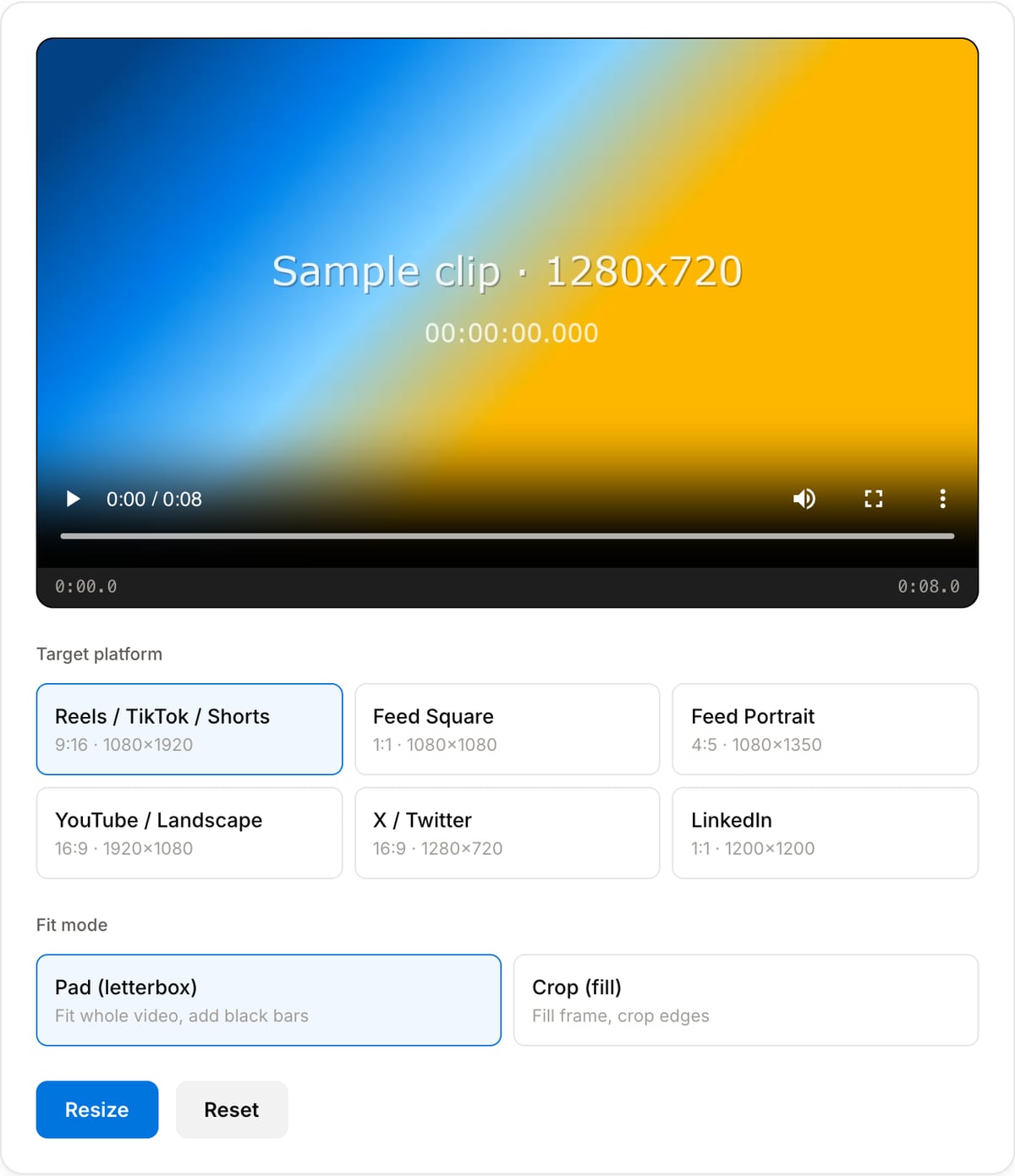
Popular task presets
Best for / not for
Best for
- Changing aspect ratio for TikTok, Reels, Shorts, Instagram feed, LinkedIn, YouTube, and ads.
- Choosing between crop and pad workflows when a clip needs to fit a platform frame.
- Quick social repurposing without uploading drafts to an online editor.
Not for
- Advanced auto-reframing that tracks a moving subject across an entire clip.
- Restoring quality after a low-resolution source has already been compressed.
- Designing full multi-layer social templates with text, stickers, and stock assets.
Best use cases for social video resizing
- Turn a horizontal YouTube or webinar clip into 9:16 for TikTok, Reels, Shorts, Snap, or vertical ads.
- Create square 1:1 or 4:5 crops for Instagram feed, LinkedIn, Facebook, product pages, or marketplace listings.
- Pad a vertical video into 16:9 for presentations, websites, or YouTube without cutting off the subject.
Fit modes and platform targets
| Crop fit | Fills the target frame and cuts off edges. Best when the subject is centered and you want a native platform look. |
|---|---|
| Pad fit | Keeps the full frame and adds background padding. Best for slides, tutorials, product demos, and captions. |
| 9:16 | Best for TikTok, Instagram Reels, YouTube Shorts, Snapchat Spotlight, and vertical ads. |
| 1:1 / 4:5 | Best for Instagram feed, LinkedIn, Facebook, and ecommerce placements. |
Social Media Resizer vs. the usual alternatives
| Feature | This tool | VEED (free) | Kapwing (free) | CapCut Online |
|---|---|---|---|---|
| Processing model | Runs locally in your browser | Upload-based project editor | Upload-based project editor | Upload-based online editor |
| File limits | No upload cap; practical limit is browser memory | Plan-specific upload limits | Plan-specific upload and export limits | Feature- and account-specific limits |
| Watermark on output | No watermark added | Free exports include a VEED watermark | Free exports include a Kapwing watermark | Standard edits can be watermark-free; templates/assets may add branding |
| Signup / account | No account for tools | Workspace/account flow | Workspace/account flow | CapCut account flow |
| Works offline | Yes after cache, subject to browser support | No | No | No |
| Best for | Private one-step file operations | Full editor, templates, AI tools | Collaboration, templates, AI tools | Social templates and timeline editing |
Vendor plan limits were checked on April 29, 2026 and can change by region, account state, and export option. Verify critical limits on the vendor pricing/help page before relying on them.
Why this video resizer is different
- It is framed around platform aspect ratios instead of raw pixel math, so the choice matches where the clip will be posted.
- Crop and pad modes solve different problems; the tool keeps both visible instead of hiding the decision behind an auto-fit preset.
- Local processing keeps drafts, client clips, ads, and unreleased launches off upload-based editors.
Task-focused FAQ
Should I crop or pad a video for 9:16?
Crop when the subject can fill the vertical frame. Pad when slides, captions, screens, or full composition must remain visible.
What size should I use for Reels, TikTok, and Shorts?
Use 1080x1920 at 9:16. The same export works well across TikTok, Instagram Reels, and YouTube Shorts.
Will resizing make the video blurry?
Downscaling usually looks fine. Upscaling a small source cannot create real detail, so keep the source master if quality matters.
Tutorials covering this tool
Frequently Asked Questions
What is the best size for Instagram Reels / TikTok / YouTube Shorts?
1080×1920 (9:16 portrait). All three platforms use the same aspect ratio. This tool's "Reels / TikTok / Shorts" preset outputs exactly that.
Should I pad or crop?
Pad keeps the whole video visible but adds black bars on the sides or top/bottom. Crop fills the frame but cuts off parts of the original. For cinematic or branded footage, pad. For action/face-focused content, crop.
Will the resize reduce quality?
The tool re-encodes at CRF 23 (visually-lossless to most viewers). If the target resolution is larger than the source, upscaling cannot add detail — result will look soft. Start from the highest-quality original you have.
Why are my Instagram uploads still cropped after resizing?
Instagram has recently changed aspect-ratio handling. For Reels use 9:16. For feed posts use 4:5 (portrait) or 1:1 (square) — 16:9 landscape gets cropped to a smaller area in the feed.