8D Audio Converter — Make Any Song 8D Online
Sweep the sound around your head with adjustable rotation speed and a touch of reverb. Best with headphones. Works on songs and on video soundtracks.
Drag & drop your video here, or click to browse
MP3, WAV, M4A, FLAC · MP4, MOV, WebM
How to Use — 8D Audio Converter — Make Any Song 8D Online
Upload a song
MP3, WAV, M4A, FLAC or a video. Stereo sources work best — 8D is a headphone effect, so the track needs two channels to move between.
Set the rotation
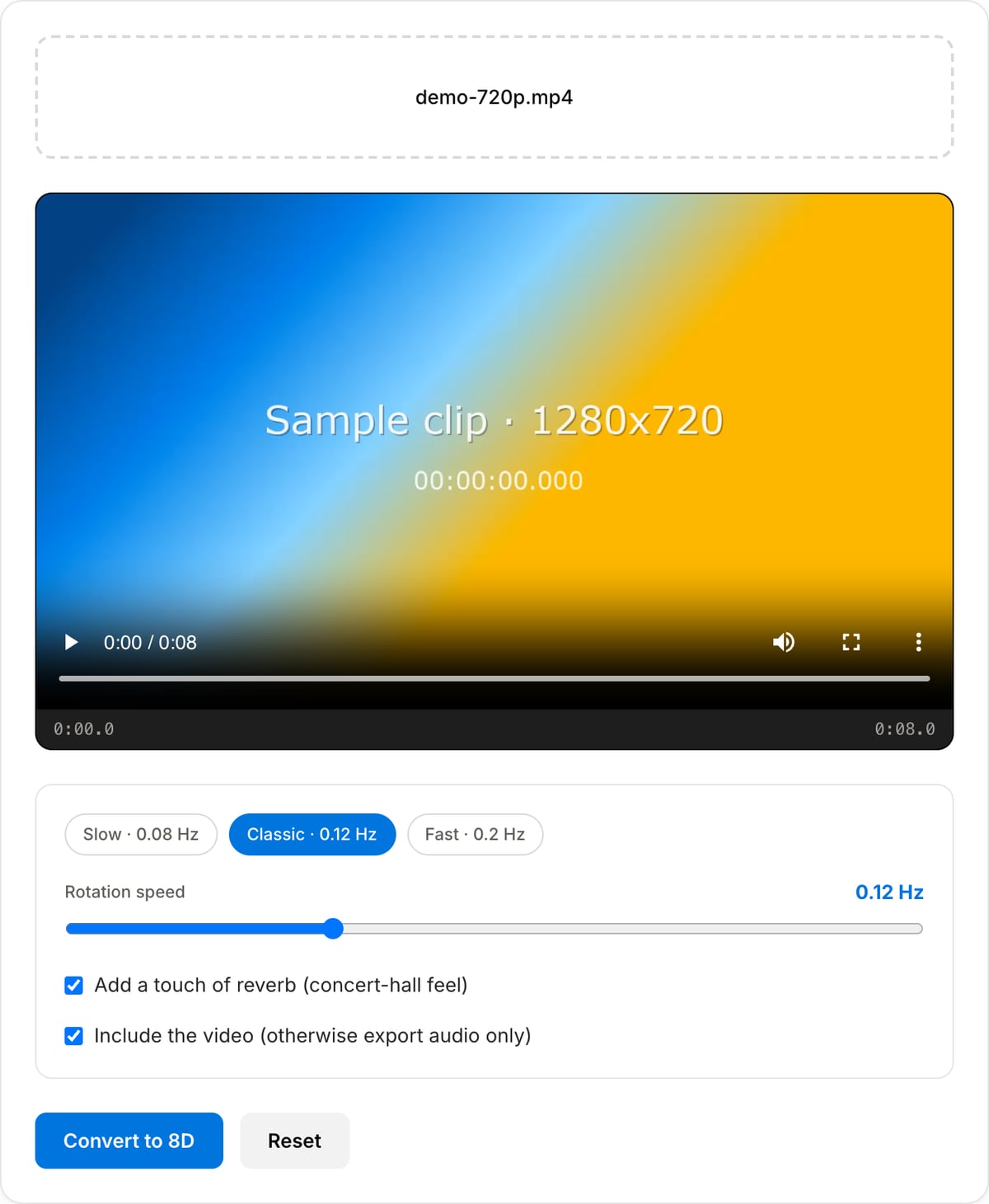
Classic 8D uploads rotate about every 8 seconds (0.12 Hz). Slow is dreamier, Fast is dizzier. Leave the light reverb on for the "concert hall" depth those uploads have.
Convert and listen with headphones
Preview in the page — with headphones on — then download. Videos keep their picture and get the 8D soundtrack.
What the tool looks like
Best use cases for the 8D audio converter
- Turn a favourite track into the "8D audio (use headphones)" version that fills YouTube playlists.
- Add movement to ambient, lo-fi or meditation audio for a headphone-first release.
- Make an 8D edit of a video soundtrack for a TikTok or Reel.
- Experiment with binaural-style effects on your own mixes before committing in a DAW.
Supported formats & limits
| Audio input | MP3, WAV, AAC/M4A, OGG, FLAC, Opus (stereo recommended) — output keeps the format |
|---|---|
| Video input | MP4, MOV, WebM, MKV — picture stream-copied, soundtrack converted; or audio only as MP3 |
| Rotation | 0.04–0.30 Hz sine panning (one full circle every 3–25 s), optional light reverb, output limiter |
| Max file size | Up to ~2 GB (limited by browser memory) |
| Cost | Free for any use. No signup. No watermark. |
8D Audio Converter vs. the usual alternatives
| Feature | This tool | VEED (free) | Kapwing (free) | CapCut Online |
|---|---|---|---|---|
| Processing model | Runs locally in your browser | Upload-based project editor | Upload-based project editor | Upload-based online editor |
| File limits | No upload cap; practical limit is browser memory | Plan-specific upload limits | Plan-specific upload and export limits | Feature- and account-specific limits |
| Watermark on output | No watermark added | Free exports include a VEED watermark | Free exports include a Kapwing watermark | Standard edits can be watermark-free; templates/assets may add branding |
| Signup / account | No account for tools | Workspace/account flow | Workspace/account flow | CapCut account flow |
| Works offline | Yes after cache, subject to browser support | No | No | No |
| Best for | Private one-step file operations | Full editor, templates, AI tools | Collaboration, templates, AI tools | Social templates and timeline editing |
Vendor plan limits were checked on April 29, 2026 and can change by region, account state, and export option. Verify critical limits on the vendor pricing/help page before relying on them.
Why this 8D converter is different
- Adjustable speed and reverb instead of one fixed preset — match the rotation to the tempo of the song.
- No upload: the file is processed on your device with FFmpeg WebAssembly, so there is no waiting in a queue and no size limit.
- Works on videos and keeps the picture untouched.
- Free with no watermark, no account, no "premium" export.
Tutorials covering this tool
Frequently Asked Questions
What is 8D audio, technically?
It is a stereo panning effect: the whole mix is slowly swept from the left ear to the right and back, usually with a touch of reverb. There is no real 8-dimensional information — the name is marketing — but on headphones the brain reads the motion as the sound moving around the head.
Why does it sound flat on speakers?
Because speakers mix both channels into the room. 8D depends on each ear hearing only its own channel, so wear headphones or earbuds to hear the rotation.
Which rotation speed should I pick?
0.10–0.15 Hz is what most popular 8D remixes use — one full circle every 7–10 seconds. Go slower for ambient or lo-fi, faster for hyperpop. Above 0.25 Hz it starts to feel like a tremolo rather than movement.
Can I convert a mono recording?
You can, but there is nothing to pan between two identical channels, so the effect will be much subtler. Convert the file to stereo first (the Audio Converter can do that) or pick a track that was mixed in stereo.
Is this the same as spatial or Dolby Atmos audio?
No. Atmos and Apple spatial audio use object-based mixes and head tracking. 8D is a simple, fun panning effect you can apply to any finished song in seconds.