Slowed + Reverb Maker Online Free
Slow any song or video down with the tape-style pitch drop and add reverb — the classic slowed + reverb edit, rendered in your browser.
Drag & drop your video here, or click to browse
MP3, WAV, M4A, FLAC · MP4, MOV, WebM
How to Use — Slowed + Reverb Maker Online Free
Upload the song
MP3, WAV, M4A, FLAC or a video with the track you want to slow down. Everything is processed locally with FFmpeg WebAssembly.
Pick the speed and reverb
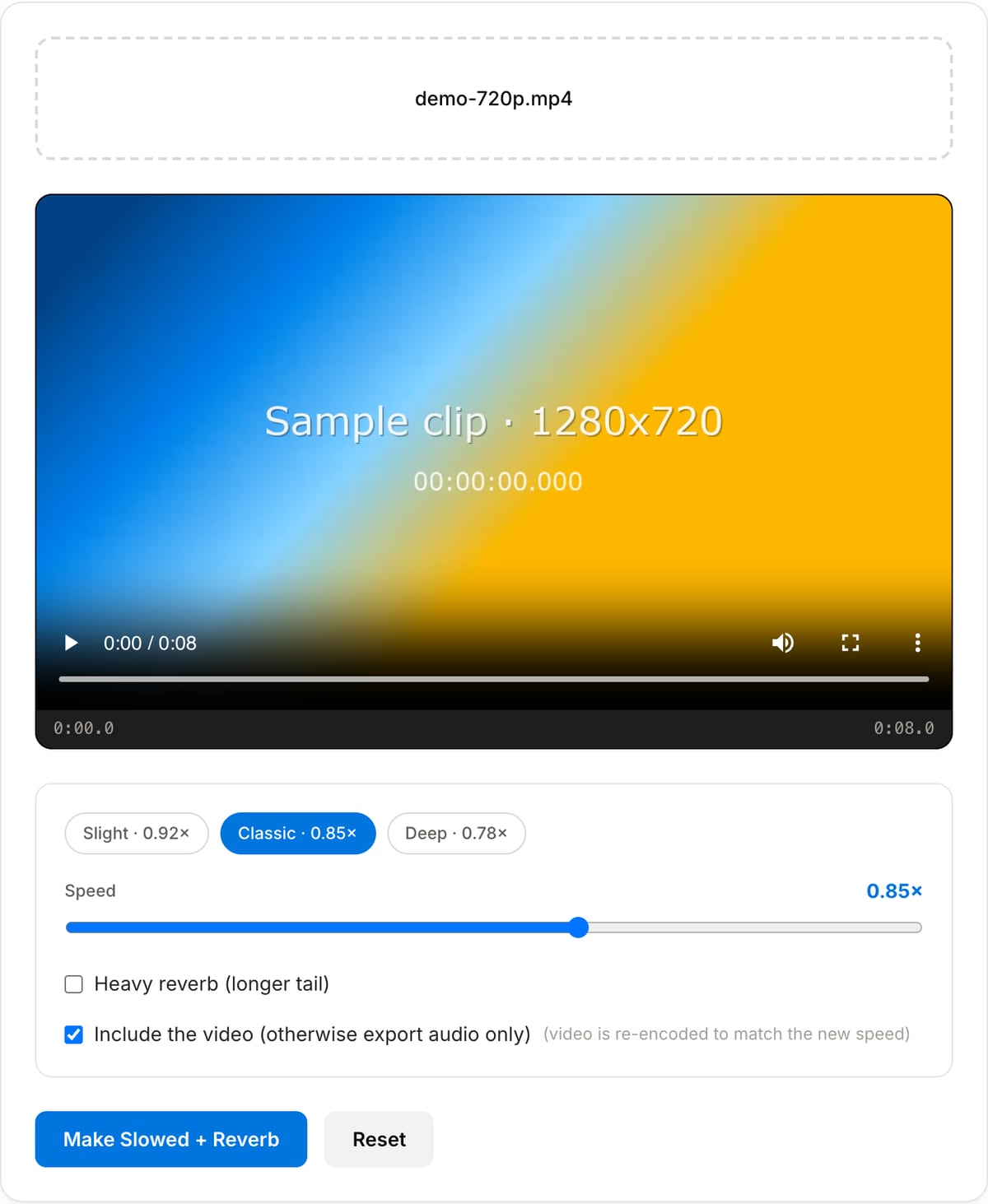
0.85× is the classic slowed + reverb tempo; 0.78× is the deep, dreamy version. Toggle heavy reverb for a longer tail. Speed and pitch drop together, exactly like slowing a record.
Render and download
Preview the edit, then download. Videos are re-timed so the picture stays in sync with the slowed audio.
What the tool looks like
Best use cases for the slowed + reverb maker
- Make the slowed + reverb edit of a song for a YouTube upload or a TikTok sound.
- Give a vlog or montage the dreamy, late-night feel the genre is known for.
- Slow a voice memo or vocal take down with matching pitch for a lo-fi sample.
- Prototype a remix idea before rebuilding it properly in a DAW.
Supported formats & limits
| Audio input | MP3, WAV, AAC/M4A, OGG, FLAC, Opus — output keeps the format |
|---|---|
| Video input | MP4, MOV, WebM, MKV — picture re-timed and re-encoded to H.264 MP4 so it stays in sync; or audio only as MP3 |
| Speed | 0.70×–0.95× via resampling (pitch drops with tempo); two reverb depths; output limiter |
| Max file size | Up to ~2 GB (limited by browser memory) |
| Cost | Free for any use. No signup. No watermark. |
Slowed + Reverb Maker vs. the usual alternatives
| Feature | This tool | VEED (free) | Kapwing (free) | CapCut Online |
|---|---|---|---|---|
| Processing model | Runs locally in your browser | Upload-based project editor | Upload-based project editor | Upload-based online editor |
| File limits | No upload cap; practical limit is browser memory | Plan-specific upload limits | Plan-specific upload and export limits | Feature- and account-specific limits |
| Watermark on output | No watermark added | Free exports include a VEED watermark | Free exports include a Kapwing watermark | Standard edits can be watermark-free; templates/assets may add branding |
| Signup / account | No account for tools | Workspace/account flow | Workspace/account flow | CapCut account flow |
| Works offline | Yes after cache, subject to browser support | No | No | No |
| Best for | Private one-step file operations | Full editor, templates, AI tools | Collaboration, templates, AI tools | Social templates and timeline editing |
Vendor plan limits were checked on April 29, 2026 and can change by region, account state, and export option. Verify critical limits on the vendor pricing/help page before relying on them.
Why this slowed + reverb maker is different
- The authentic tape-style slowdown (pitch and tempo together) rather than a time-stretch that keeps the key and sounds wrong for the genre.
- Video support with automatic re-timing, so the picture matches the slowed audio.
- Processed locally in the browser — no upload, no queue, no size cap.
- Free with no watermark; the same format goes out as came in.
Tutorials covering this tool
Frequently Asked Questions
Why does the pitch drop when I slow the song?
On purpose. The slowed + reverb sound comes from resampling — the same thing that happens when you play a record at a lower speed — so pitch and tempo fall together. If you want to slow the tempo and keep the original key, use the Audio Speed & Pitch tool instead.
What speed do the popular slowed + reverb uploads use?
Most sit between 0.80× and 0.90×, with 0.85× by far the most common. Lo-fi and ambient edits go down to 0.75×; anything slower starts to sound like a different song.
Can I slow down a video, not just audio?
Yes. Upload the video and keep "include the video" checked: the picture is stretched by the same factor and re-encoded, so lips and beats stay lined up. Uncheck it to get only the audio as an MP3.
Is the reverb a real room simulation?
No. It is a single echo tap — aecho at 60 ms, or 80 ms with heavy reverb on — so it is closer to slapback than to a room. That is what gives these edits their wash, and it costs a fraction of a convolution reverb. For a real hall, bounce the slowed file and reverb it in a DAW.
Is it legal to post slowed + reverb versions of songs?
The audio still belongs to the rights holder. Platforms like YouTube usually let the upload stay but route ads to the label; TikTok and Instagram handle it through their licensed sound library. Keep that in mind before monetising an edit.