SRT to VTT, ASS, TXT Subtitle Converter Online Free
Convert subtitles between SRT, VTT, ASS, and TXT. Instant, client-side, no upload. Paste text or upload a file.
What the tool looks like
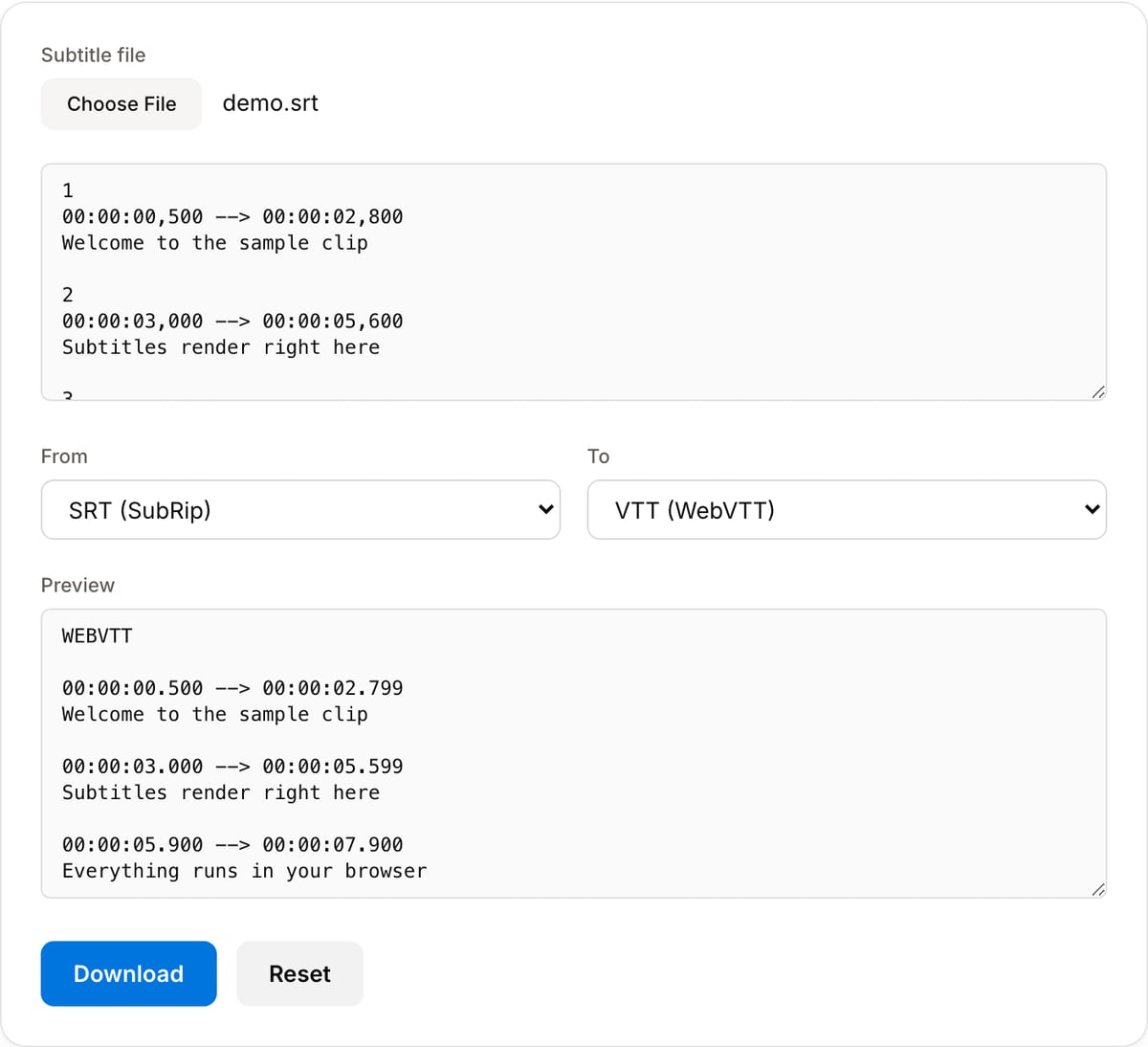
Popular task presets
Best for / not for
Best for
- Converting subtitles between SRT, VTT, ASS/SSA, and plain text without uploading caption files.
- Preparing web captions, course subtitles, social captions, and editor handoff files.
- Quick format cleanup before previewing or burning captions into a video.
Not for
- Transcribing speech into subtitles from scratch.
- Line-by-line subtitle editing with waveform view and spellcheck.
- Preserving every advanced ASS effect when converting down to simpler formats like SRT or TXT.
Best use cases for subtitle conversion
- Turn SRT into VTT for HTML5 players, LMS uploads, documentation sites, and web video embeds.
- Convert VTT or ASS into SRT when a platform only accepts simple timestamped captions.
- Extract plain text from subtitles for translation, review, scripts, or accessibility QA.
Subtitle formats and tradeoffs
- SRT is the safest upload format for most platforms, but it carries only simple timing and text.
- VTT is best for web players and can include cue settings; ASS/SSA keeps richer styling for hardsub workflows.
- TXT output is useful for script review, translation, and copy editing, but it drops timing data.
Why this subtitle converter is different
- Caption files often contain unpublished scripts, names, or internal notes, so conversion happens in the browser.
- The page is focused on subtitle formats instead of making you open a full video editor.
- Pairs directly with subtitle preview and subtitle burner workflows for timing QA and final delivery.
Task-focused FAQ
Will SRT to VTT preserve styling?
SRT has very limited styling, so conversion mainly preserves timing and text. Rich styling belongs in ASS/SSA.
Can I convert subtitles without the video file?
Yes. Format conversion only needs the subtitle file or pasted subtitle text.
Should I preview after conversion?
Yes. Always preview timing after conversion, especially when the source contains cue settings or non-standard formatting.
Tutorials covering this tool
Frequently Asked Questions
Which subtitle formats can I convert between?
SRT (SubRip), VTT (WebVTT), ASS/SSA (Advanced Substation Alpha), and plain TXT. Any direction — SRT→VTT, VTT→ASS, ASS→SRT, etc. TXT is one-way friendly (timing is generated as 2-second blocks if you need it).
Does it preserve styling when converting from ASS?
ASS styling (custom fonts, colors, outlines) is stripped when converting to SRT/VTT because those formats do not support styling. Converting ASS → ASS (for cleanup) preserves the text content but resets to a default style.
Why convert SRT to VTT?
VTT is the web-native format used by HTML5 <track> elements. Browsers, Vimeo, and many video players require VTT instead of SRT. The difference is minor (VTT uses "." instead of "," for milliseconds) but it matters for compatibility.
Is this secure for sensitive transcripts?
Yes. Conversion happens entirely in your browser — nothing is uploaded. Open DevTools → Network tab while converting to verify.