SRT Subtitle Offset Tool
Fix out-of-sync subtitles in seconds. Upload or paste your .srt file, set a time offset, and download the corrected version — supports positive and negative shifts.
Click to upload .srt file, or paste below
How to Use — SRT Subtitle Offset Tool
Upload .srt file or paste content
Upload your .srt subtitle file directly or paste the subtitle text into the editor. Both methods work instantly.
Enter time offset
Enter the offset in milliseconds. Use a positive value to delay subtitles or a negative value to advance them.
Preview adjusted timestamps
Review the adjusted timestamps to confirm the offset is correct. Check a few entries to make sure audio and text align.
Download corrected file
Download the corrected .srt file with all timestamps shifted. Drop it into your video player or editor.
What the tool looks like
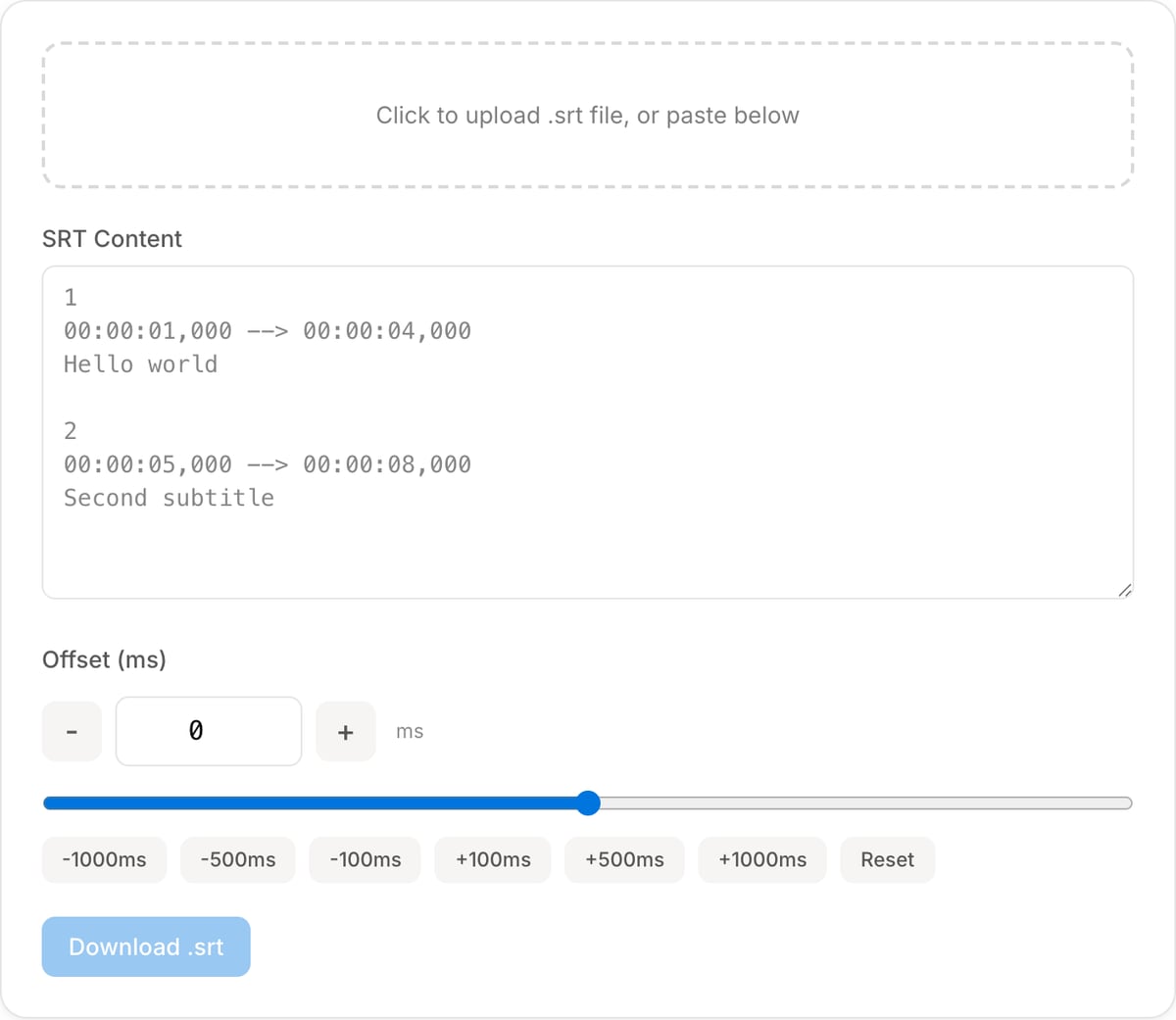
Popular task presets
Best for / not for
Best for
- Fixing subtitles that are consistently early or late across the whole file.
- Applying positive or negative offsets to SRT timestamps in bulk.
- Correcting simple timing drift before previewing or burning subtitles.
Not for
- Subtitles that drift gradually at different rates over the video.
- Line-by-line retiming, transcription, or translation editing.
- Fixing burned-in subtitles that are already part of the video pixels.
Best use cases for SRT offset
- Shift all captions by +1.5 seconds when they appear too early after a video edit.
- Shift captions earlier when the subtitle file starts late compared with the spoken audio.
- Fix subtitle timing after trimming an intro, changing a video start point, or receiving mismatched captions.
Offset behavior
| Positive offset | Moves subtitles later, useful when captions appear too early. |
|---|---|
| Negative offset | Moves subtitles earlier, useful when captions appear too late. |
| Whole-file shift | Every cue is moved by the same amount. Uneven drift needs manual retiming. |
| Next step | Preview the shifted SRT before burning it into video. |
Why this SRT offset tool is different
- It focuses on the common real problem: the entire subtitle file is off by a fixed amount.
- Local text processing keeps unpublished scripts and translated captions private.
- It connects directly to preview and burn-in tools so you can verify before final export.
Task-focused FAQ
What does a positive offset do?
A positive offset makes every subtitle appear later.
Can this fix subtitles that drift more over time?
No. If drift changes over time, the subtitle file needs stretch/retime editing, not a single offset.
Should I preview after applying an offset?
Yes. Preview a few early, middle, and late captions before publishing or burning them in.
Tutorials covering this tool
Frequently Asked Questions
How do I fix out-of-sync subtitles?
Upload your .srt file or paste its content, enter a time offset in milliseconds (positive to delay, negative to advance), preview the result, and download the corrected file.
What is SRT format?
SRT (SubRip Subtitle) is the most common subtitle format. Each entry has a sequence number, timestamp range (HH:MM:SS,mmm), and subtitle text. It is supported by virtually all video players.
How do I shift subtitle timing?
Enter the offset in milliseconds. If subtitles appear 2 seconds too early, enter +2000. If 1.5 seconds too late, enter -1500. Every timestamp in the file is adjusted by that amount.
What is the difference between positive and negative offset?
Positive offset delays subtitles (they appear later). Negative offset advances them (they appear earlier). Use positive when subs are ahead of audio, negative when they lag behind.