Video Thumbnail Generator Online Free
Generate thumbnail images from your video. Auto-select the best frames or pick manually from any timestamp — download as high-quality PNG.
Drag & drop your video here, or click to browse
Max file size: ~2 GB (memory permitting)
How to Use — Video Thumbnail Generator Online Free
Upload your video
Drag and drop any video file (MP4, WebM, MOV, AVI) or click to browse. The video loads locally in your browser.
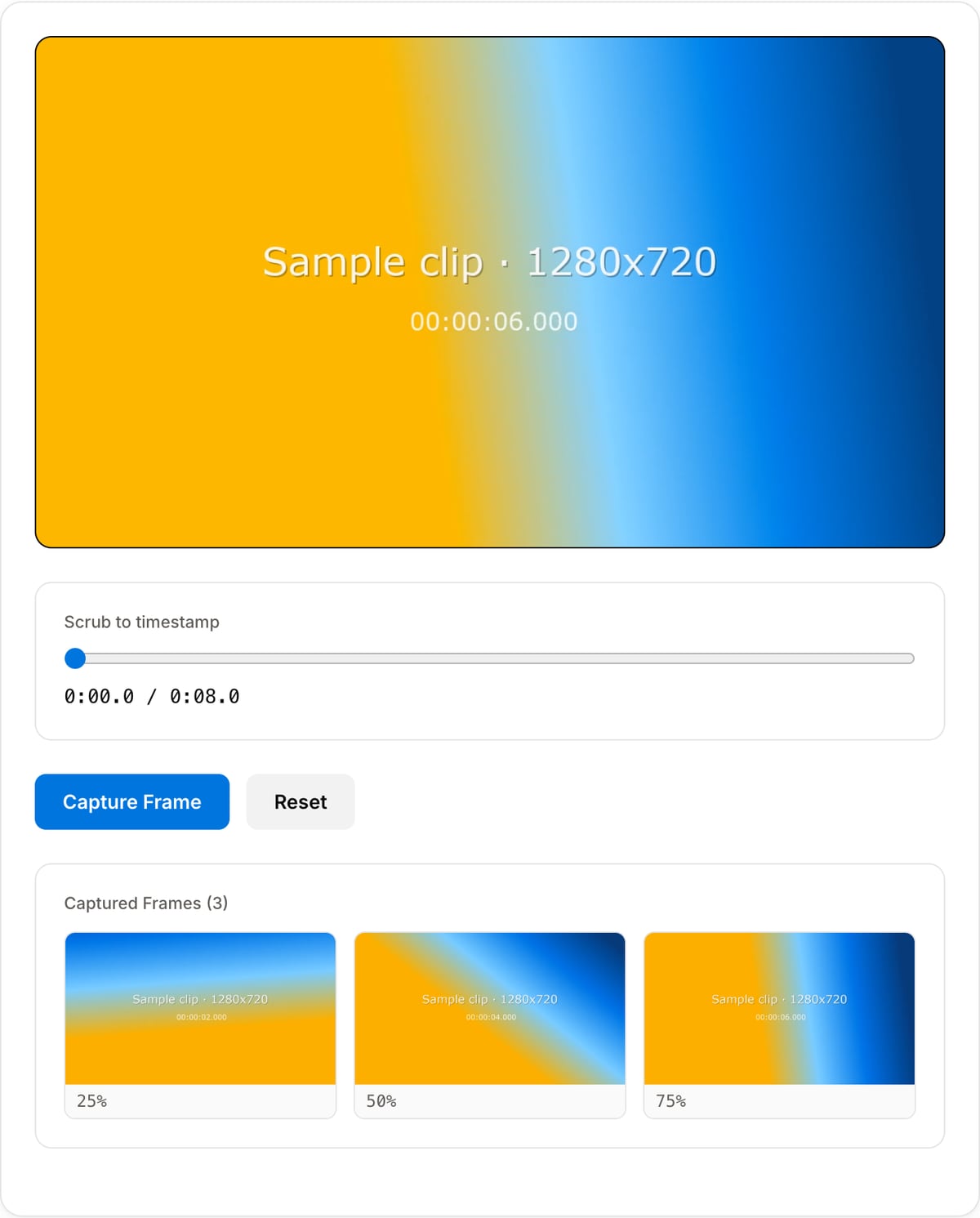
Select your frames
Use auto-selection for smart picks at key moments, or manually scrub to any timestamp and capture the exact frame you want.
Download as PNG
Download your selected thumbnails as high-quality PNG images at the full resolution of your source video.
What the tool looks like
Popular task presets
Best for / not for
Best for
- Creating a thumbnail base image from a video without opening an editor.
- Finding a strong moment from tutorials, product demos, courses, webinars, and social videos.
- Local thumbnail extraction from unreleased or client footage.
Not for
- Full thumbnail design with text effects, cutout subjects, stickers, or brand templates.
- Batch thumbnail generation for large video libraries.
- Replacing human thumbnail selection for high-stakes YouTube packaging.
Best use cases for video thumbnails
- Choose a clear thumbnail frame from a tutorial, demo, interview, course, webinar, or social clip.
- Create a base image for YouTube, course platforms, help docs, landing pages, or product changelogs.
- Pull a privacy-safe local thumbnail from footage that should not be uploaded to a cloud editor.
Supported formats & limits
| Input containers | MP4, MOV, WebM, MKV, AVI, FLV, WMV, M4V |
|---|---|
| Input codecs | H.264, H.265, VP8, VP9, MPEG-4, MJPEG. Not AV1 — this WebAssembly build has no software AV1 decoder. |
| Output container | MP4 (default) — interoperable with iOS, Android, YouTube, Instagram, X |
| Output codec | H.264 video + AAC audio |
| Max file size | Up to ~2 GB (limited by browser memory) |
| Max duration | No hard limit — depends on file size |
| Cost | Free for any use. No signup. No watermark. |
Thumbnail Generator vs. the usual alternatives
| Feature | This tool | VEED (free) | Kapwing (free) | CapCut Online |
|---|---|---|---|---|
| Processing model | Runs locally in your browser | Upload-based project editor | Upload-based project editor | Upload-based online editor |
| File limits | No upload cap; practical limit is browser memory | Plan-specific upload limits | Plan-specific upload and export limits | Feature- and account-specific limits |
| Watermark on output | No watermark added | Free exports include a VEED watermark | Free exports include a Kapwing watermark | Standard edits can be watermark-free; templates/assets may add branding |
| Signup / account | No account for tools | Workspace/account flow | Workspace/account flow | CapCut account flow |
| Works offline | Yes after cache, subject to browser support | No | No | No |
| Best for | Private one-step file operations | Full editor, templates, AI tools | Collaboration, templates, AI tools | Social templates and timeline editing |
Vendor plan limits were checked on April 29, 2026 and can change by region, account state, and export option. Verify critical limits on the vendor pricing/help page before relying on them.
Why this thumbnail generator is different
- Focused on selecting a strong frame quickly, then exporting a practical thumbnail image.
- Works with the crop and frame extraction tools when the source needs reframing or exact still capture.
- No account, no upload, and no watermark on the thumbnail output.
Task-focused FAQ
What makes a good video thumbnail frame?
Choose a frame with a clear subject, high contrast, readable action, and enough empty space for text if you will add it later.
Can I add text to the thumbnail here?
This page focuses on extracting the base frame. Use an image editor for detailed thumbnail text and layout.
Is a thumbnail different from a frame extract?
A frame extract is any exact still. A thumbnail is a publishing asset chosen for clarity and click-through context.
Frequently Asked Questions
What is the best thumbnail size for YouTube?
YouTube recommends 1280x720 (16:9) with minimum 640px width, under 2 MB. This tool outputs full-resolution frames — use 1080p+ source video for best results.
Auto vs manual frame selection?
Auto mode extracts well-distributed frames with good exposure and sharpness. Manual mode lets you scrub to any timestamp. Best approach: grab auto frames, then manually pick the winner.
What resolution are the thumbnails?
Full source resolution — 1080p video gives 1920x1080 thumbnails, 4K gives 3840x2160. Output is PNG for maximum quality; convert to JPG later if needed.
How many frames can I extract?
As many as you need. Auto mode generates a set across the video duration. Manual mode captures one at a time from any point. All download as individual PNG files.