Video Editing Checklist
Never miss a step in your editing workflow. Interactive checklist covering pre-production, rough cut, fine cut, color grading, audio mix, and final delivery.
Pre-Production
Rough Cut
Fine Cut
Color
Audio
Text & Graphics
Final Review
How to Use — Video Editing Checklist
Start from pre-production
Begin with the pre-production phase — organize your footage, set up your project structure, and plan your edit before cutting.
Check items in each phase
Work through each editing phase systematically, checking off items as you complete them. Your progress is saved automatically in your browser.
Track overall progress
Monitor your overall completion progress. See which phases are done and which still need attention before your final export.
Complete all phases before export
Make sure every phase is complete before your final render. This prevents common mistakes and ensures a professional result.
What the tool looks like
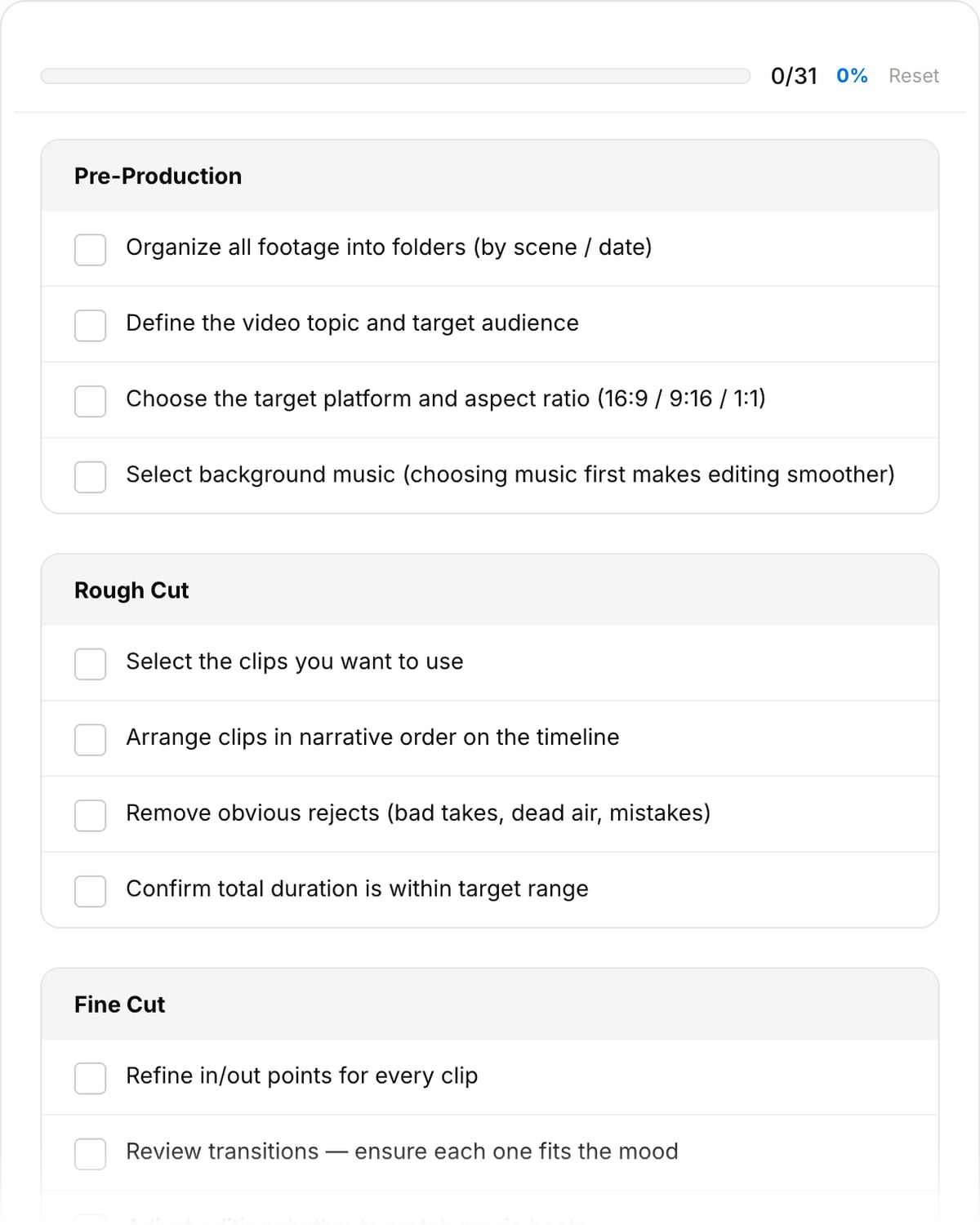
Popular task presets
Best for / not for
Best for
- Keeping a video project from missing ingest, edit, audio, color, captions, export, review, and delivery steps.
- Freelancers, creators, students, marketers, and teams that need a repeatable pre-delivery QA flow.
- Checking final files before sending to clients, uploading, or archiving.
Not for
- Replacing project management software for multi-person productions.
- Creative direction, script development, or shot-list planning by itself.
- Automatic quality control of the final rendered file.
Best use cases for an editing checklist
- Run through ingest, backup, selects, rough cut, fine cut, sound, color, captions, export, and final review.
- Use the checklist before client delivery so captions, audio levels, aspect ratios, and metadata are not forgotten.
- Create a repeatable QA habit for YouTube, courses, ads, social cutdowns, and corporate videos.
Workflow coverage
| Before editing | Back up source files, organize bins, confirm specs, and identify deliverables. |
|---|---|
| During editing | Track story, pacing, audio, captions, color, graphics, and review notes. |
| Before delivery | Check export settings, playback, file name, metadata, subtitles, aspect ratio, and final upload requirements. |
| After delivery | Archive source, project, exports, captions, and client-approved versions. |
Why this checklist is different
- It is built around actual editor failure points: missing audio checks, wrong aspect ratio, forgotten captions, and messy delivery files.
- It links naturally to the toolset needed to fix issues found during QA.
- It keeps process lightweight enough for solo creators but structured enough for client work.
Task-focused FAQ
When should I use the checklist?
Use it at project setup and again before final delivery. The second pass catches most avoidable mistakes.
Does it replace a client review process?
No. It helps prepare a cleaner review file and final export, but client approval still needs a defined review workflow.
What should I check before uploading?
Check playback, audio levels, captions, aspect ratio, export settings, thumbnail, filename, and metadata/privacy requirements.
Frequently Asked Questions
What are the stages of video editing?
Typically 6 stages: pre-production (organize footage), assembly (rough timeline), rough cut (trim and arrange), fine cut (timing and transitions), polish (color, audio, effects), and export (final render with correct settings).
What should I check before exporting a video?
Verify audio levels (-6 to -3 dB for dialogue), color grading on all clips, no jump cuts or black frames, correct titles and spelling, proper audio mix, and export settings matching your target platform.
What does a professional editing workflow look like?
Organize footage into bins, create a rough assembly, refine through multiple cuts, add B-roll and transitions, color grade, mix audio, add titles/graphics, review, and export in the correct format.
What are common video editing mistakes?
Inconsistent audio levels, jump cuts without B-roll, over-using transitions, skipping color correction, not checking exports on different devices, ignoring aspect ratios, and skipping the review stage.