Color Converter & Contrast Checker
Convert colors between HEX, RGB, and HSL instantly. Check WCAG contrast ratios for accessibility and generate harmonious color palettes for your video overlays and titles.
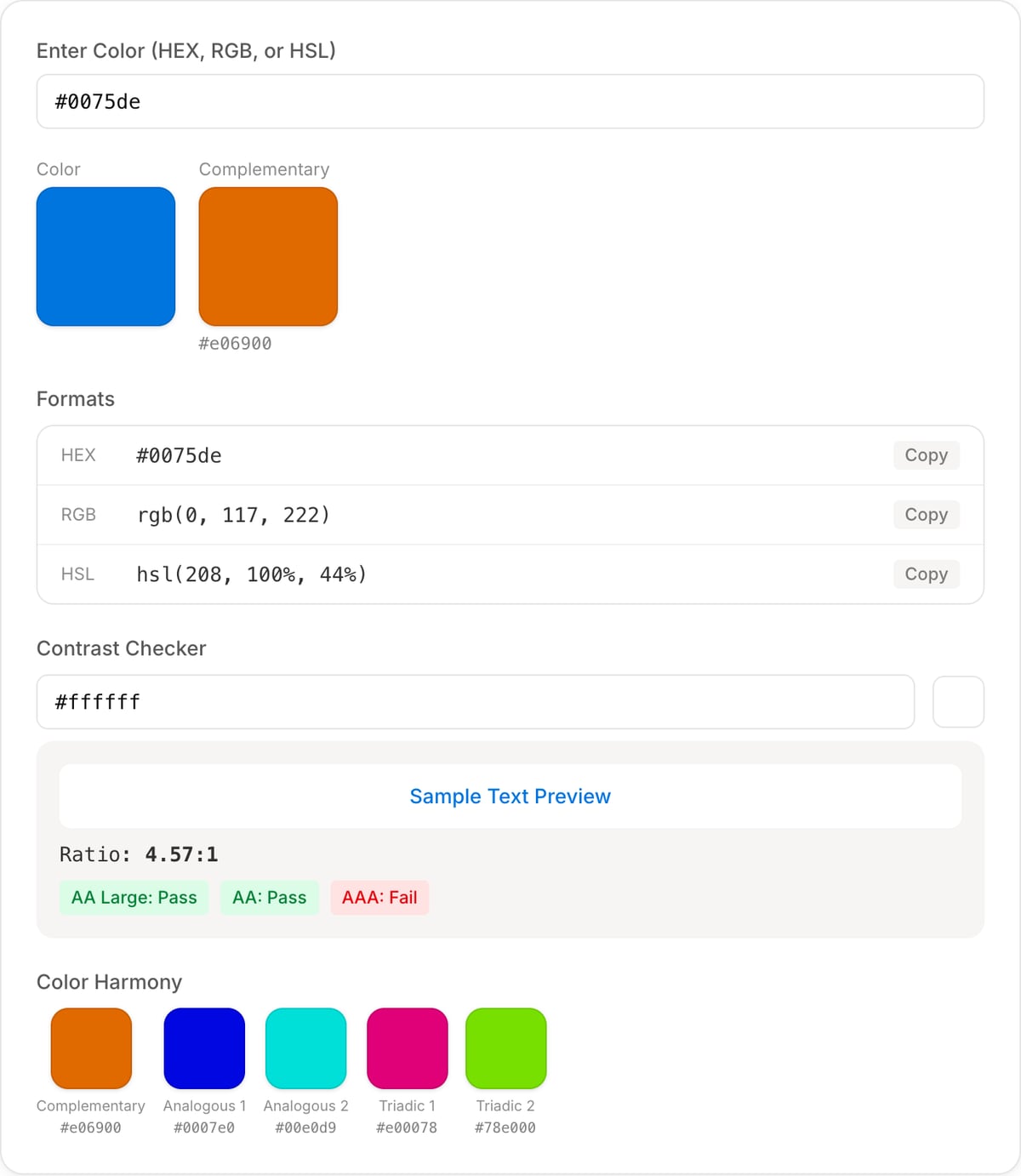
Color
Complementary
#e06900
Ratio: 4.57:1
Complementary
#e06900
Analogous 1
#0007e0
Analogous 2
#00e0d9
Triadic 1
#e00078
Triadic 2
#78e000
How to Use — Color Converter & Contrast Checker
Enter color value (HEX/RGB/HSL)
Type or paste a color value in any supported format — HEX (#FF5733), RGB (rgb(255,87,51)), or HSL (hsl(11,100%,60%)).
See all format conversions
Instantly see your color converted to all supported formats. Copy any value with a single click.
Check contrast ratio
Compare your foreground and background colors to check the WCAG contrast ratio. See if it passes AA or AAA compliance.
Generate palette
Generate complementary, analogous, or triadic palettes based on your color for use in video overlays and graphics.
What the tool looks like
Popular task presets
Best for / not for
Best for
- Converting HEX, RGB, and HSL values for overlays, thumbnails, captions, brand kits, and UI mockups.
- Checking contrast before adding text over video or image backgrounds.
- Finding related palette values while preparing visual assets for media projects.
Not for
- Professional color grading, LUT creation, or camera color-space transforms.
- Exact print color conversion between CMYK/Pantone and ICC profiles.
- Sampling colors from a video frame automatically.
Best use cases for color conversion
- Convert a brand HEX color into RGB or HSL for CSS, overlays, captions, and thumbnail graphics.
- Check whether text color has enough contrast against a background before burning it into media.
- Create consistent color values across video overlays, image exports, and website assets.
Color guidance
| HEX | Best for CSS, brand guides, and quick web/design handoff. |
|---|---|
| RGB | Best for screen color values and many design/export tools. |
| HSL | Best for adjusting hue, saturation, and lightness predictably. |
| Contrast | Use contrast checks before placing text over video, thumbnails, or social graphics. |
Why this color converter is different
- It is tuned for media creators who need readable overlays and consistent brand colors.
- It connects color values to text contrast instead of stopping at format conversion.
- It complements video text, watermark, filter, and checklist workflows.
Task-focused FAQ
Which format should I use for CSS?
HEX, RGB, and HSL all work in CSS. HSL is often easiest when you need lighter or darker variants.
Why does contrast matter for video?
Low-contrast text can become unreadable after compression, scaling, or mobile viewing.
Is this a color grading tool?
No. Use Video Filters for basic visual adjustments, and a grading app for LUTs and color-managed work.
Frequently Asked Questions
How do I convert HEX to RGB?
Enter your HEX code (e.g., #FF5733) and the tool instantly shows the RGB equivalent. Each pair of HEX characters maps to red, green, and blue values from 0-255.
What is a good contrast ratio for text?
WCAG recommends at least 4.5:1 for normal text (AA) and 7:1 for enhanced readability (AAA). For large text (18px+ bold or 24px+), the minimum is 3:1 for AA.
What is the difference between WCAG AA and AAA?
AA requires 4.5:1 contrast for normal text and 3:1 for large text. AAA is stricter: 7:1 for normal text and 4.5:1 for large text. AA is the standard target; AAA provides enhanced accessibility.
How do I choose colors for video overlays?
Use high-contrast colors against your footage. White text on a dark semi-transparent background is safest. Check contrast ratios with this tool and avoid red-on-black or blue-on-red combinations.