Strip Video Metadata — EXIF, GPS, C2PA, QuickTime
Remove GPS, EXIF, QuickTime tags, timestamps, comments, chapters, and C2PA UUID atoms while preserving the original video streams.
Last reviewed 2026-04-28 · Tested against synthetic C2PA, iPhone QuickTime keys, MOV udta, MKV/WebM Matroska tags
Drag & drop your video here, or click to browse
Max file size: ~2 GB (memory permitting)
How to Use — Strip Video Metadata — EXIF, GPS, C2PA, QuickTime
Drop your video
MP4, MOV, WebM, MKV supported. Everything stays on your device.
Strip metadata
Runs FFmpeg `-map_metadata -1 -map_chapters -1 -c copy -fflags +bitexact`, then a JS atom-level post-process to remove the empty udta scaffold FFmpeg always leaves behind. No re-encoding, no quality loss — processes in seconds.
Download clean file
GPS, device info, per-stream tags, C2PA UUID atoms, and the udta>meta>hdlr Apple stub are all gone.
Verify (recommended)
Run `exiftool cleaned.mp4` or open in MediaInfo to independently confirm the fields are absent. We encourage verification rather than blind trust.
What this tool removes — and what it can't
| Identifier | Where it lives | Stripped? |
|---|---|---|
| Title / artist / comment / location | Container global metadata | ✓ yes |
| GPS coordinates + altitude | com.apple.quicktime.location.ISO6709 | ✓ yes |
| Device make / model / software | com.apple.quicktime.* keys | ✓ yes |
| Creation / modification timestamps | mvhd / tkhd / mdhd headers | ✓ zeroed to 0000:00:00 |
| Per-stream titles + custom handler names | trak.mdia.hdlr / trak metadata | ✓ yes |
| Track UIDs (MKV/WebM) | Matroska TagTrackUID | ✓ zeroed |
| Encoder version strings | Lavf / Lavc / mp4a stsd vendor | ✓ yes (via +bitexact) |
| C2PA / AI provenance signatures | MP4 UUID atom (D8FEC3D6-...) | ✓ yes (entire UUID box removed) |
| udta>meta>hdlr "mdirappl" stub | moov.udta (FFmpeg artifact) | ✓ yes (JS post-process) |
| Chapter list | moov.udta.chpl / chap | ✓ yes |
| Apple Live Photo pair UUID | Custom uuid atom in moov | ✓ yes |
| Container family identifier (MajorBrand) | ftyp atom | ⚠ leaks "MP4" vs "MOV" only |
| Codec sample-description vendor | stsd box per stream | ⚠ usually `[0][0][0][0]` — no leak in practice |
| Pixel-level sensor fingerprint (PRNU) | Embedded in pixel data itself | ✗ cannot remove without re-encoding |
| Encoder-quirk signature | Compression artifact patterns | ✗ requires re-encoding to defeat |
| Audio room-tone fingerprint | Background noise in audio track | ✗ requires audio replacement |
| Steganographic watermark | Hidden in pixel/audio data | ✗ requires forensic-grade re-encoding |
Coverage verified 2026-04-28 against synthetic test corpus + ExifTool 13.36 + MediaInfo. For source-grade anonymisation, chain this tool with the Face Blur, Audio Replacer, and Compressor tools. Face Blur · Audio Replacer · Compressor
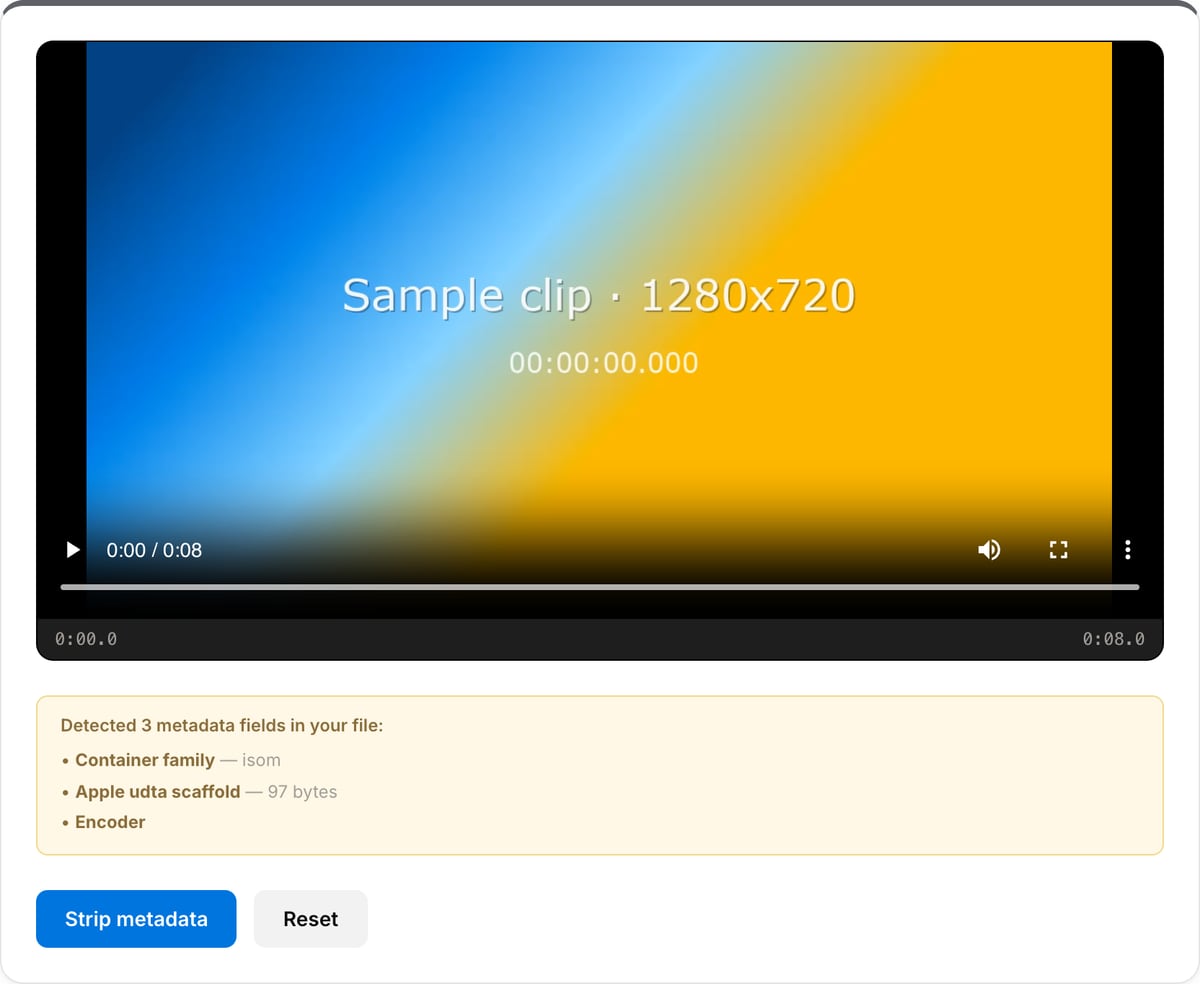
What the tool looks like
Popular task presets
Best for / not for
Best for
- Removing container metadata before sharing sensitive, client, newsroom, legal, or phone-shot video.
- Cleaning MP4/MOV QuickTime tags, timestamps, GPS-like fields, comments, chapters, and C2PA UUID atoms.
- Lossless privacy cleanup where video/audio streams should stay unchanged.
Not for
- Removing visible information inside the video image, such as faces, signs, screens, or watermarks.
- Guaranteeing anonymity without manual review; visual and audio clues can still identify people.
- Forensic-grade chain-of-custody workflows where every step needs formal logging.
Best use cases for video metadata removal
- Publish phone-shot or camera footage without exposing GPS coordinates, device model, creation time, account names, or project comments.
- Prepare sensitive videos for journalism, legal discovery, HR review, education, or client handoff without leaking source details.
- Remove AI provenance, encoder fingerprints, QuickTime keys, chapters, and leftover container metadata before sharing a file.
Metadata coverage
| Removes | Title, comment, artist, album, encoder tags, creation time, device fields, GPS-like tags, chapters, and common stream metadata. |
|---|---|
| MP4/MOV cleanup | Also removes empty udta/meta scaffolding and C2PA-style UUID atoms that FFmpeg can leave behind. |
| Does not remove | Visible watermarks, burned-in captions, faces, reflections, background signs, or audio that identifies people. |
| Verification | Use ExifTool or MediaInfo after export if you need independent confirmation for legal or newsroom workflows. |
Metadata Cleaner vs. the usual alternatives
| Feature | This tool | VEED (free) | Kapwing (free) | CapCut Online |
|---|---|---|---|---|
| Processing model | Runs locally in your browser | Upload-based project editor | Upload-based project editor | Upload-based online editor |
| File limits | No upload cap; practical limit is browser memory | Plan-specific upload limits | Plan-specific upload and export limits | Feature- and account-specific limits |
| Watermark on output | No watermark added | Free exports include a VEED watermark | Free exports include a Kapwing watermark | Standard edits can be watermark-free; templates/assets may add branding |
| Signup / account | No account for tools | Workspace/account flow | Workspace/account flow | CapCut account flow |
| Works offline | Yes after cache, subject to browser support | No | No | No |
| Best for | Private one-step file operations | Full editor, templates, AI tools | Collaboration, templates, AI tools | Social templates and timeline editing |
Vendor plan limits were checked on April 29, 2026 and can change by region, account state, and export option. Verify critical limits on the vendor pricing/help page before relying on them.
Why this metadata cleaner is different
- Combines FFmpeg metadata stripping with atom-level post-processing for MP4/MOV files, covering cases simple `-map_metadata -1` misses.
- Stream-copy keeps video and audio quality unchanged while removing container-level metadata quickly.
- Local processing matters here: uploading a privacy cleanup job to a server undermines the reason for cleaning metadata.
Task-focused FAQ
Does metadata cleaning reduce quality?
No. The cleaner uses stream-copy for the media streams, so video and audio quality stay unchanged.
Does this remove GPS from iPhone videos?
It removes common QuickTime, creation-time, and GPS-like container tags. You should still verify with ExifTool for sensitive releases.
Does metadata cleaning anonymise the people in the video?
No. Use Face Blur for visible faces, screens, license plates, or other identifying details.
Tutorials covering this tool
Per-format deep dives
Each format has its own quirks (Apple QuickTime keys, AI provenance UUIDs, encoder fingerprints). Read the format-specific guide for what gets stripped.
Frequently Asked Questions
What metadata is in my video file?
Phone-recorded videos commonly embed GPS coordinates (where it was shot), device make and model, creation date and time zone, and sometimes the user account or Apple ID that captured it. Camera exports may also include serial numbers, lens info, and editing software fingerprints. AI-generated videos (Sora, Runway Gen-3, Kling, Pika) may carry C2PA provenance signatures inside MP4 UUID atoms — we strip those too.
Does it strip C2PA / AI provenance signatures?
Yes. C2PA is stored as a UUID atom (D8FEC3D6-1B0E-483C-9297-5828877EC481) inside the MP4 container. Our `-c copy` re-mux drops unknown UUID atoms, including C2PA. We verified this on synthetic C2PA-signed samples — both the UUID atom and any payload bytes are absent from the cleaned output.
What does this tool NOT remove?
Honest list: pixel-level fingerprints (PRNU sensor noise — identifies which camera body shot the footage), encoder-quirk signatures (subtle compression patterns that identify x264 vs Apple ProRes vs Sony XAVC), audio room-tone fingerprints, steganographic watermarks, and the container family identifier (`MajorBrand` is always visible — reveals 'this is an MP4' vs 'this is a MOV'). For source-grade anonymisation, also re-encode and replace audio.
Does stripping metadata change the video quality?
No. The tool uses FFmpeg stream-copy (-c copy) plus a JS post-process that surgically removes the empty udta atom that FFmpeg leaves behind. The video and audio streams are bit-identical to the source — only container-level metadata fields are dropped.
Is this safe for whistleblowing, journalism, or anonymised publishing?
For social-media-grade anonymisation, yes. For high-stakes publishing (court evidence, journalism sources at risk), combine this with: (1) re-encoding to a uniform codec (defeats encoder fingerprints), (2) audio replacement (defeats voice + room-tone identification), (3) face/identifier blur (defeats subject identification), and (4) handle the file via a clean filename and offline.
Does TikTok / Instagram / X strip video metadata when I upload?
TikTok and Instagram aggressively re-encode uploads server-side, which destroys most container metadata as a side-effect — but the original raw file you uploaded is logged. X (Twitter) re-encodes too but is more lenient. None of these are designed for privacy. Stripping locally before upload protects against download-link leaks, screen-record archiving, and any future change to platform handling.
Can stripped metadata be recovered?
No. The fields are physically removed from the container — there is no undo. Always keep a backup of the original if you might need the GPS / timestamps later.
Is removing video metadata legal?
In every jurisdiction we know of, yes — you own your file and can edit its container however you wish. The exception is when the file is evidence in an active legal matter (chain-of-custody concerns) — consult counsel before stripping.
Why does my file still look identical in size?
Metadata is typically a few KB out of many MB or GB. The size reduction is real but tiny relative to the overall file (usually 1-10 KB removed). Use ExifTool or MediaInfo on the output to verify the fields are actually gone.
Does my file get uploaded anywhere?
No. Processing happens entirely inside your browser tab using FFmpeg compiled to WebAssembly. Open DevTools → Network tab while processing — you will see zero uploads. The whole point of cleaning metadata is privacy, so we don't ship the file to a server to do it.