Add a Logo Watermark to Video — Free, No Upload
Overlay your logo or image watermark on any video. Position, size and opacity controls. Runs in your browser — no upload, no watermark added by us.
Drag & drop your video here, or click to browse
Max file size: ~2 GB (memory permitting)
What the tool looks like
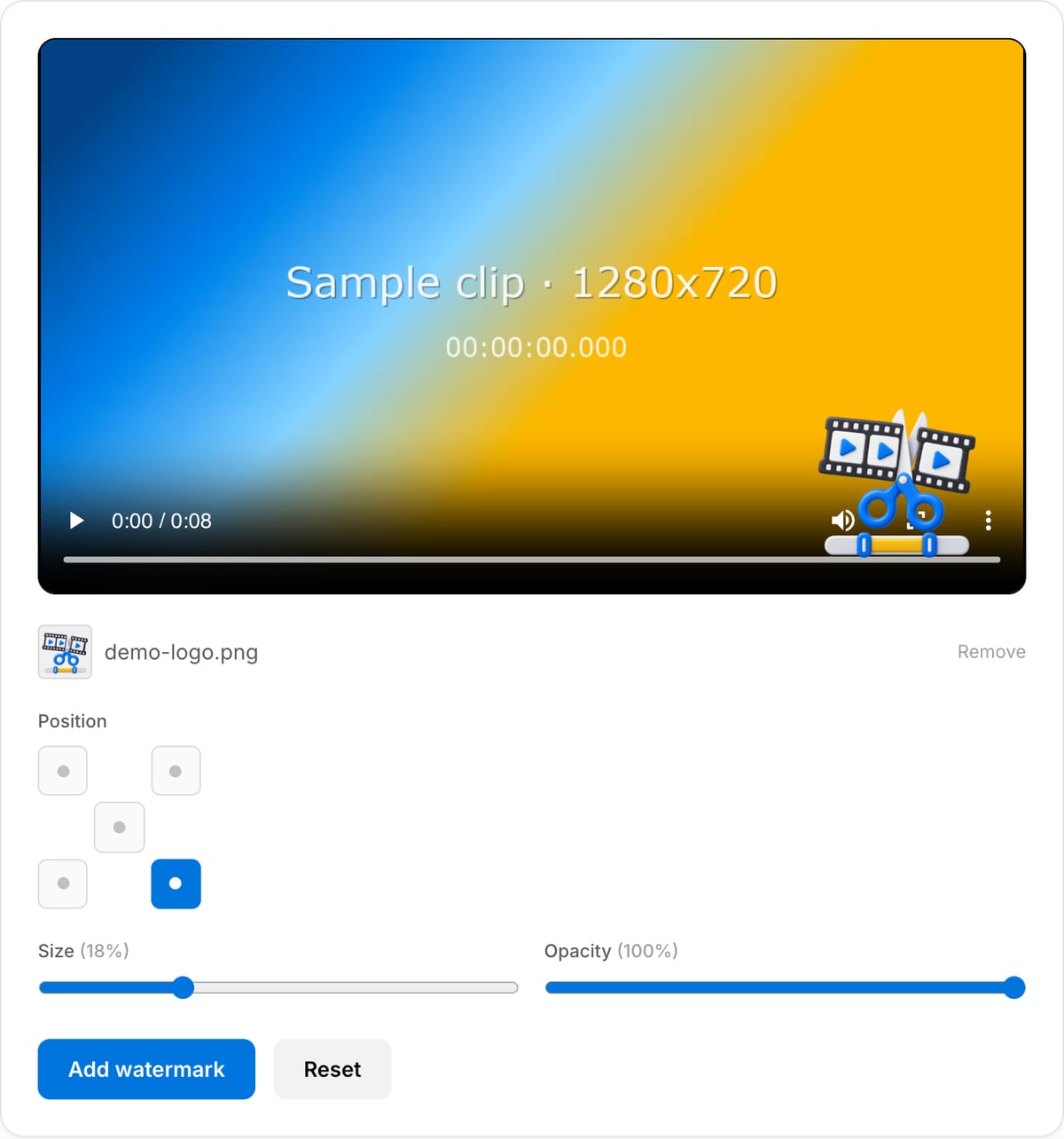
Popular task presets
Best for / not for
Best for
- Branding a clip with a logo before it goes out to a client or a platform.
- Marking a preview or a rough cut so it is obviously not the final file.
- Adding a channel mark that stays in the corner for the whole video.
Not for
- A watermark that moves, fades, or appears only in part of the video.
- Removing someone else’s watermark.
- Protecting a video from copying — a visible mark deters, it does not prevent.
When to add a logo watermark
- Branding social clips so they stay attributable after they are reposted without credit.
- Marking a rough cut sent to a client, so an unapproved version is never mistaken for the final one.
- Putting a channel logo in a consistent corner across a series of videos.
- Adding an event or sponsor mark to footage that is going out publicly.
Supported formats & limits
| Input containers | MP4, MOV, WebM, MKV, AVI, FLV, WMV, M4V |
|---|---|
| Input codecs | H.264, H.265, VP8, VP9, MPEG-4, MJPEG. Not AV1 — this WebAssembly build has no software AV1 decoder. |
| Output container | MP4 (default) — interoperable with iOS, Android, YouTube, Instagram, X |
| Output codec | H.264 video + AAC audio |
| Max file size | Up to ~2 GB (limited by browser memory) |
| Max duration | No hard limit — depends on file size |
| Cost | Free for any use. No signup. No watermark. |
Why use this logo watermark tool
- Position, size and opacity are all separate controls, so a logo can be present without dominating the frame.
- Transparent PNGs are respected, so a logo sits on the footage rather than inside a white box.
- We add no watermark of our own — the irony of free watermark tools that brand your video for you.
- Both files stay on your machine, which matters when the footage is a client deliverable.
Task-focused FAQ
Which corner should the logo go in?
Bottom right is conventional and least likely to collide with platform overlays. Avoid the bottom left and the lower third on TikTok and Reels, where captions and account handles sit.
What opacity works best?
Around 60-80% for branding — visible but not competing with the picture. Lower it further for a subtle mark, or go fully opaque for a preview watermark that is meant to be obvious.
My logo has a white box around it.
The file is a JPG, which cannot store transparency. Export the logo as a PNG with a transparent background and it will sit cleanly on the footage.
Frequently Asked Questions
What image format works best for a logo watermark?
A PNG with a transparent background looks best because only the logo shows, not a box around it. JPG works too but has no transparency.
Can I make the watermark semi-transparent?
Yes — the opacity slider goes from 10% to 100%, so you can add a subtle, barely-there mark or a bold opaque one.
Will it stay in the same corner the whole video?
Yes, the logo is placed at your chosen position for the full duration. For a moving or timed watermark, use a dedicated editor.
Does my video upload anywhere?
No. Everything runs in your browser with FFmpeg WebAssembly — the video and the logo never leave your device.