Add Watermark to Video Online Free
Add text or image watermarks to your video. Control position, opacity, and size — protect your content or add branding, all in your browser.
Drag & drop your video here, or click to browse
Max file size: ~2 GB (memory permitting)
How to Use — Add Watermark to Video Online Free
Upload your video
Drag and drop any video file (MP4, WebM, MOV, AVI) or click to browse. Your video stays on your device.
Configure your watermark
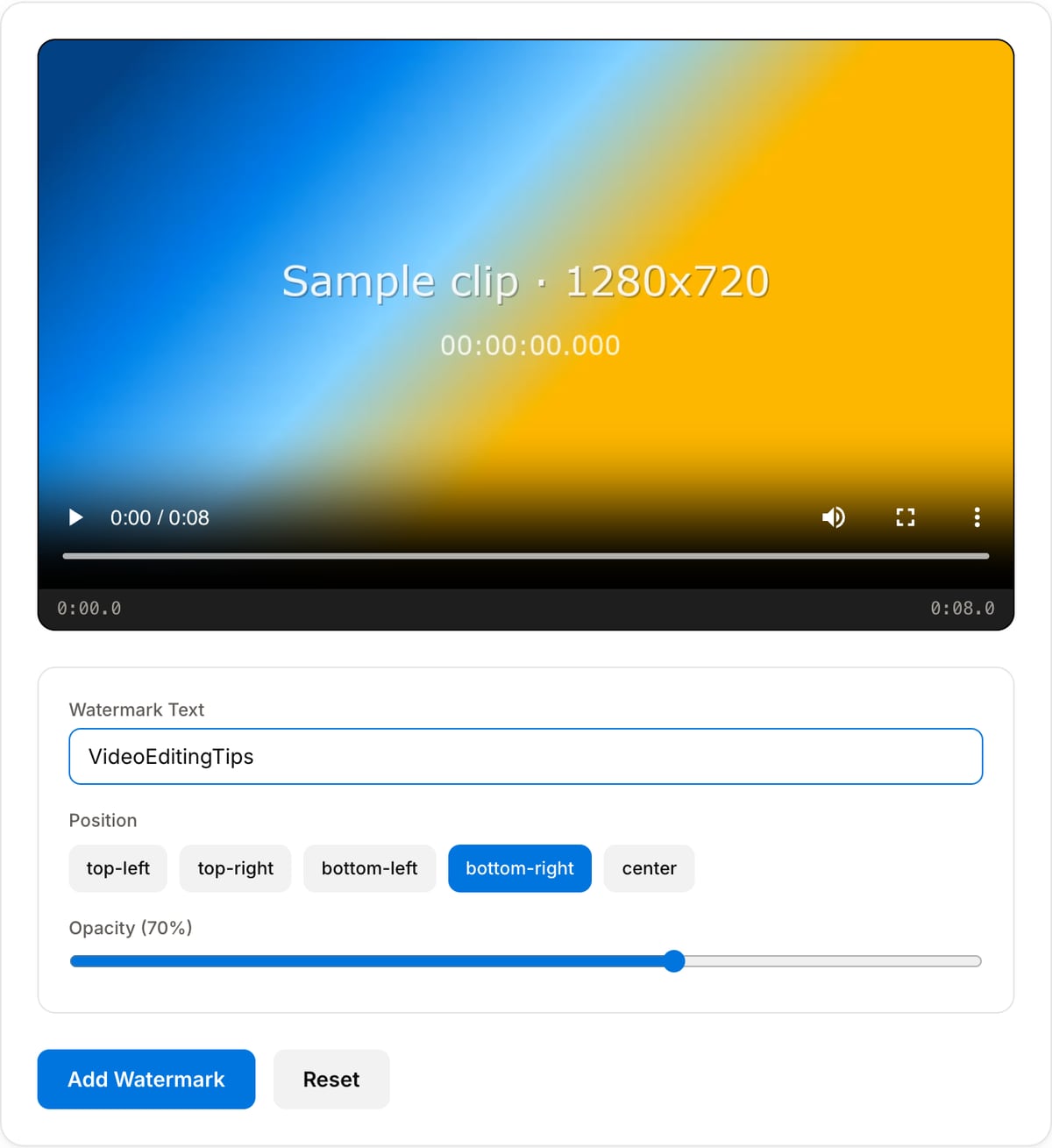
Enter text or upload a logo image. Choose position (top-left, top-right, bottom-left, bottom-right, center) and adjust opacity.
Apply and download
Click "Add Watermark" to burn the watermark into every frame. Download the watermarked video when processing is complete.
What the tool looks like
Popular task presets
Best for / not for
Best for
- Adding a visible logo, handle, credit, preview label, or ownership mark to a finished clip.
- Draft review copies, course videos, tutorials, product demos, and social reposts.
- Simple corner or center overlays where a full motion-graphics editor is unnecessary.
Not for
- Removing another person or company watermark from a video.
- Animated logo reveals, tracked overlays, lower thirds, or keyframed motion graphics.
- Legal proof of ownership by itself. Visible marks can be cropped or edited out.
When to add a watermark
- Brand a tutorial, demo, or course video with your logo or handle.
- Mark draft footage sent to clients with a visible "preview" badge.
- Credit the original creator when reposting allowed content.
Supported formats & limits
| Input containers | MP4, MOV, WebM, MKV, AVI, FLV, WMV, M4V |
|---|---|
| Input codecs | H.264, H.265, VP8, VP9, MPEG-4, MJPEG. Not AV1 — this WebAssembly build has no software AV1 decoder. |
| Output container | MP4 (default) — interoperable with iOS, Android, YouTube, Instagram, X |
| Output codec | H.264 video + AAC audio |
| Max file size | Up to ~2 GB (limited by browser memory) |
| Max duration | No hard limit — depends on file size |
| Cost | Free for any use. No signup. No watermark. |
Watermark Tool vs. the usual alternatives
| Feature | This tool | VEED (free) | Kapwing (free) | CapCut Online |
|---|---|---|---|---|
| Processing model | Runs locally in your browser | Upload-based project editor | Upload-based project editor | Upload-based online editor |
| File limits | No upload cap; practical limit is browser memory | Plan-specific upload limits | Plan-specific upload and export limits | Feature- and account-specific limits |
| Watermark on output | No watermark added | Free exports include a VEED watermark | Free exports include a Kapwing watermark | Standard edits can be watermark-free; templates/assets may add branding |
| Signup / account | No account for tools | Workspace/account flow | Workspace/account flow | CapCut account flow |
| Works offline | Yes after cache, subject to browser support | No | No | No |
| Best for | Private one-step file operations | Full editor, templates, AI tools | Collaboration, templates, AI tools | Social templates and timeline editing |
Vendor plan limits were checked on April 29, 2026 and can change by region, account state, and export option. Verify critical limits on the vendor pricing/help page before relying on them.
Why watermark here
- Position the watermark in any corner or place it as centered text.
- Adjustable opacity so the watermark is visible without dominating the frame.
- Nothing leaves your browser — safe for unreleased content.
Task-focused FAQ
Where should I place a watermark?
Use a corner for branding and a centered translucent label for client preview or draft review copies.
Will the watermark be removable?
The watermark is burned into the pixels. Someone could still crop or edit around it, so keep source files and contracts for real protection.
Can I use text instead of a logo image?
Yes. A text watermark works well for preview labels, handles, credits, and internal review notes.
Tutorials covering this tool
Frequently Asked Questions
Text vs image watermark — which is better?
Text: sharp at any size, great for copyright notices and channel names. Image: more visual flexibility, better for logos and branding. Text is simpler; image looks more professional.
What is the best position?
Bottom-right is most common — least distracting. Top-right for always-visible logos. Center for draft/review copies. Avoid bottom-left on YouTube (progress bar covers it).
What opacity should I use?
Subtle branding: 20-30%. Clear copyright: 50-70%. Draft/review: 80-100%. The sweet spot for most use cases is 30-40% — visible but not distracting.
Does it re-encode the video?
Yes — watermarking modifies every frame, requiring re-encoding. This introduces minimal quality loss. The tool uses high-quality settings to minimize impact.