Rotate Video Online Free
Rotate your video 90°, 180°, or 270° and flip horizontally or vertically. Fix sideways phone recordings or create mirror effects — all in your browser.
Drag & drop your video here, or click to browse
Max file size: ~2 GB (memory permitting)
How to Use — Rotate Video Online Free
Upload your video
Drag and drop any video file (MP4, WebM, MOV, AVI, MKV) or click "Choose File" to browse. Works with files up to ~2 GB (memory permitting).
Select rotation
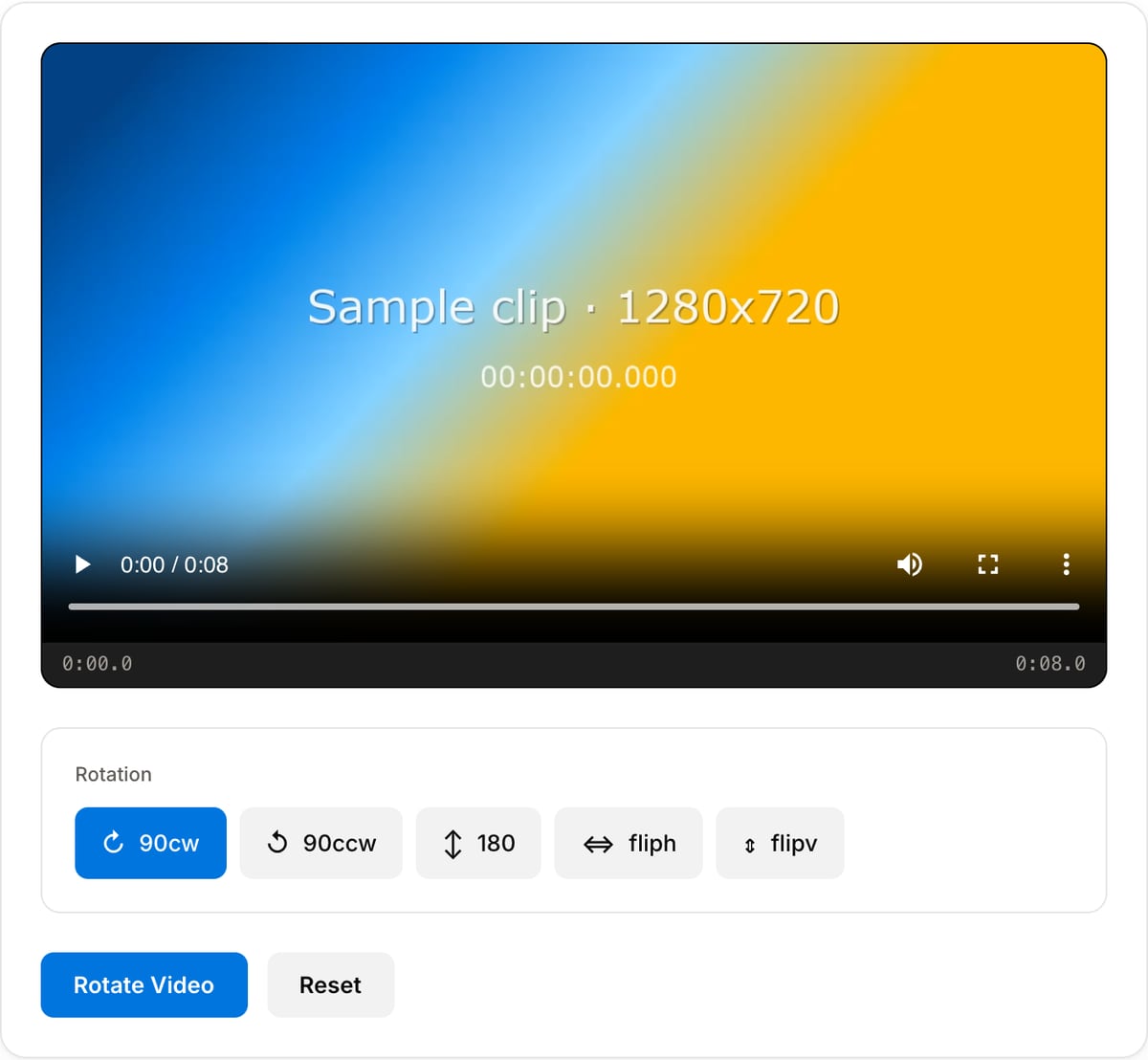
Choose the rotation angle — 90° clockwise, 90° counter-clockwise, or 180°. You can also flip the video horizontally or vertically.
Rotate the video
Click "Rotate" — processing happens in your browser using FFmpeg WebAssembly. No server upload required.
Download
Download your rotated video instantly. No watermarks, no signup needed.
What the tool looks like
Popular task presets
Best for / not for
Best for
- Correcting phone, drone, webcam, or action-cam footage recorded sideways or upside down.
- Creating a real pixel-rotated export that plays correctly in apps that ignore orientation metadata.
- Quick 90, 180, or 270 degree fixes before resizing, cropping, or publishing.
Not for
- Mirrored footage where left and right are reversed. Use Video Flip for that.
- Changing aspect ratio for social platforms. Rotate first, then use Video Resizer or Crop.
- Stabilizing tilted handheld footage or correcting perspective distortion.
When to rotate a video
- Fix a phone video recorded sideways because the orientation lock was off.
- Rotate a drone or action-cam clip that came out upside down.
- Flip an exported clip 90° to fit a vertical or horizontal placement.
Supported formats & limits
| Input containers | MP4, MOV, WebM, MKV, AVI, FLV, WMV, M4V |
|---|---|
| Input codecs | H.264, H.265, VP8, VP9, MPEG-4, MJPEG. Not AV1 — this WebAssembly build has no software AV1 decoder. |
| Output container | MP4 (default) — interoperable with iOS, Android, YouTube, Instagram, X |
| Output codec | H.264 video + AAC audio |
| Max file size | Up to ~2 GB (limited by browser memory) |
| Max duration | No hard limit — depends on file size |
| Cost | Free for any use. No signup. No watermark. |
Video Rotator vs. the usual alternatives
| Feature | This tool | VEED (free) | Kapwing (free) | CapCut Online |
|---|---|---|---|---|
| Processing model | Runs locally in your browser | Upload-based project editor | Upload-based project editor | Upload-based online editor |
| File limits | No upload cap; practical limit is browser memory | Plan-specific upload limits | Plan-specific upload and export limits | Feature- and account-specific limits |
| Watermark on output | No watermark added | Free exports include a VEED watermark | Free exports include a Kapwing watermark | Standard edits can be watermark-free; templates/assets may add branding |
| Signup / account | No account for tools | Workspace/account flow | Workspace/account flow | CapCut account flow |
| Works offline | Yes after cache, subject to browser support | No | No | No |
| Best for | Private one-step file operations | Full editor, templates, AI tools | Collaboration, templates, AI tools | Social templates and timeline editing |
Vendor plan limits were checked on April 29, 2026 and can change by region, account state, and export option. Verify critical limits on the vendor pricing/help page before relying on them.
Why rotate online
- True pixel rotation — not just a metadata flag, so the fix works everywhere, including players that ignore orientation tags.
- Preserves original audio and resolution.
- No upload — works offline after first load.
Task-focused FAQ
Why not just change the orientation metadata?
Some players ignore metadata rotation. This tool exports a real rotated video so the fix is visible everywhere.
Will rotation change the resolution?
A 90 or 270 degree rotation swaps width and height. A 1920x1080 clip becomes 1080x1920.
Should I rotate before cropping?
Yes. Correct orientation first, then crop or resize based on the final frame.
Frequently Asked Questions
How do I fix a sideways video?
Upload your sideways video and select the rotation angle (90°, 180°, or 270°). Click Rotate and download the corrected video.
What is the difference between rotate and flip?
Rotate turns the video by a set angle (90°, 180°, 270°). Flip mirrors the video horizontally or vertically. Both operations can be combined.
Can I rotate a video by 90 or 180 degrees?
Yes. You can rotate by 90° clockwise, 90° counter-clockwise (270°), or 180°. Select the desired angle before processing.
Will rotating cause quality loss?
Rotation requires re-encoding, but high-quality settings are used to minimize any quality difference. Resolution and bitrate remain close to the original.