Voice Recorder Online — Free Browser Microphone Recorder
Record your microphone with a live level meter. Echo cancellation on. No install, no upload.
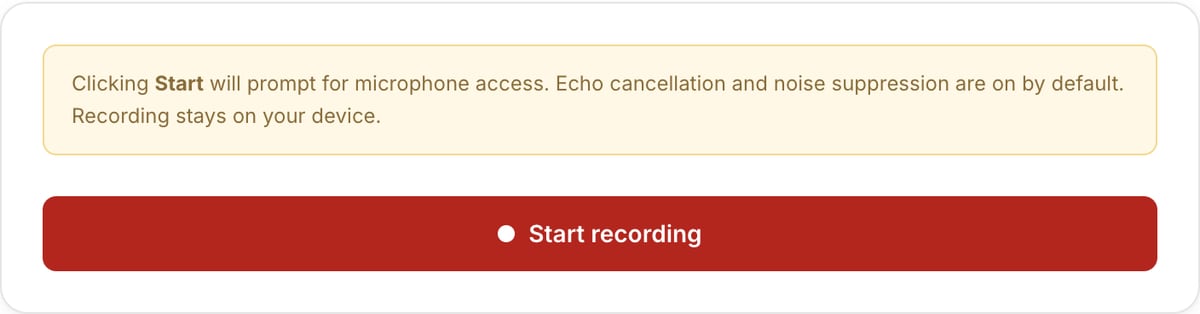
What the tool looks like
Popular task presets
Best for / not for
Best for
- Quick microphone recordings for voice notes, narration, podcasts, feedback, language practice, and scratch audio.
- Local capture without installing recorder software or uploading raw speech.
- Recording first drafts before trimming, normalizing, or converting.
Not for
- Studio recording with multi-track monitoring, plugins, punch-in, or live effects.
- Transcription by itself. Export the audio and send it to a transcription workflow.
- Recording system audio or remote calls without OS/browser support.
Best use cases for voice recording
- Record narration, a podcast draft, a meeting note, a pronunciation sample, or quick client feedback.
- Capture scratch voiceover for a slideshow, product demo, course video, or tutorial.
- Make a local audio note before trimming, normalizing, or converting it to MP3.
Recording settings
| Microphone access | Requires browser permission. The site cannot record until you approve the microphone prompt. |
|---|---|
| Best environment | Use headphones and a quiet room to reduce echo and background noise. |
| Post-processing | Trim mistakes first, then normalize the final take. |
| Privacy | Recording happens locally in the browser; raw audio is not uploaded. |
Voice Recorder vs. the usual alternatives
| Feature | This tool | VEED (free) | Kapwing (free) | CapCut Online |
|---|---|---|---|---|
| Processing model | Runs locally in your browser | Upload-based project editor | Upload-based project editor | Upload-based online editor |
| File limits | No upload cap; practical limit is browser memory | Plan-specific upload limits | Plan-specific upload and export limits | Feature- and account-specific limits |
| Watermark on output | No watermark added | Free exports include a VEED watermark | Free exports include a Kapwing watermark | Standard edits can be watermark-free; templates/assets may add branding |
| Signup / account | No account for tools | Workspace/account flow | Workspace/account flow | CapCut account flow |
| Works offline | Yes after cache, subject to browser support | No | No | No |
| Best for | Private one-step file operations | Full editor, templates, AI tools | Collaboration, templates, AI tools | Social templates and timeline editing |
Vendor plan limits were checked on April 29, 2026 and can change by region, account state, and export option. Verify critical limits on the vendor pricing/help page before relying on them.
Why this voice recorder is different
- Designed for quick capture plus practical next steps, not a cluttered DAW.
- Local recording is useful for sensitive notes, client feedback, and unpublished narration.
- The recording can move directly into trimming, normalization, and conversion tools.
Task-focused FAQ
Does the site start recording immediately?
No. Browser microphone permission is required before recording can begin.
How do I make speech sound more even?
Record in a quiet space, trim mistakes, then run Audio Normalizer on the final take.
Can I record system audio?
This page is for microphone recording. Use Screen Recorder when you need supported tab or system audio capture.
Frequently Asked Questions
Do you store my recording?
No. Recording happens in your browser via the MediaRecorder API. The file only reaches disk when you click Download. Nothing is sent to a server.
Why is the output WebM and not MP3?
Browsers can natively encode WebM/Opus at high quality; MP3 encoding in-browser is not universally supported. Use the Audio Converter to turn WebM into MP3 — also runs locally.
How good is the audio?
Opus is a modern codec that sounds excellent for voice at 96-128 kbps — as good or better than 192 kbps MP3. It’s the codec used by Discord, WhatsApp, and Zoom.