Audio Reverser — Play Backwards Online Free
Reverse audio playback. Useful for producers, Easter egg hunts, and DJ effects. No upload.
Drop audio file here
Max file size: ~2 GB (memory permitting)
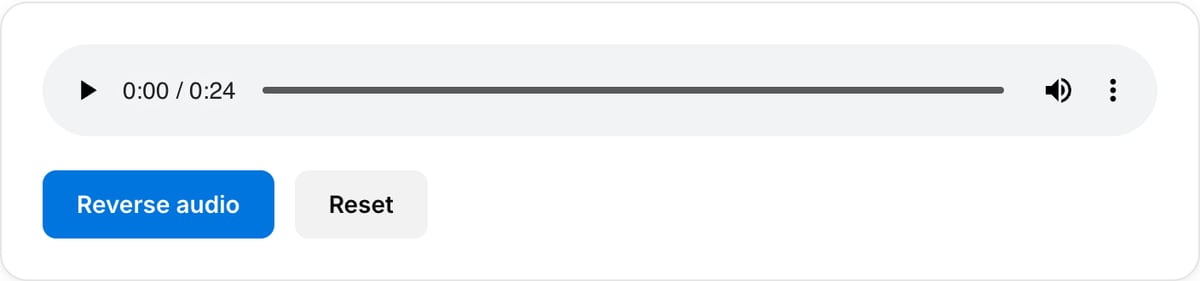
What the tool looks like
Popular task presets
Best for / not for
Best for
- Reversing samples, music snippets, ambience, effects, voice lines, and short audio clips.
- Sound design, producer effects, transitions, hidden-message checks, and creative experiments.
- Quick one-file reverse exports without opening a DAW.
Not for
- Complex audio arrangement, beat matching, crossfades, or multi-track production.
- Making reversed speech intelligible or translating hidden content automatically.
- Very long audio books or recordings on low-memory browsers.
Best use cases for reversing audio
- Create reverse cymbals, risers, whooshes, swells, and transition effects from existing audio.
- Reverse a voice line or sample for creative edits, game sounds, or music production experiments.
- Check a short clip backwards without installing a DAW or uploading the file.
Supported formats & limits
| Input formats | MP3, WAV, AAC/M4A, OGG, FLAC, Opus, WebM — any codec FFmpeg understands |
|---|---|
| Output formats | MP3 (192/320 kbps), AAC (192/256 kbps), WAV (lossless), OGG Vorbis, FLAC (lossless) |
| Max file size | Up to ~2 GB (limited by browser memory) |
| Max duration | No hard limit — multi-hour files work fine |
| Cost | Free for any use. No signup. No watermark on output. |
Audio Reverser vs. the usual alternatives
| Feature | This tool | VEED (free) | Kapwing (free) | CapCut Online |
|---|---|---|---|---|
| Processing model | Runs locally in your browser | Upload-based project editor | Upload-based project editor | Upload-based online editor |
| File limits | No upload cap; practical limit is browser memory | Plan-specific upload limits | Plan-specific upload and export limits | Feature- and account-specific limits |
| Watermark on output | No watermark added | Free exports include a VEED watermark | Free exports include a Kapwing watermark | Standard edits can be watermark-free; templates/assets may add branding |
| Signup / account | No account for tools | Workspace/account flow | Workspace/account flow | CapCut account flow |
| Works offline | Yes after cache, subject to browser support | No | No | No |
| Best for | Private one-step file operations | Full editor, templates, AI tools | Collaboration, templates, AI tools | Social templates and timeline editing |
Vendor plan limits were checked on April 29, 2026 and can change by region, account state, and export option. Verify critical limits on the vendor pricing/help page before relying on them.
Why this audio reverser is different
- It does exactly one creative utility job and gets out of the way.
- The reversed file can go straight into pitch shifting, conversion, or a video audio replacement workflow.
- Local processing keeps unreleased samples, client audio, and voice clips private.
Task-focused FAQ
Will reversing audio preserve quality?
The audio is decoded, reversed, and exported. Use WAV or FLAC if you plan to process it further.
Can I reverse only part of a file?
Trim the section first with Audio Cutter, then reverse that shorter clip.
Can I reverse video audio?
Extract the audio from the video first, reverse it here, then use Audio Replacer if you need it back in the video.
Frequently Asked Questions
What is audio reverse useful for?
Reverse cymbal swells for build-ups, hide Easter eggs in songs, check for backmasking claims, or create DJ/production effects.
Does reversing change quality?
No perceptible change beyond one re-encode pass. FFmpeg’s areverse operates on samples so the waveform is bit-identical when played backward.