Audio Converter — MP3, WAV, AAC, OGG, FLAC Online Free
Convert audio between MP3, WAV, AAC, OGG, and FLAC. Quality presets. No upload.
Drop audio file here
Max file size: ~2 GB (memory permitting)
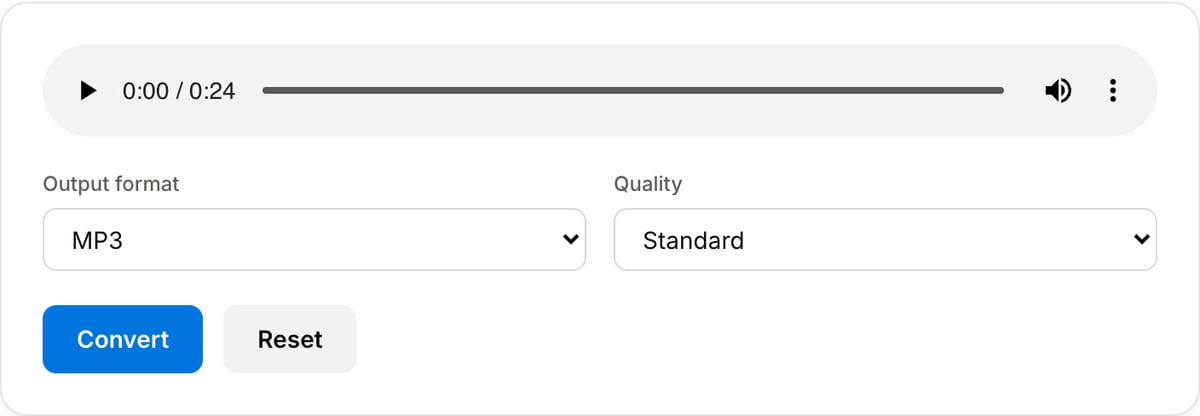
What the tool looks like
Popular task presets
Best for / not for
Best for
- Converting between MP3, WAV, AAC/M4A, OGG, FLAC, Opus, and other common audio formats.
- Creating smaller sharing files, lossless editing copies, or platform-compatible uploads.
- Private audio that should not be sent to a cloud converter.
Not for
- Audio cleanup, noise reduction, mastering, or stem separation.
- DRM-protected audio files.
- Batch converting large music libraries.
Best use cases for audio conversion
- Convert WAV or FLAC recordings to MP3/AAC for email, transcription, podcast drafts, or mobile playback.
- Create a WAV or FLAC copy when the next step is editing, cleanup, mixing, or archiving.
- Change audio format for podcast hosts, LMS uploads, DAWs, CMS systems, and older playback devices.
Supported formats & limits
| Input formats | MP3, WAV, AAC/M4A, OGG, FLAC, Opus, WebM — any codec FFmpeg understands |
|---|---|
| Output formats | MP3 (192/320 kbps), AAC (192/256 kbps), WAV (lossless), OGG Vorbis, FLAC (lossless) |
| Max file size | Up to ~2 GB (limited by browser memory) |
| Max duration | No hard limit — multi-hour files work fine |
| Cost | Free for any use. No signup. No watermark on output. |
Audio Converter vs. the usual alternatives
| Feature | This tool | VEED (free) | Kapwing (free) | CapCut Online |
|---|---|---|---|---|
| Processing model | Runs locally in your browser | Upload-based project editor | Upload-based project editor | Upload-based online editor |
| File limits | No upload cap; practical limit is browser memory | Plan-specific upload limits | Plan-specific upload and export limits | Feature- and account-specific limits |
| Watermark on output | No watermark added | Free exports include a VEED watermark | Free exports include a Kapwing watermark | Standard edits can be watermark-free; templates/assets may add branding |
| Signup / account | No account for tools | Workspace/account flow | Workspace/account flow | CapCut account flow |
| Works offline | Yes after cache, subject to browser support | No | No | No |
| Best for | Private one-step file operations | Full editor, templates, AI tools | Collaboration, templates, AI tools | Social templates and timeline editing |
Vendor plan limits were checked on April 29, 2026 and can change by region, account state, and export option. Verify critical limits on the vendor pricing/help page before relying on them.
Why this audio converter is different
- The format choices are practical instead of exposing a codec list meant for command-line users.
- It runs locally, which matters for interviews, legal recordings, unreleased music, and client files.
- Pairs with trimming, joining, normalization, and video-to-audio extraction workflows.
Task-focused FAQ
Should I use MP3 or WAV?
Use MP3 for sharing and transcription. Use WAV if you will edit, clean, mix, or archive the audio.
Will conversion reduce quality?
Lossy formats like MP3 and AAC can reduce quality slightly. WAV and FLAC preserve more detail but create larger files.
Can I convert audio from a video here?
Use Video to MP3 or Extract Audio for video sources, then use Audio Converter if you need another format.
Frequently Asked Questions
Which direction can I convert?
Any-to-any between MP3, WAV, AAC/M4A, OGG, and FLAC. The tool decodes the input and encodes the chosen output — no direct relationship to the source codec is required.
Which format should I pick?
MP3 for universal playback. AAC/M4A for Apple devices. WAV for editing (lossless, huge). FLAC for archival (lossless, smaller than WAV). OGG for open-source pipelines.
Does converting to FLAC restore quality lost from MP3?
No. Once audio has been lossy-compressed (MP3, AAC, OGG), quality cannot be recovered. FLAC will just store the lossy-compressed waveform losslessly — same listening experience, larger file.