Split Screen Video Maker — Free, No Upload
Combine two videos side by side or stacked. Clips are auto-aligned. Runs in your browser — no upload, no watermark.
Drag & drop your video here, or click to browse
Max file size: ~2 GB (memory permitting)
What the tool looks like
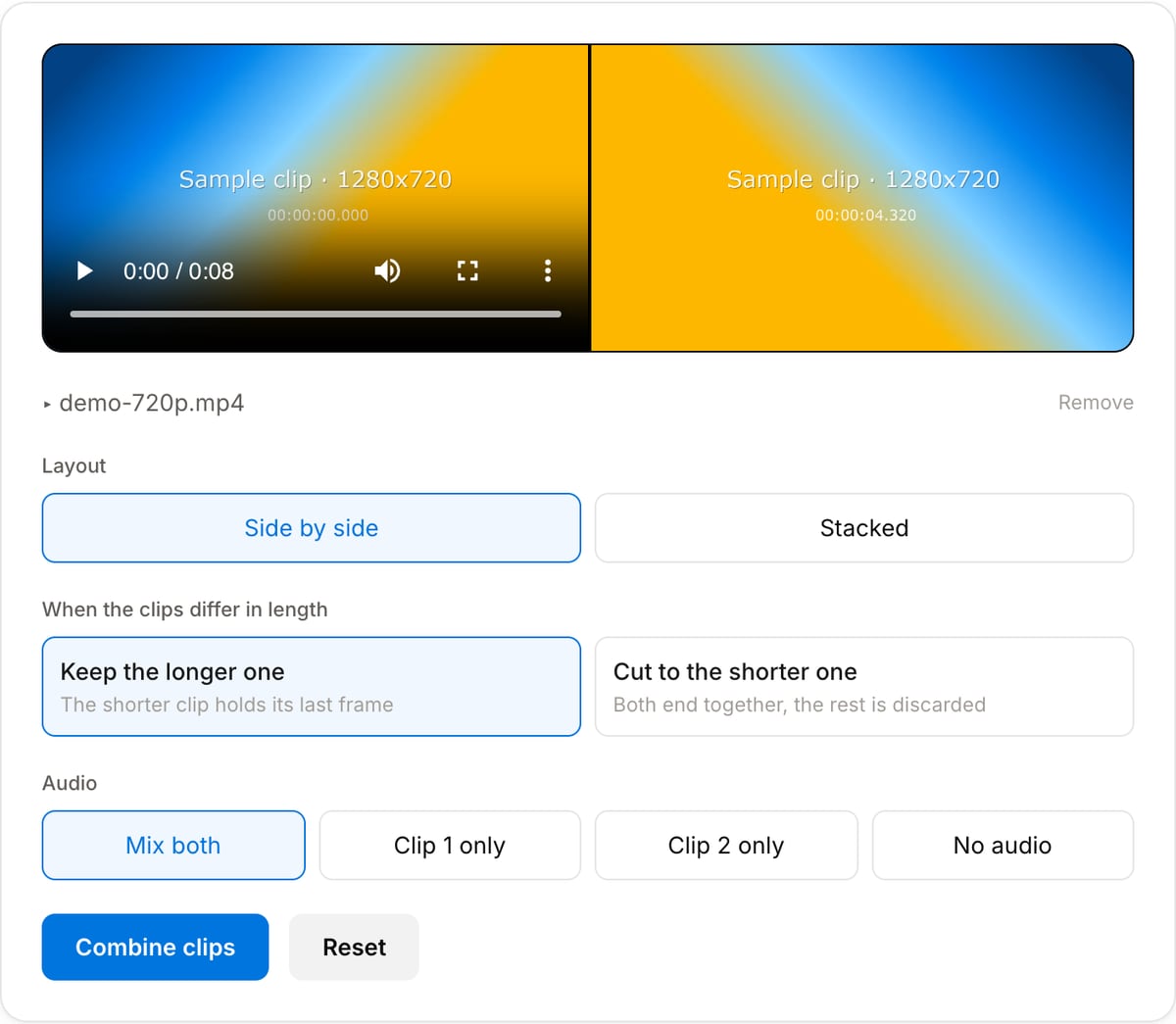
Popular task presets
Best for / not for
Best for
- Before-and-after comparisons where the two clips have to be seen at the same moment, not one after the other.
- Duets and reaction videos — your recording beside the clip you are reacting to.
- Tutorials that need the screen on one side and the presenter on the other.
Not for
- Moving, resizing or animating either half during the video — the split is fixed for the whole clip.
- More than two clips, or an inset that sits on top of the other video.
- Adding borders, rounded corners, or labels between the halves.
When to use split screen
- Before and after in one frame — a graded shot beside the original, or a stabilised take beside the shaky one, so the difference is visible rather than remembered.
- Duets and reactions — a webcam recording beside the clip being reacted to, which is the layout TikTok and Instagram made standard.
- Tutorials and demos — a screen recording on one side, the person explaining it on the other.
- Two camera angles of the same take, so a reviewer can judge both without scrubbing back and forth.
Supported formats & limits
| Input containers | MP4, MOV, WebM, MKV, AVI, FLV, WMV, M4V |
|---|---|
| Input codecs | H.264, H.265, VP8, VP9, MPEG-4, MJPEG. Not AV1 — this WebAssembly build has no software AV1 decoder. |
| Output container | MP4 (default) — interoperable with iOS, Android, YouTube, Instagram, X |
| Output codec | H.264 video + AAC audio |
| Max file size | Up to ~2 GB (limited by browser memory) |
| Max duration | No hard limit — depends on file size |
| Cost | Free for any use. No signup. No watermark. |
Why use this split screen maker
- Clips are fitted and padded rather than stretched, so a portrait phone recording beside landscape footage keeps its shape instead of being squashed into half the frame.
- Length is your choice: end when the shorter clip ends, or hold its last frame so the longer clip plays out in full. The page shows the difference in seconds before you commit.
- Audio is a choice too — mix both, keep one, or drop it. A clip with no audio track is skipped rather than failing the export, which matters for screen recordings.
- Nothing is uploaded. Two video files stay on your machine, so there is no upload wait and no copy of your footage on someone else’s server.
Task-focused FAQ
Can I make a TikTok-style duet with this?
Yes. Put your recording and the original clip side by side, then export. The result is a normal MP4 you can upload anywhere, without the platform watermark a native duet adds.
Why is there black space around one of the clips?
Because the two clips have different aspect ratios. Each is fitted inside its half and padded rather than stretched, so nothing is distorted. Crop the odd one to a matching ratio first if you want the halves to fill edge to edge.
Does it work on a phone?
It runs, but two video files decoded at once is heavy for mobile memory. Keep the clips short, or use a desktop browser for anything over a minute.
Tutorials covering this tool
Frequently Asked Questions
How many videos can I combine?
Two clips — side by side, or stacked top and bottom. It is ideal for comparisons, duets, and reaction-next-to-content layouts. For three or four clips at once, use the Video Collage Maker.
Do the clips need to be the same size?
No. Each clip is scaled to fit inside its half and padded with black to fill it, so a portrait phone clip next to landscape footage keeps its proportions instead of being stretched to match.
What happens if the clips are different lengths?
You choose. "Keep the longer one" freezes the last frame of the shorter clip so its half stays filled until the end; "cut to the shorter one" ends both together. The page shows the exact difference in seconds before you combine them.
Which clip's audio do I get?
Whichever you pick: both mixed together, clip 1 only, clip 2 only, or none. Mixing keeps each clip at its own level rather than halving them, so two people talking at once will be loud — pick a single clip when only one side carries the dialogue.
What if one of the clips has no sound?
It is left out of the mix instead of breaking the export. Screen recordings and phone videos shot in silent mode often have no audio track at all.
Is anything uploaded?
No — both clips are combined locally in your browser with FFmpeg WebAssembly.